
Travellers with their own USB fan
Want to check which cable and charging specifications their fan needs before choosing a mains charger.


Start with your fan’s manual: check the cable you need, the input voltage and the charging current before choosing a USB mains charger. Only choose an extra port if you want to charge another device at the same time. If you’re staying at a hotel abroad, also check the plug type and the charger’s input voltage. The models mentioned are examples, not confirmed matches for your fan.
Want to check which cable and charging specifications their fan needs before choosing a mains charger.
May want to charge their fan and phone at the same time, so the number of ports and the output per port matter.
Want to check whether their charger’s plug and permitted input voltage are compatible with the socket at their destination.
First, check that your fan’s cable and charging specifications are compatible with the charger. Then decide whether you need one port or more, and whether the charger will work at your hotel destination.
The points below are for consumers considering a USB mains charger for a rechargeable fan in a hotel room.
| What to consider | What to look for | Who is this important for? |
|---|---|---|
| Charging your fan | Compare the cable connectors and the specified input voltage and charging current with the charger’s output specifications. | I want to avoid finding that the cable doesn’t fit the charger or that the charging specifications don’t match my fan. Around 36% of consumers prioritise charging compatibility. |
| Charging two devices at once | Check that the port types suit your cables, and check the output per port, including when both ports are in use. | I want to charge my fan and, for example, my phone at the same time without having to keep switching chargers. Around 29% of consumers give simultaneous charging top priority. |
| Charger and charging-area safety | Check that the specific charger has the required CE marking and product information. Follow the fan’s instructions and don’t charge it with damaged equipment. | I want to use a charger with clear product information and charge my fan in a suitable place. Around 21% of consumers prioritise safe charging. |
| Your hotel destination | Check the socket type and local mains voltage, then compare them with the charger’s plug and input voltage. | I want to know whether my charger will fit the socket at my hotel abroad and work within its stated input voltage. Around 14% of consumers give suitability for their destination top priority. |
According to the Netherlands Food and Consumer Product Safety Authority, the applicable CE marking is mandatory for a mains charger offered as a new electrical product on the Dutch market. CE is a declaration that a product meets applicable requirements; it is not an independent quality mark and does not, by itself, confirm the condition or suitability of a specific item.
The connector on the fan doesn’t tell you which connector the cable has at the charger end. If the connector is wrong, you may not be able to use the cable directly.
Compare both ends of the cable with the fan manual and check the stated charging specifications before choosing a charger.
You may still need a suitable cable.
The total output doesn’t tell you how much power each port supplies individually. Belkin states that the WCB002vfWH delivers up to 12 W per USB-A port, with 24 W in total.
Check the specifications for the port you’ll use and, if you’ll charge devices at the same time, the specifications for that combination of ports.
A travel plug adapter doesn’t change the voltage. So a plug that fits physically is not, on its own, proof that the input voltage is suitable.
Check the socket type and mains voltage at your destination, then compare them with the charger’s input label.
A separate travel plug adapter takes up extra space in your luggage.
On 9 June 2026, Which? reported that 9 out of 15 USB phone chargers bought through online marketplaces posed a risk of electric shock in a UK test. This result is not a measure of the frequency of such risks in the Dutch market and says nothing about the models mentioned here.
For the specific version sold in the Netherlands, check the required marking, product information and condition of the charger.
Belkin’s Dutch product information describes models with two USB-A ports and models with both USB-A and USB-C. The right option for you depends on your cable and charging needs.
According to UGREEN, the Nexode range includes a charger with USB-C and USB-A, for anyone who wants to connect two types of cable plug.
Anker’s European product information lists the PowerPort III 20W, model A2632, as a 20W model with a USB-C output.
This selection of Joybuy products includes USB mains chargers and a travel adapter with USB-A and/or USB-C ports. Compare the port and charging specifications with your fan’s manual. If you’ll be using the charger abroad, also check the plug type and stated input voltage.
 Image unavailable
An option if your cable uses USB-A or USB-C at the charger end and you want to connect several devices; check your fan’s charging specifications.
The product title states 65 W, two USB-C ports and one USB-A port.
 Image unavailable
An option if you want to connect another device to a second port as well as your fan; check that both port types suit your cables.
The product title states 30 W and USB-A and USB-C ports; check the output specifications for simultaneous use.
 Image unavailable
An option if you want to connect two devices and your cables are compatible with the available USB-A and USB-C ports.
The product title states 20 W and two ports; compare the charging specifications with the requirements for your fan.
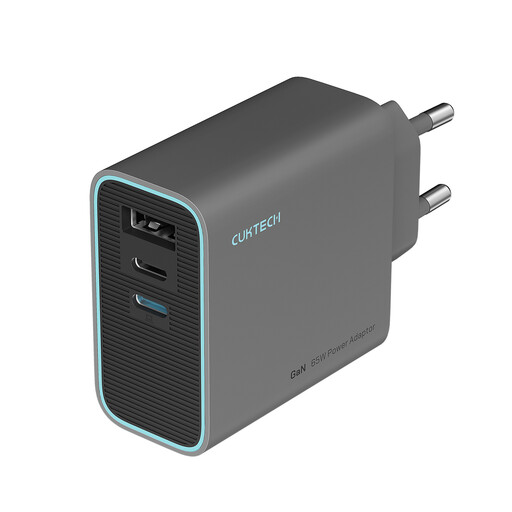 Image unavailable
An option if your fan cable uses USB-C at the charger end and you want to connect more than one device; check the charging specifications you need.
The product title states 65 W and three ports. The colour option is grey.
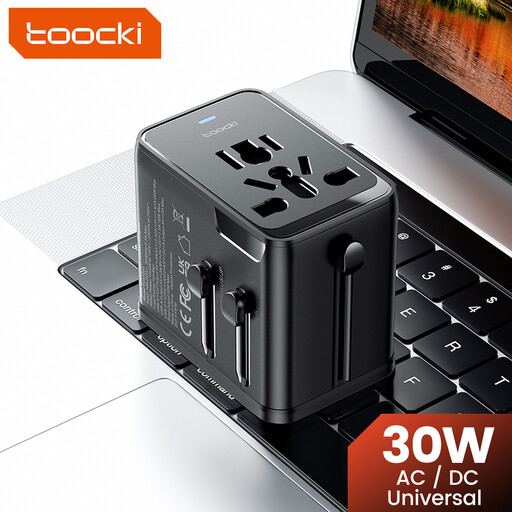 Image unavailable
An option to consider for a hotel destination with a different socket type; check that the plug is suitable and confirm the input voltage before you travel.
The product title states 30 W PD, one USB-A port, two USB-C ports and plug options for EU, UK, US and AUS. A plug adapter doesn’t replace checking the input voltage.
Maximum wattage alone doesn’t determine whether a charger is suitable. Compare the output voltage, available current and cable with your fan’s instructions. Without those details, compatibility can’t be confirmed.
That depends on your destination and the plug on your charger. Check the local socket type and mains voltage, then compare them with the charger’s plug and permitted input voltage. A travel plug adapter doesn’t change the voltage.
According to the Netherlands Food and Consumer Product Safety Authority, CE marking is mandatory for a new USB mains charger offered on the Dutch market under the applicable EU rules. The marking is a declaration that the product meets requirements, not an independent quality mark or confirmation that the charger is compatible with your fan.
Not under the common charger rules mentioned here. The European Commission does not list rechargeable fans among the categories covered by those rules, which have applied since 28 December 2024. So check the connector in your fan’s manual.
Follow the fan’s manual and charge it in a suitable, dry place. The fire service advises avoiding damage and moisture; don’t put the fan under bedding while it’s charging.