
Trimmer owners with an unfamiliar charging cable
If you want to check first whether your cable and the recommended charging output are suitable for a shared charger. Philips advises following the product-specific manual and charging requirements.


Start with your trimmer’s manual and supplied cable: having a USB port doesn’t prove that the connection and charging output are suitable. Choose a compact multi-port charger if there are already enough sockets, or an extension lead with USB ports if you also need to plug in mains-powered devices. Check that there’s enough room and that the cable can reach, and make sure the charger can sit in a well-ventilated spot.
If you want to check first whether your cable and the recommended charging output are suitable for a shared charger. Philips advises following the product-specific manual and charging requirements.
If you want to charge your trimmer alongside other USB devices without having to free up a connection each time. A multi-port charger may be suitable, provided its port type matches the cable you use.
If you may need standard mains sockets as well as USB ports, and need to consider the available space, cable routing and safe use. Brandweer Nederland advises positioning chargers in the open so heat can escape.
Choose this if: there are already enough sockets and you need to charge several USB devices at once.
Bear in mind: USB ports don’t provide extra mains sockets. Check the trimmer’s connection and charging requirements.
Choose this if: people need mains sockets as well as USB connections, and there’s room for an extension lead.
Bear in mind: a larger model takes up space. Count the ports and sockets you need before choosing.
Choose this if: you charge no more than two devices at once and want both a USB-A and a USB-C connection.
Bear in mind: there are no extra ports or sockets for more users. Fast charging times for phones don’t tell you how quickly a trimmer will charge.
Choose this if: the manual or supplied cable specifies a particular suitable adapter.
Bear in mind: Philips’ instructions for the HQ87 adapter apply only to compatible Philips products and don’t replace a shared charging solution.
| What to consider | What should you check? | Who is this important for? |
|---|---|---|
| Trimmer compatibility | Compare the trimmer model, manual and cable with the output of the port you plan to use. Philips specifies 5 V and at least 1 A for the products listed on its support page; these values don’t automatically apply to other trimmers. | If I connect my trimmer to a shared charger, I want to check first that the cable and output suit the specific model. Around 31% of consumers put compatibility first. |
| Safe use in the workplace | Check the placement and usage instructions, and don’t use damaged cables or chargers. Brandweer Nederland advises placing chargers in the open so heat can escape. | If a charger is left on a shared desk, I want to be able to position it in the open and spot any damaged parts. Around 25% of consumers prioritise safe use. |
| Enough connections | Count the devices that need to charge at the same time, distinguish between USB-A and USB-C, and decide whether you need standard mains sockets. Also check the stated power per port and when ports are used simultaneously. | If several people are charging at once, I want enough suitable connections without having to unplug a cable each time. Around 25% of consumers prioritise having enough connections. |
| Space and cable routing | Measure the available space and the distance to the socket. The UGREEN desktop charger assessed has a 2 m cable; the Hama extension lead assessed has a 1,4 m cable. | With limited space on my desk, I want to know whether the charger will be within reach and its power cable will reach the socket. Around 19% of consumers prioritise how their charging area is set up. |
The cable, connection and charging requirements for the specific trimmer model determine whether a port is suitable. A charging station’s total power rating doesn’t, by itself, tell you what your trimmer needs.
Read the manual and compare the cable with the output of the port you want to use.
A USB desktop charger and an extension lead with USB ports meet different connection needs.
Count both the USB devices and the devices with a mains plug beforehand.
A charger needs space to release heat. Brandweer Nederland also warns against using damaged cables and chargers.
Choose an accessible, clear spot and replace any damaged parts.
Multi-port desktop chargers for desks with several USB devices.
Extension leads with USB ports for workspaces where devices with mains plugs are also used.
Smaller multi-port chargers for people who want to connect two devices at once.
Model-specific charging advice and adapters for compatible Philips trimmers and other personal care products.
These Joybuy products include extension leads with USB connections and a multi-port charging station for a shared desk. Always check your trimmer’s manual and the connection on its supplied cable.
 No image available
Suitable for a shared desk where USB devices and devices with mains plugs need to connect in one place.
The product name lists four mains sockets, three USB-A ports, two USB-C ports, a digital clock and a 3 m cable. The maximum load is 2500 W; don’t connect extension leads in series.
 No image available
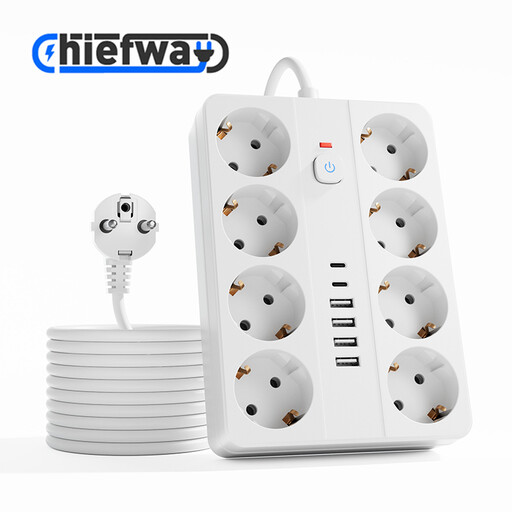
May suit a shared workspace where several USB devices and devices with mains plugs need to be connected at the same time.
The product name lists eight mains sockets, four USB-A ports, two USB-C ports and a 3 m cable. The maximum load is 2500 W; don’t connect extension leads in series.
 No image available
Suitable for a desk where a compact connection point is needed for several USB devices and devices with mains plugs.
The product name lists USB-A and USB-C ports, an on/off switch and a 1,5 m cable. The maximum load is 2500 W; don’t connect extension leads in series.
 No image available
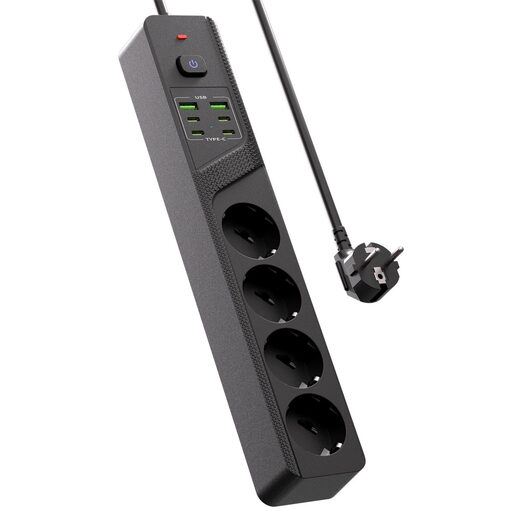
May suit a desk where several USB devices and devices with mains plugs need a permanent connection point.
The product name lists four Schuko sockets, four USB-C ports, two USB-A ports and an on/off switch.
 No image available
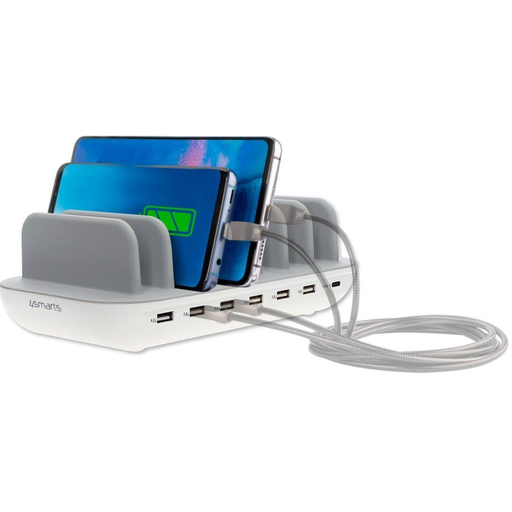
A charging station for anyone setting up a shared USB charging area on a desk.
The product name lists 60 W. Don’t cover the charging station while it’s in use; the product information warns that it may overheat.
No. Follow your trimmer’s manual and use the cable supplied with it. For the personal care products described on its support page, Philips allows other suitable charging sources under specified conditions; these don’t automatically apply to trimmers from other brands.
Position the charger in the open so heat can escape, check the cable and casing for damage, and follow the instructions for use. Brandweer Nederland advises allowing heat to escape freely. Also check the rules for using a shared workplace connection at your location.
For a consumer purchase in the Netherlands, the seller must offer a solution if the product doesn’t meet reasonable expectations. According to the Dutch government, the Netherlands has no fixed statutory guarantee period; a manufacturer’s guarantee is in addition to these rights.
The Dutch government describes CE marking and an EU declaration of conformity as part of the rules for electrical appliances, and includes chargers in its enforcement checks. The CE mark is the manufacturer’s declaration; on its own, it doesn’t prove that a specific trimmer is compatible with a specific port.
No. The European Commission lists the product categories covered by the common charging connection requirements; hair trimmers aren’t on that list. Check the actual connection on your trimmer rather than assuming it has USB-C.