
Students with an older charging case
First, check which cable fits your case. Apple Support describes AirPods cases with both Lightning and USB-C connectors, depending on the model.


Start with the connector on your charging case and the cable it needs. The maximum wattages manufacturers quote for their chargers are not measurements of how quickly your earbuds will charge. One port is enough if you’re only plugging in the case; choose multiple ports if you also want to charge a phone or another device at the same time. Check the power available from each port and the charger’s safety information.
First, check which cable fits your case. Apple Support describes AirPods cases with both Lightning and USB-C connectors, depending on the model.
If you want to plug in your phone as well as your earbuds, compare the number of ports and how much power each port provides when used at the same time.
Check the safety information and the cable supplied. Also clear a suitable space next to your bed or desk; the Fire Service recommends using a hard surface and, ideally, charging while you’re nearby.
First, check that the case, cable and charger are compatible. Then decide whether you want to plug in a second device while charging.
| What to consider | What should you check? | Who should pay particular attention? |
|---|---|---|
| Connector and cable | Check the exact case model and whether the charger’s output and both ends of the cable fit the case. | I want to make sure I know which cable my case needs, so the connection works. Compatibility comes first for around 31% of consumers. |
| A complete charging set | Check whether the package includes a cable and whether it fits your case. | I want to be able to plug in the case straight away with a suitable cable. Around 25% of consumers prioritise a complete charging setup that’s ready to use. |
| Charging two devices at once | Check the number and type of ports, and how much power each port provides when used at the same time. | If I also want to charge my phone, I don’t want to keep swapping plugs. For around 19% of consumers, charging two devices at once is the top priority. |
| Safe charging | Check the charger’s safety information and CE marking; use an undamaged cable and a hard surface. | I want to use my charger in a suitable place and with the right safety information. Safe charging comes first for around 25% of consumers. |
The connector on the case itself can vary, even if the adapter has a USB-C port. You may still need a compatible cable.
Before choosing a charger, check the connector on your exact case model and both ends of the cable.
An adapter’s maximum power rating isn’t a measurement of how quickly a charging case will charge. Phone specifications alone don’t tell you how quickly your earbuds will charge.
Choose a charger based first on compatible connectors and the number of ports. Only assess power specifications for the devices and usage conditions they refer to.
The Fire Service recommends charging on a hard surface and, ideally, while you’re nearby.
Make room on your desk or another suitable surface, and follow the safety instructions for your device.
The BoostCharge WCA009kqWH is an example of a single-port USB-C wall charger.
The 523 Charger (Nano 3, A2039) is an example of a charger with two USB-C ports.
The EP-T2510XBEGEU is a version of a USB-C wall charger supplied with a USB-C-to-USB-C cable.
These options are intended for charging cases with a compatible USB-C connector. The selection includes an adapter with a cable and chargers with multiple ports; check which cables are included with each product.
 No image available
Worth considering if your case has a USB-C connector and you need a compatible cable.
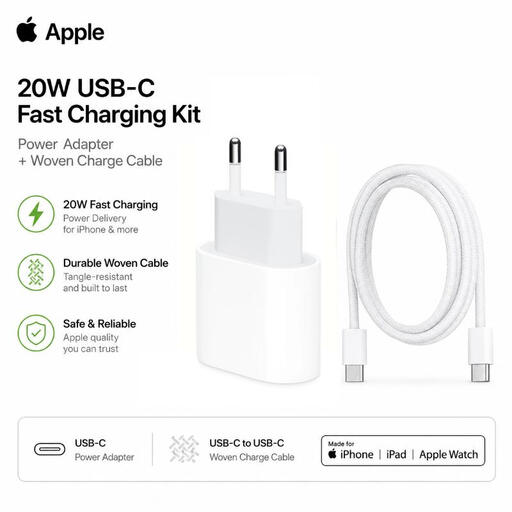
The set includes a USB-C adapter and a 1 m USB-C-to-USB-C cable; the product information mentions USB Power Delivery.
Before use, check the safety information and CE marking for this mains charger.
 No image available
An option to consider if your case has a compatible USB-C connector and you also want to plug in a second device.
The product name mentions a retractable USB-C cable and two USB-C ports.
Before use, check the safety information and CE marking for this mains charger.
 No image available
This port layout may be useful if you want to connect a USB-C case as well as devices that use other compatible cables.
The product name mentions two USB-C ports and one USB-A port.
Before use, check the safety information and CE marking for this mains charger.
 No image available
An option if you want to plug in a USB-C case and also use a device with a compatible USB-A cable.
The product information lists a total output of 20 W and one USB-C port and one USB-A port.
Before use, check the safety information and CE marking for this mains charger.
 No image available
The port layout may suit you if you want to connect a USB-C case and other devices using compatible cables.
The product information lists three ports, a weight of 118 g and says that cables are not included.
Before use, check the safety information and CE marking for this mains charger.
No. Since 28 December 2024, EU rules have applied to products including newly sold earbuds; they don’t require you to convert an existing case. The European Commission explains the rules for new products. Check the connector on your own model: according to Apple Support, AirPods cases can use Lightning or USB-C.
Place the earbuds in the case and follow the instructions for your model. Samsung says that, for Galaxy Buds, you should connect the closed case to the charging port using a USB cable. Don’t put wet or dirty earbuds in the case.
Use a hard surface and, ideally, charge while you’re nearby. This is the Fire Service’s advice. Also follow the instructions for your specific device.
Mains-powered chargers covered by the European Low Voltage Directive must meet safety requirements and carry a CE marking. EUR-Lex explains these rules for electrical equipment. A CE marking on its own is not an independent real-world test of a particular product.
No. Alongside any manufacturer’s or seller’s warranty, you have statutory rights. ACM ConsuWijzer says that a product should last for as long as you can reasonably expect it to under normal use. Report any fault to the seller.