
Users unsure which connector their case has
Check that the cable matches the connector on your charging case. Apple Support describes AirPods cases with either a Lightning or USB-C connector, depending on the model.


First, choose a charger with a port that matches the cable for your charging case. Then decide whether you want to connect one or two devices to the shared socket at the same time. If you choose a charger with two ports, check the power output per port when both are in use, and make sure the specific mains adapter carries the CE mark. The Netherlands Food and Consumer Product Safety Authority says this mark is mandatory for electrical products covered by the rules and sold on the Dutch market.
Check that the cable matches the connector on your charging case. Apple Support describes AirPods cases with either a Lightning or USB-C connector, depending on the model.
If you want to connect a charging case and another device at the same time, the number and type of ports, as well as the power available when both are in use, all matter.
If you choose a mains-powered charger, you’ll want to check that the specific adapter carries the mandatory CE mark. The Netherlands Food and Consumer Product Safety Authority explains this requirement for electrical products covered by the rules.
At a shared desk, start by checking the connector on your case and cable. Then consider simultaneous charging, safety and portability.
| What to consider | What should you check? | Who does this matter to? |
|---|---|---|
| Case, cable and adapter connections | Check the connector on the case and both ends of the cable. Also see whether the cable is included. | If I want to keep using my current cable, the plugs must fit both the case and the adapter. Around 36% of consumers put this connection first. |
| Connecting two devices at once | Check the number and type of ports, and how much power is available when both ports are in use. | If we want to connect a charging case and a second device to one socket at the same time, the power split between the ports matters. Around 29% of consumers prioritise simultaneous charging. |
| Mains adapter safety | Check the CE mark and product identification. If in doubt, look up any safety warnings for that specific product. | If I use a mains-powered adapter, I want to be able to check its marking and product identification. Around 21% of consumers put product safety first when buying. |
| Moving between workspaces | Consider the dimensions, number of ports and whether you’ll need to carry the cable separately. | If I take my charger between workspaces, I want to know whether its size and cable will suit my bag and how I use it. Around 14% of consumers prioritise portability. |
A USB-C port on the adapter won’t necessarily match the connector on your charging case. The other end of the cable must fit the case too.
Check the case and both cable plugs before choosing an adapter.
A different combination of ports and cable may mean you need to buy a suitable cable.
IKEA lists the SJÖSS as delivering 45 W when using one USB-C port and 22 W per port when both ports are in use.
Check the power split for simultaneous charging. It doesn’t tell you how long a specific charging case will take to charge.
A USB adapter charges a case via a cable. Wireless charging also requires a suitable pad and a case that supports wireless charging.
For a wireless setup, you may need a compatible charging pad as well as the adapter.
Check whether your case supports wireless charging and what power supply the pad needs.
IKEA Netherlands lists the SJÖSS 45 W with two USB-C ports.
According to Belkin, the BoostCharge range includes models with two USB-C ports and models with USB-C and USB-A.
According to Anker, the Anker 523 Charger (Nano 3, A2039) has two USB-C ports.
These products are suitable for charging earbuds at a shared desk, with options including USB-A and USB-C ports or multiple USB-C ports. Before buying, check that the specific mains adapter carries the CE mark. The Netherlands Food and Consumer Product Safety Authority says this is mandatory for electrical products covered by the rules and sold on the Dutch market.
 No image available
An option if you want to connect cables with different types of plug at a shared desk and charge two devices at the same time.
The product name lists 80 W and Type A and Type C ports.
 No image available
Suited to a setup where you need to connect two USB-C cables to one adapter at the same time.
The product name lists two USB-C ports and 65 W.
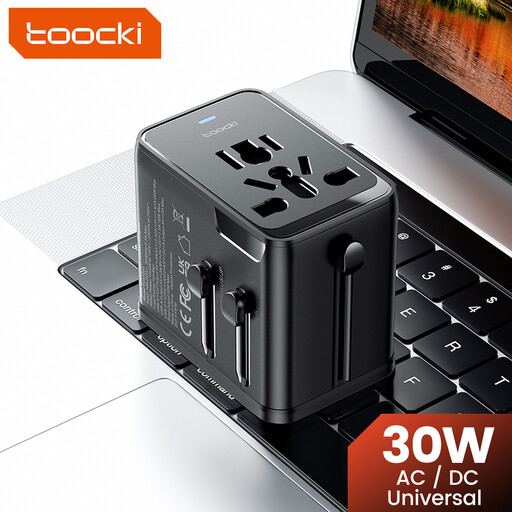 No image available
An option if you want to connect different USB cables at your desk and are also looking for a travel adapter.
The product name lists 30W PD, one USB-A port and two USB-C ports.
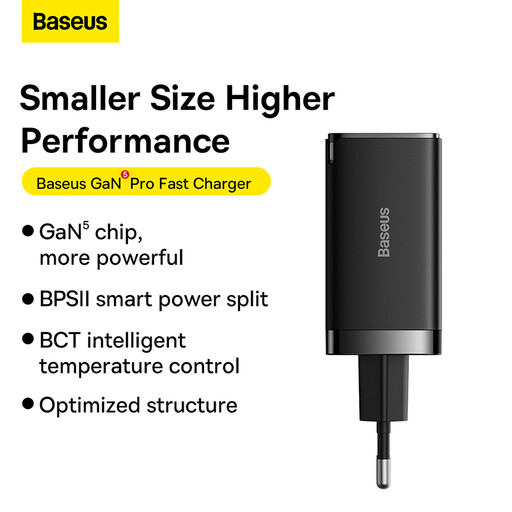 No image available
An option if you’re looking for a wall charger to use at a shared desk or when travelling.
The product name lists 65W and a C+C+U port layout.
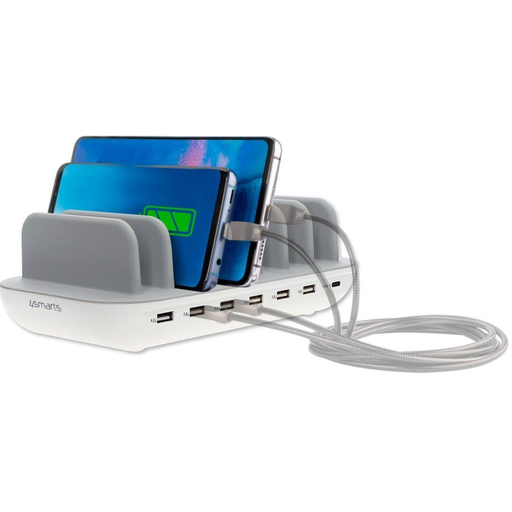 No image available
An option to compare if you’re considering a charging station for your desk setup.
The product name lists 60W and the colour white.
Not necessarily. The European Commission says the rules have applied to the categories covered since 28 December 2024, including earbuds within scope, but they don’t change the connector on an older case. Check your own model: Apple Support describes AirPods cases with either a Lightning or USB-C connector.
Follow the instructions for your model. Samsung says that, for Galaxy Buds, you should put the earbuds in the charging case first, then charge the case using a cable or, if supported, wirelessly.
Only use wireless charging if your case supports it. For compatible AirPods cases, Apple Support recommends checking the position on the Qi charger. If it still won’t charge, try a compatible cable and USB power adapter.
Yes, for electrical products covered by the requirement. According to the Netherlands Food and Consumer Product Safety Authority, the manufacturer uses the CE mark to declare that the product meets the relevant European requirements. The mark alone does not prove that the product has been independently tested.
No, not automatically. ACM ConsuWijzer explains that statutory warranty in the Netherlands depends on what you could reasonably expect from the product under normal use. If a product is faulty, the seller is responsible for providing an appropriate solution at no cost to you. Any manufacturer’s warranty is separate.