
Home worker with one charging case
Wants to charge the case at their desk and mainly needs to choose the right connector and cable.


Start with the connector on your charging case: a USB-C charger won’t make a Lightning case compatible with a USB-C cable. If you’re only charging the case, one suitable port may be enough. If you want to connect a phone at the same time, compare the ports and their stated output when used simultaneously. Before buying a mains charger, also check the information for the exact model.
Wants to charge the case at their desk and mainly needs to choose the right connector and cable.
Wants to connect a phone as well as their earbuds to the same charger, and compare the ports and output.
May have a Lightning case or an existing USB cable, and wants to check that it will work with the charger they choose.
Mains chargers are subject to applicable European requirements for electrical equipment. Business.gov.nl explains that manufacturers must draw up an EU declaration of conformity and affix the CE marking to compliant equipment.
| What to consider | What to look for when buying | Who is this important for? |
|---|---|---|
| Connector and cable | Check the case model, the connector on the case and both ends of the cable. | If I’m not sure whether my case uses Lightning or USB-C, I want to check that the cable and connectors match first. Around 36% of consumers put connector and cable compatibility first. |
| Ports for multiple devices | Compare the port types and how the output is shared when both ports are in use. | If I want to connect my case and phone at the same time at my desk, I’ll look for two suitable ports and check their output when used together. Around 29% of consumers prioritise charging multiple devices simultaneously. |
| Safety information | Check the exact model, the seller, the CE marking and any available conformity information. | I want to be able to identify the model I’m plugging into the mains and check the information that applies to it. Around 21% of consumers put verifiable safety information first when buying. |
| Reusing what you have and accessories | Check whether a suitable cable is included and whether an existing USB port will do the job. | If I already have a suitable cable and USB port, I don’t want to buy extra charging accessories unnecessarily. Around 14% of consumers prioritise reusing what they have and avoiding additional accessories. |
A CE marking on its own is not proof that a product has been independently safety tested. When choosing a mains charger, check whether the information about the exact model and its origin is clear.
The connector on the charging case determines which end of the cable fits it. Apple Support Netherlands describes cases that charge via Lightning and cases that charge via USB-C.
Check the exact case model and both ends of the cable before choosing a charger.
A charger’s stated maximum output does not, on its own, tell you how long a specific charging case will take to charge.
First, choose the right connectors and the number of ports you need. Only compare the output for other devices once you know their charging requirements.
Manufacturers may list separate maximum outputs for USB-C and USB-A. The output per port matters when you use both at the same time.
Read the output specifications for each port and check how the output is shared when charging simultaneously.
Samsung states that the EP-T2510NBEGEU version does not include a USB-C cable.
Check what comes with the exact version and whether you already have a suitable cable.
If you don’t have a suitable cable, you may need to buy one as well.
The BoostCharge models reviewed are worth considering if you’re looking for one USB-C port or a combination of USB-C and USB-A.
The 35 W Nexode version reviewed combines USB-C and USB-A, so it may be worth considering if you share a charger.
The EP-T2510NBEGEU is a USB-C mains charger worth comparing if you’re looking for a separate port for your case.
This selection includes USB-C mains adapters and multi-port charging solutions for your desk. Choose according to the connector on your case and how many devices you want to connect at once. Before buying, check the conformity information for the exact model.
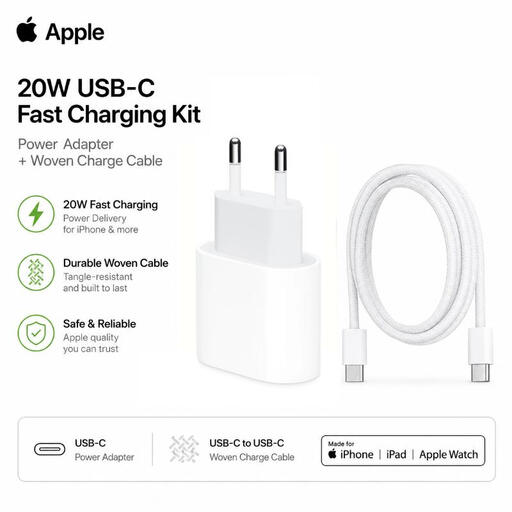 Image unavailable
Suitable if you want to charge a USB-C case using a USB-C to USB-C cable; the product description lists AirPods with a USB-C case as compatible.
The product name specifies a 20 W USB-C mains adapter.
 Image unavailable
An option for a desk where you connect multiple devices; check that the ports and included cables are suitable for your charging case.
The product name specifies 320 W and two retractable USB-C cables.
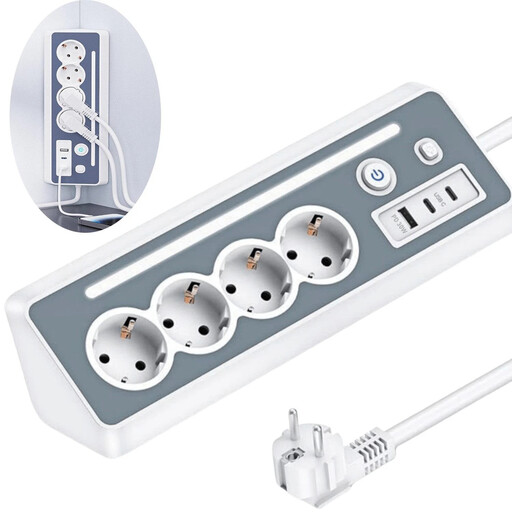 Image unavailable
May suit a desk set-up where you also need mains sockets; check that the USB ports work with your cables.
The product name specifies four sockets, two USB-C ports and one USB-A port.
 Image unavailable
An option if you have a suitable cable with a USB-A or USB-C plug at the charger end for your case or a second device.
The product name specifies USB-A, USB-C and a total output of 20 W.
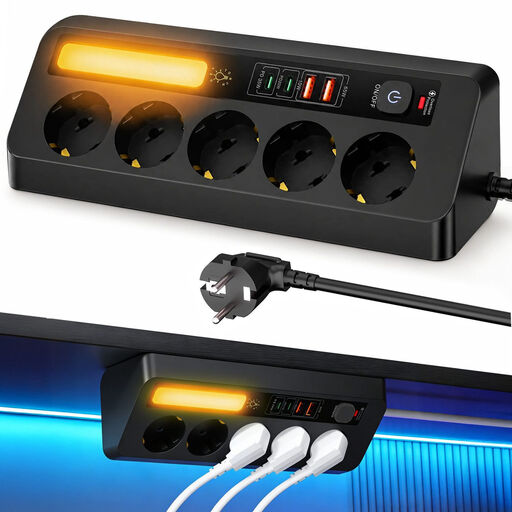 Image unavailable
An option for a workspace where you need multiple devices and mains sockets; check that the port layout suits your cables.
The product name specifies two USB-C ports, two USB-A ports, PD 35 W and a 2 m cable.
No, it depends on the connector on your case. Apple Support Netherlands describes cases that charge via Lightning and cases that charge via USB-C. Also check that the other end of the cable fits the charger’s USB port.
Only if your specific case supports wireless charging. Apple lists this for MagSafe and wireless charging cases; it doesn’t apply automatically to every case. A USB mains charger and a wireless charging pad are separate things.
First, check that the cable and connectors fit your case. For Galaxy Buds, keep moisture away from the charging port. Samsung advises letting a case that gets warm during wireless charging cool down before charging it again.
Mains chargers are subject to applicable European product requirements. Business.gov.nl explains that manufacturers must draw up an EU declaration of conformity and affix the CE marking to compliant electrical equipment. Check the information for the exact model.
For distance purchases, the seller must provide information about the cooling-off period. According to the Dutch government, this is usually 14 days. Check the seller’s information for the terms that apply to your purchase.