What should you look for?
First check that the lamp’s plug and power requirements are compatible. Then decide whether you need USB ports only or standard mains sockets too, and compare the power distribution if you’ll be using several devices.
| What to consider |
What should you check? |
Who is this important for? |
| Fewer mains plugs |
Count the devices you need to use at the same time and check that the charger has the right USB-A and USB-C ports. |
If I want to power my lamp and a second USB device from one socket, having enough compatible ports is essential. Around 36% of consumers say reducing the number of mains plugs is their main reason for buying. |
| Power for the lamp |
Check the lamp instructions for its connection, required power and whether it needs a continuous power supply or charges a battery. |
I want to know first whether my existing lamp can connect directly to the chosen port and receive enough power. For around 29% of consumers, having a suitable power supply for their lamp comes first. |
| Power when using several ports at once |
Check the power distribution for the exact ports you want to use at the same time, and compare it with the power requirements of both devices. |
If I connect a device with higher power requirements as well as my lamp, I want to know how much power each port will deliver. Around 21% of consumers give this power distribution the highest priority. |
| Position and cable reach |
Measure the distance to the lamp and check that you can position your chosen solution freely and that the cable will reach where you need it. |
If the socket isn’t right next to my lamp, where the USB connection is positioned matters to me. Around 14% of consumers prioritise positioning and reach. |
Products at Joybuy
This selection includes multi-port USB adapters, wall chargers and desk socket solutions. For each product, check that the ports, power supply and positioning are suitable for your lamp and other devices.
 No image available
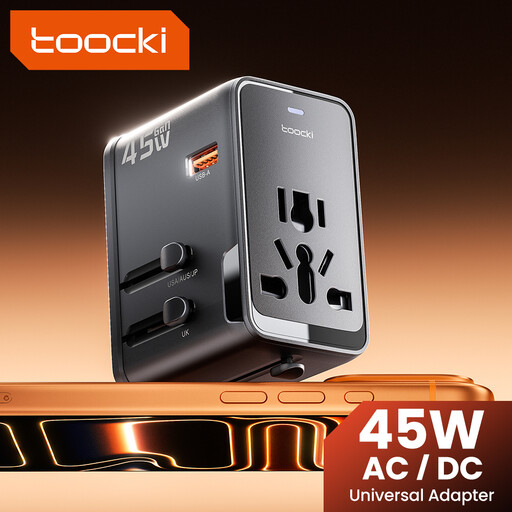
toocki universal travel adapter 45 W PD
May be suitable if your lamp cable connects to one of the USB outputs; also check that the plug type is right for your socket.
The product name lists one USB-A port and two USB-C ports.
The product name lists EU, UK, US and AUS plug adapters.
View at Joybuy
 No image available
65 W wall charger with 2 USB-C and 1 USB-A port
May be suitable if your lamp cable connects to USB-A or USB-C and you also want to connect other USB devices.
The product name lists 65 W, two USB-C ports and one USB-A port. The product description says it can charge three devices at once; check the power distribution for each port combination.
View at Joybuy
 No image available
30 W wall charger with USB-C and USB-A
May be suitable if your lamp cable connects to USB-A or USB-C and you want to use two devices with one wall charger.
The product name lists USB-C, USB-A and 30 W. The product description states up to 30 W combined; that’s not the same as 30 W per port.
View at Joybuy
 No image available
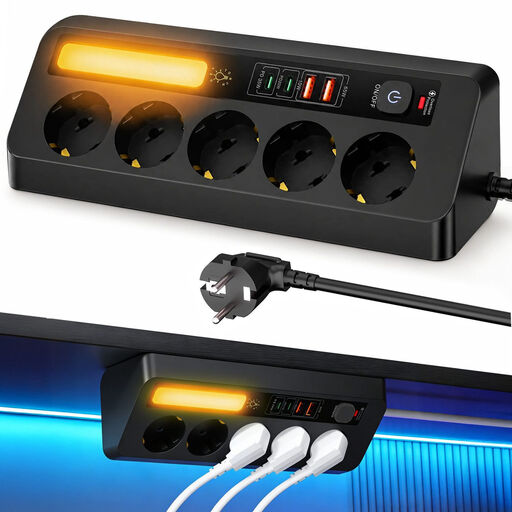
9-in-1 power strip with 5 sockets and 4 USB ports
May be suitable if you need standard mains sockets as well as USB connections at your workspace.
The product name lists five sockets and four USB ports.
The product description lists a 2-metre cable; measure the distance to your intended connection point first.
View at Joybuy
 No image available
Neomounts DS22-840BL6 desk socket
May be suitable if you want to combine USB ports and standard mains sockets on your desk.
The product description lists two USB-C ports rated at 20 W each, one 18 W USB-A port and three Schuko sockets.
According to the product description, this model attaches to the desk with a clamp and has a 1.4-metre power cable.
View at Joybuy
Frequently asked questions
Do you need a USB-C charger for every USB desk lamp?
No. First check the connection on your own lamp or cable. USB lamps can have different connections; IKEA, for example, describes a lamp that plugs directly into a USB-C port. Dutch rules on USB-C connections don’t automatically apply to every existing desk lamp.
Could the lamp briefly switch off when you connect another device?
That can happen with a charger that redistributes its power. IKEA says that with the SJÖSS, charging on a device that’s already connected may be briefly interrupted when you connect a new device. Check this for your chosen model if your lamp needs a continuous power supply.
How can you position and maintain the charger safely?
Make sure the charger can dissipate heat and don’t use damaged cables. IKEA advises unplugging the SJÖSS before cleaning it and wiping it with a dry cloth. The Netherlands Fire Service recommends plugging high-power appliances directly into a wall socket where possible.
What marking is required on a mains-powered USB charger in the Netherlands?
According to the Netherlands Food and Consumer Product Safety Authority, a mains-powered USB charger offered for sale in the Netherlands as an electrical product must carry the CE mark. That mark alone doesn’t prove that a specific item is safe or suitable for your lamp.
What can you do if your charger breaks sooner than expected?
There is no fixed statutory warranty period that applies to all products in the Netherlands, according to the Dutch government. If a product doesn’t work as it should under normal use, you can contact the seller to claim your statutory warranty rights. Depending on the circumstances, a solution could be repair, replacement or a refund.


