
USB lamp owner without a suitable charger
You want to plug your lamp into a mains socket, so you need to match the output, current and cable connector to the lamp’s specifications.


Start by checking your lamp’s power specifications and the connector at the charger end of the cable. A USB-C port on the lamp doesn’t automatically mean you need a USB-C charger. Then choose a suitable single output, or multiple ports if you also want to charge other devices, and check the product information and CE marking for a mains charger.
You want to plug your lamp into a mains socket, so you need to match the output, current and cable connector to the lamp’s specifications.
You want to power your lamp and other desk devices from one charging point, so the available port types and power distribution matter.
You want to be able to check the product information and seller details, and know who to contact if something goes wrong.
First, check that the charger output and both ends of the cable are compatible with your lamp. Then decide whether you want to connect just the lamp or other devices at the same time too.
| What to consider | What should you check? | Who is this important for? |
|---|---|---|
| Connector and power supply | Compare the lamp’s required voltage and current with the charger output, and check both cable connectors too. | I want to avoid choosing a charger or cable that isn’t suitable for my lamp. Around 36% of consumers in this buying context prioritise lamp compatibility. |
| Safety and seller | For a mains charger, check the CE marking, clear product information and seller contact details. Don’t use a damaged charger. | I want to check what product information and seller details are available before buying a mains charger. For around 29% of consumers, safety and clear seller information are the main priorities. |
| Ports for charging multiple devices | Count your devices and check that the port types and power output per port suit the number of connections you’ll use at the same time. | I want to connect my lamp and other devices at one charging point, so I pay attention to the ports and power distribution. Around 21% of consumers prioritise charging multiple devices at once. |
| Complete charging set | Check which cables are included and whether you’ll need an additional compatible cable. | I don’t want to find out after buying that an essential cable is missing. Around 14% of consumers prioritise a complete charging set. |
A lamp with a USB-C connector can also be connected using a suitable USB-A to USB-C cable. The connector at the charger end determines which port the charger needs.
Check both ends of the cable and the lamp’s power specifications before choosing a charger.
The IKEA SJÖSS 45W is rated at 45 W when using a single USB-C port, and 22 W per port when both are in use.
Check the power rating for the number of ports you’ll actually use at the same time.
The USB-C cable is sold separately with the IKEA SJÖSS 20W, while the IKEA SMÅHAGEL includes a USB-A to USB-C cable. Check that any included cable is compatible with your lamp.
Check what’s in the box and work out which parts you need for a complete charging set.
The Netherlands Food and Consumer Product Safety Authority states that CE marking is compulsory for electrical products, but that independent testing is not compulsory for this product group. A CE marking therefore doesn’t prove that every individual item has been independently tested.
Also check the product information, seller details and condition of the charger.
The models mentioned include a basic USB-A charger and USB-C chargers with one or two ports.
Model 00223201 is a charging station with multiple USB-A ports.
The BoostCharge WCA012kqWH is a charger with one USB-C port.
The Nexode 100W is a four-port charger for a charging station with multiple devices.
This selection focuses on multi-port charging solutions for a workspace where you want to connect other devices as well as your desk lamp. Always check that the port, cable and power specifications are suitable for your own lamp.
 Image unavailable
Could suit a workspace where your lamp is powered via USB-C and you also want to connect other devices. Check your lamp’s specifications and the cable connector.
The product name lists two retractable USB-C cables and a multi-port charging station.
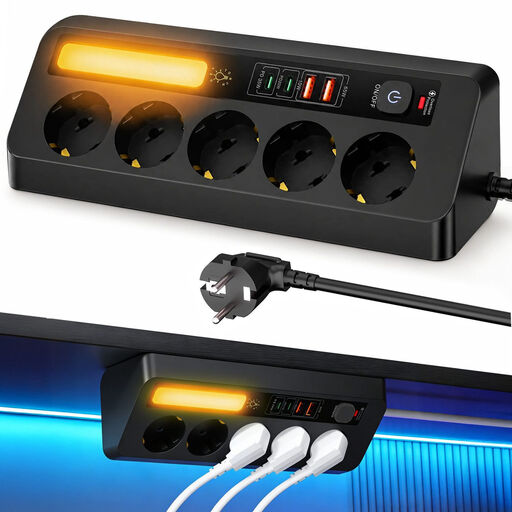 Image unavailable
Could suit you if you want USB charging points and standard mains sockets in the same workspace. Check that the connections and layout work for your desk.
The product name lists five mains sockets, four USB ports and a 2 m cable.
 Image unavailable
Could suit you if you want to connect several USB devices as well as your lamp at one charging point. Check which port and output are suitable for your lamp.
The product name lists ten ports, including USB-C and USB-A.
 Image unavailable
Could suit you if you want to combine charging points and mains sockets at your workspace. Check that a clamp fitting and the connections are suitable for your desk.
The product name lists USB-C and USB-A ports. Also check that the Type F Schuko plug is suitable for your socket.
No. As well as checking the connector, check the lamp’s power specifications and the cable you need. For example, IKEA states that the SMÅHAGEL has a USB-A output and comes with a USB-A to USB-C cable.
Use a cable with suitable connectors and follow your lamp’s instructions. For the SJÖSS 20W mentioned here, IKEA advises disposing of a damaged charger and using it indoors only. For cleaning the IKEA chargers mentioned here, the manufacturer advises unplugging them and using a dry cloth.
Yes. The Netherlands Food and Consumer Product Safety Authority states that CE marking is compulsory for electrical products. This doesn’t mean that every individual item has been independently tested; the NVWA states that testing is not compulsory for this product group.
For online consumer purchases, you generally have a statutory 14-day cooling-off period after delivery, subject to legal exceptions. You’re also entitled to a statutory guarantee if a product used normally doesn’t meet your reasonable expectations; ACM ConsuWijzer identifies the seller as your point of contact.