
Desk lamp owner with an existing cable
You mainly want a charger with a port and power output that suit your lamp, without paying for unnecessary extra ports. The Belkin, Anker and UGREEN models reviewed have different USB-A and USB-C connections.


Choose a USB charger for a desk lamp based on the lamp’s connector and specified power supply, not simply because it says USB or has a high total wattage. If you also want to connect a second device, check the power available from each port when both are in use. The Netherlands Food and Consumer Product Safety Authority (NVWA) treats chargers as electrical appliances subject to product safety requirements.
You mainly want a charger with a port and power output that suit your lamp, without paying for unnecessary extra ports. The Belkin, Anker and UGREEN models reviewed have different USB-A and USB-C connections.
You want to connect the lamp and a second device at the same time, so you’re looking at both the number of ports and their output when used together. Belkin and Anker list the output per port for the models reviewed.
You want to take a charger and a suitable cable with you easily. Anker describes model A2331 as compact and portable, but check that the plug type is right for your workplace in the Netherlands.
Choose this if: your lamp cable has a USB-A connector at the power-supply end and you may want to connect another device to the same socket.
Keep in mind: Belkin lists two USB-A ports for model WCB002, each with a maximum output of 12 W. So 24 W total does not mean 24 W per port.
Choose this if: your lamp or other devices use different cable types. Anker lists one USB-C port and one USB-A port for model A2331.
Keep in mind: Anker lists 20 W via USB-C and up to 12 W via USB-A when both ports are in use. Also check the plug type.
Choose this if: you also want to connect several USB-C devices at the same workspace. The UGREEN Nexode version described has two USB-C ports and one USB-A port.
Keep in mind: a higher stated total wattage doesn’t prove that your desk lamp will charge faster. Compare the port you choose with your lamp’s requirements.
When choosing a USB charger for a desk lamp at a shared workspace, start with the lamp’s connector and power supply. Only then decide how many ports you need.
| What to consider | What should you check? | Who is this important for? |
|---|---|---|
| Connection and power supply | Check the connector at the power-supply end of the cable and compare the output of your chosen port with the lamp’s specified input. | I first want to know whether the port and power supply are suitable for my lamp, so I can use my existing cable. Around 36% of consumers give connection and power supply top priority. |
| Using two devices at once | Check which ports can be used together and the output each port provides in that case. | I want to power the lamp and a second device from the same socket without relying on the total wattage. Around 29% of consumers prioritise simultaneous use. |
| Mains charger safety | Check the product information and, if there’s a safety warning, make sure it applies to the exact model and batch. | I want to be able to assess the product information for a mains charger and avoid one covered by an applicable warning. Around 21% of consumers make safety their top buying priority. |
| Portability and what’s in the box | Check the Dutch plug type and exactly what’s included in the box, including whether a suitable cable is supplied. | I move between workspaces and want to know which charger and cable to take with me, without buying anything extra unnecessarily. Around 14% of consumers prioritise portability and additional purchases. |
A total figure doesn’t tell you how much power an individual port provides. This matters particularly when the lamp and a second device are connected at the same time.
Compare the stated output for your chosen port and combination of devices with your lamp’s power requirements.
The EU common charger rules apply to specific device categories; desk lamps aren’t included in the European Commission’s list. Chargers also vary in their port types.
Check your lamp’s connector and both ends of its existing cable before choosing a charger.
Anker lists different plug types for different regions. A CE mark isn’t an independent performance test, nor does it mean that every specific warning applies to every model.
Check the plug type and product information. If a safety warning applies to your charger’s model and batch, don’t use it.
The WCB002 model reviewed is worth considering if your lamp cable uses USB-A and two devices may need to share one socket.
The European 323 Charger A2331 reviewed combines USB-C and USB-A for workspaces where devices use different cable types.
The European Nexode 65 W reviewed, with pack code 10335, is an option for a workspace with USB-C and USB-A devices.
The European Cube Pro 3 Ports Fast Charger 65W is another option if you want to connect several devices at the same workspace.
This Joybuy selection includes USB-A and USB-C chargers, as well as a desk socket with USB ports. For each product, check that the port and output suit your lamp and that there are enough connections for simultaneous use.
 No image available
An option if your lamp cable has a USB-C connector at the charger end and you also want to connect a second USB-C device.
The description lists two USB-C ports and 65 W combined. When both ports are in use, it specifies up to 45 W on USB-C1 and 18 W on USB-C2. It only has USB-C ports, so a USB-A lamp cable won’t connect directly.
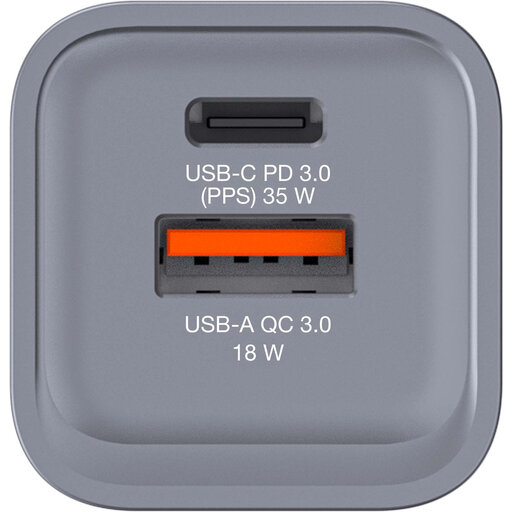 No image available
Worth considering if your lamp cable uses USB-A or USB-C and you want to connect two devices at once.
The product information lists USB-C PD, USB-A QC 3.0 and simultaneous use of both ports. Compare the output per port with your lamp’s requirements.
 No image available
An option if you want USB connections right at your workspace and the supplied clamp fits your desk.
The description lists two 20 W USB-C ports, one 18 W USB-A port, three Schuko sockets and a 1.4 m mains cable. The unit is designed to be mounted using the supplied clamp.
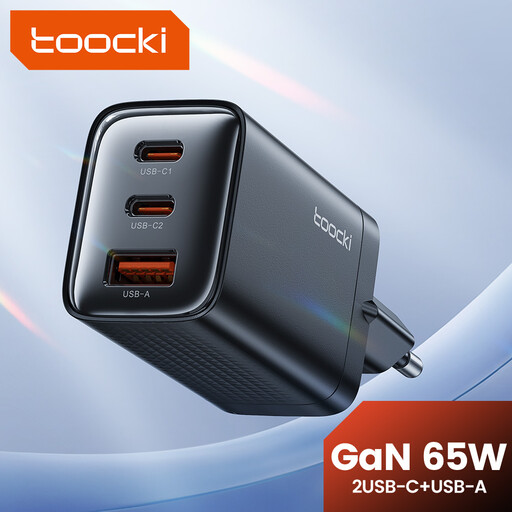 No image available
An option if you want to connect several USB-C or USB-A devices as well as your desk lamp.
The description lists two USB-C ports, one USB-A port, up to 65 W total and simultaneous use of all three ports. Check the output for the combination you plan to use.
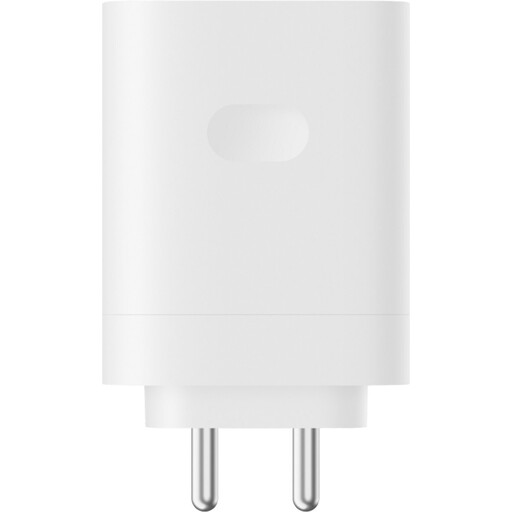 No image available
Worth considering if your lamp cable has a USB-A connector at the power-supply end and you only want to connect the lamp to this charger.
The product title lists one Type-A port and 120 W. The adapter doesn’t have a second USB port for another device, so compare its output with your lamp’s specified power supply.
No, that isn’t required by the EU common charger rules. The European Commission lists the device categories covered by the rules since 28 December 2024, and laptops from 28 April 2026; desk lamps aren’t on the list. So check the connection on your own lamp. According to the European Commission, the new ecodesign requirements for external power supplies will apply from 14 December 2028.
Yes, as long as the cables fit and the ports provide the required power when used together. Compare your lamp’s requirements with the output per port, not just the total wattage. Belkin and Anker list separate port outputs for the models reviewed.
First, check your lamp’s specified power supply and cable, and don’t connect a charger with a damaged plug or cable. If there’s a safety warning, check whether it applies to the exact product and batch. For the specifically flagged TravelCharge Pro RCS travel charger, the NVWA advises against using it.
The NVWA says CE marking is compulsory for electrical products, and it classifies chargers as electrical appliances. CE is the manufacturer’s declaration of conformity, not an independent product test. In addition to any manufacturer’s warranty, consumer purchases are covered by statutory warranty rights. ACM ConsuWijzer explains that the seller must resolve the issue if a product breaks sooner than you could reasonably expect under normal use.