
If you want to get the connection right
You want to choose an output and cable that work with the lantern you already own. The input varies by model: for example, BioLite lists a micro-USB port for the AlpenGlow 250.


Start by checking your camping lantern’s charging port and instructions, then choose an adapter with a suitable output and cable. A basic USB-A adapter may be enough if it’s compatible with your lantern; USB-C or extra ports are mainly useful if you also want to charge other devices. Check the output specifications and applicable CE marking for the exact product, and charge the lantern according to the manufacturer’s instructions.
You want to choose an output and cable that work with the lantern you already own. The input varies by model: for example, BioLite lists a micro-USB port for the AlpenGlow 250.
You may want to plug your lantern and another device into the same socket. If so, look beyond the number of ports: check their type and the stated power output of each one.
You want to be able to check the adapter’s product information and applicable marking, and charge your lantern in a suitable place. Always follow the lantern’s instructions for use.
First, work out which cable fits your lantern. Then consider whether you want to charge other devices at the same time and what product information you need.
| What to consider | What should you check? | Who is this important for? |
|---|---|---|
| Port and cable | Check your lantern’s charging port and both ends of the cable. Compare the connector on the adapter end with the USB-A or USB-C output. | If I want to keep using my existing lantern, I’ll check the port and cable first. For around 36% of consumers, having a compatible port and cable is the main priority. |
| Safe charging | Check the applicable CE marking and product information for the exact item. Follow the instructions for the adapter, cable and charging location. | If you want to choose a suitable adapter and charging location, these checks are especially important. Around 29% of consumers put product safety and safe charging first. |
| Multiple devices | Check the number and type of ports, as well as the stated maximum output for each port and for the adapter as a whole. | If I want to plug in another device for my desk as well as the lantern, the choice of ports and power distribution matter. This is the main priority for around 21% of consumers. |
| Cost and cable | Check whether a suitable cable is included and whether the ports work with the devices you actually want to connect. | If you’re looking for a straightforward option, there’s no need to choose an adapter with features you won’t use. Check whether you already have a suitable cable, too. Around 14% of consumers prioritise keeping the upfront cost down. |
USB-rechargeable doesn’t tell you which connector you need at the lantern or adapter end. For example, BioLite lists micro-USB for the AlpenGlow 250; that doesn’t automatically apply to other lanterns.
Before choosing an adapter, check the charging port on your exact lantern, its charging specifications and both ends of the cable.
An adapter may have different maximum outputs for each port, as well as a separate total output. For example, IKEA lists a maximum of 12 W per port and 17 W in total for the SMÅHAGEL; Belkin lists 12 W via USB-A and 30 W via USB-C for the WCB009vfWH.
Compare the output type and specifications for each port and the adapter as a whole with the devices you want to connect at the same time.
For electrical products where the applicable rules require CE marking, the mark is a declaration made by the manufacturer. The Netherlands Food and Consumer Product Safety Authority says independent testing is not compulsory for this product group.
Check the applicable marking and product information for the exact item; don’t treat CE as the result of an independent test.
IKEA Netherlands describes the SMÅHAGEL 605.391.77 as a USB-A adapter with three ports.
The BoostCharge WCB009vfWH combines USB-A and USB-C, making it an option if you want to connect different types of cable.
The Anker 511 Charger (Nano Pro) is a compact adapter with one USB-C port.
The UGREEN Nexode 30W is an example of a USB-C mains adapter with one stated maximum output.
This selection features adapters with USB-A and USB-C ports, for anyone who wants to plug a camping lantern and possibly other devices into the same socket. Check that the port and cable match your own lantern’s charging port and instructions.
 No image available
The combination of port types may suit your cables if they have a USB-A or USB-C connector at the adapter end; check that your lantern can charge with it.
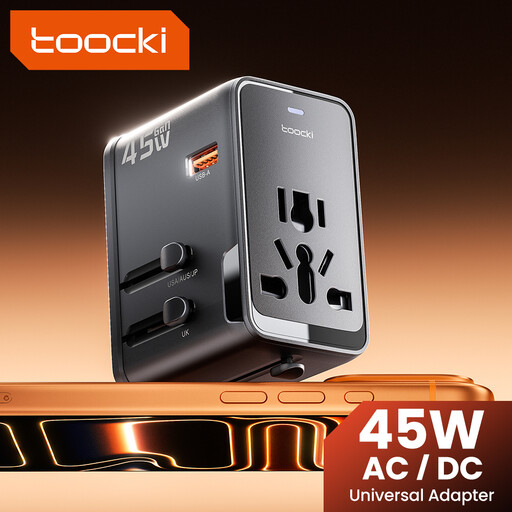
The product name lists 45 W, PD, 1 USB-A port and 2 USB-C ports.
The product name also lists a plug adapter for EU, UK, US and AUS; check which version and connection are right for your needs.
 No image available
The different port types let you connect cables with a USB-C or USB-A plug at the adapter end; check what your lantern requires.
The product name lists 65 W, 2 USB-C ports and 1 USB-A port.
 No image available
This combination may suit you if you use cables with different plugs at the adapter end; check your lantern’s port and charging specifications.
The product name lists 30 W, 1 USB-C port and 1 USB-A port.
 No image available
The two port types may suit cables with a USB-C or USB-A plug at the adapter end; check that they’re compatible with your lantern.
The product name lists 20 W, 1 USB-C port and 1 USB-A port.
 No image available
The combination of USB-A and USB-C may suit different cables at the adapter end; check your lantern’s port and charging instructions.
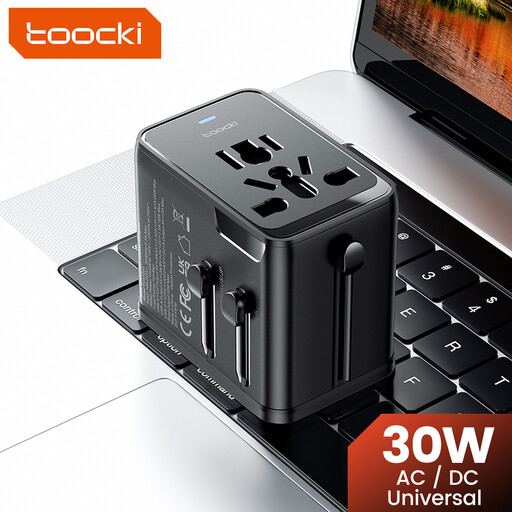
The product name lists 30 W, PD, 1 USB-A port and 2 USB-C ports.
The product name also lists a plug adapter for EU, UK, US and AUS; check which version and connection are right for your needs.
Check the charging port and instructions for your exact lantern model, and check both ends of the cable. For example, BioLite lists micro-USB and 5 V/2 A charging for the AlpenGlow 250; don’t assume these specifications apply to another model.
Twente Fire Service recommends charging devices during the day where possible, while you’re nearby. Also use a suitable place to charge your lantern and follow the manufacturer’s instructions.
For electrical products where the applicable rules require CE marking, the Netherlands Food and Consumer Product Safety Authority says the marking is compulsory. It means the manufacturer declares that the product meets the applicable EU requirements; according to the authority, independent testing is not compulsory for this product group. Check the marking on the exact product.
No. According to ACM ConsuWijzer, a product should last as long as you can reasonably expect it to. The seller is responsible if it breaks too soon under normal use; a commercial warranty doesn’t replace your statutory rights.
For online purchases, ACM ConsuWijzer says you generally have a statutory 14-day cooling-off period after delivery. Check which exceptions and returns conditions apply to your purchase.