
You have a cable for your existing light
You want a charger with a port that fits the cable you already use for your book light. Check both ends of the cable: the connector on the light does not automatically tell you which plug fits the charger.


Start by checking your book light’s charging cable and instructions: the connector at the charger end determines whether you need USB-A, USB-C or both. A multi-port charger is particularly useful if you also want to charge other devices from the same socket. When charging, place the light and charger in a clear, open space—not under bedding.
You want a charger with a port that fits the cable you already use for your book light. Check both ends of the cable: the connector on the light does not automatically tell you which plug fits the charger.
You want to charge a phone as well as your book light, for example. In that case, the number and type of ports matter, as does the output from each port when several devices are connected at once.
You’re looking for a practical place to charge the light without the charger or cable ending up under the bedding. The Fire Service advises placing chargers in a clear, open space and not charging devices under a pillow or duvet.
Start with the connector at the charger end of the cable and your light’s charging instructions. Only then consider extra ports, if you also need them for other devices.
| What to consider | What to check before buying | Who is this important for? |
|---|---|---|
| Port and cable | Check the plug at both ends of the cable and follow the light’s charging instructions. | I want to use the cable I already have and make sure it connects to the charger; around 36% of consumers make a compatible port and cable their top priority. |
| Safe charging by the bed | Check the cable and charger for damage, and choose a clear space away from pillows and duvets. | If I charge the light by the bed, I want to place it in a clear, open space and avoid damaged parts; around 29% of consumers who make safe charging their top priority feel the same. |
| Charging several devices | Check the number and type of ports, and the output from each port when they’re used at the same time. | I want to charge the light and, for example, a phone from the same socket; around 21% of consumers prioritise charging multiple devices at once. |
| Avoiding an unnecessary cable or charger | Compare what’s included in the box with the cable and charger you already have. | I only want to bring an extra item if my existing cable or charger isn’t compatible with the light; around 14% of consumers make avoiding an unnecessary cable or charger their top priority. |
A light with a USB-C connection doesn’t automatically tell you which plug is at the other end of the cable. That plug also needs to fit the charger’s port.
Check both ends of the cable and see what’s included with the light or charger.
Fast-charging claims for phones don’t tell you how quickly your book light will charge.
Use the instructions for your specific light model as your guide. Only choose extra capacity if you also need it for other devices.
The Fire Service warns against charging devices under a pillow or duvet and advises placing chargers in a clear, open space so heat can escape.
Choose a clear charging spot in your holiday cottage and don’t use a damaged cable.
The Belkin product ranges mentioned include USB-A and USB-C wall chargers, as well as chargers with multiple USB-A ports.
According to Anker, the Anker 323 Charger A2331 mentioned here has a USB-A port and a USB-C port for charging two devices.
The Samsung EP-T1510NBEGEU mentioned here is a USB-C wall charger for anyone who already has a compatible cable.
This selection includes USB-C chargers and chargers with multiple USB ports. Check which cable and output your light needs: a higher stated wattage doesn’t prove that the light will charge faster.
 No image available
Worth considering if the plug at the charger end of your light’s cable is USB-C.
The product name lists a retractable USB-C cable and two USB-C ports.
 No image available
Worth considering if you want to charge a device with a different cable as well as your book light.
The product name lists two USB-C ports and one USB-A port.
 No image available
Worth considering if you want to check whether your light’s cable fits either of the two listed port types.
The product name lists USB-C and USB-A; check which output your light requires.
 No image available
Worth considering if the listed combination of USB-C and USB suits your charging set-up.
The product information says that cables aren’t included. Check which cable you need and whether you already have one.
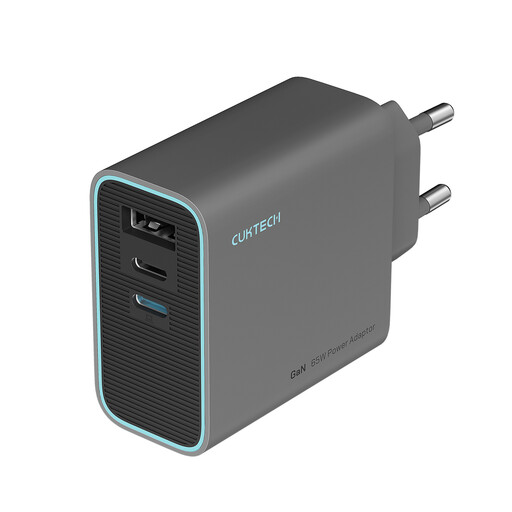 No image available
Worth considering if you want to compare three ports for a shared socket.
The product name lists a USB-C charger with three ports. Check the port types and the output from each port in the product information.
Not necessarily: European rules on a common charging port apply to specific categories of radio equipment, not automatically to every USB book light. Choose a charger based on your light’s instructions and the plug at the charger end of the cable.
Don’t charge the light under a pillow or duvet. The Fire Service advises placing the charger in a clear, open space so heat can escape, and not using damaged cables. So choose a clear charging spot in your holiday cottage.
For online purchases, you generally have a legal cancellation period of up to 14 days after delivery, subject to exceptions; ACM Consumer Information explains the conditions. If a faulty product doesn’t do what you could reasonably expect under normal use, you have legal rights and the seller must provide a solution.
Mains-powered electrical appliances must meet the applicable European safety requirements. The Netherlands Food and Consumer Product Safety Authority and the Dutch government’s Business.gov.nl explain the relevant requirements, including CE marking and an EU declaration of conformity where applicable. Check the product information for the specific model: general information about the rules does not, by itself, confirm the documentation for an individual charger.