
Charger for one book light
You want to check that the charger’s connector and output are suitable for your light, without paying for ports you don’t need. Check the specific light model and its cable.


First, check which connector, cable and input your book light needs: the word ‘USB’ alone doesn’t tell you which port will fit. A multi-port USB charger is a good fit for a desk shared mainly by USB devices; choose an extension lead with USB if you also need standard mains sockets. If several devices will charge at once, compare the total output with their requirements and don’t connect extension leads to one another; Brandweer Brabant-Zuidoost warns that overloading can cause a fire.
You want to check that the charger’s connector and output are suitable for your light, without paying for ports you don’t need. Check the specific light model and its cable.
You share a desk where several USB devices need power at the same time. Check both the number of compatible ports and the total charging output.
You need both USB ports and standard mains sockets at the same workstation. Cable length and safe positioning also matter.
Choose this when: you mainly share USB devices and don’t need extra mains sockets. IKEA Netherlands lists the SMÅHAGEL as having three USB-A ports with a maximum combined output of 17 W.
Bear in mind: USB-C won’t plug directly into a USB-A port, so check your light’s cable and input, as well as the combined output when several devices are charging at once.
Choose this when: several people regularly connect USB-A devices at the same time. Hama lists six USB-A ports and 34 W for model 00223201; Belkin lists ten USB-A ports for the RockStar B2B139vf.
Bear in mind: neither of these examples has a direct USB-C port. More ports aren’t necessarily useful if you’re only charging a book light.
Choose this when: you also need to plug in devices with a standard mains plug at your desk. IKEA Netherlands lists the KOPPLA as having four mains sockets, two USB ports and a 3.0 m cable.
Bear in mind: check the load and position of all connected devices. IKEA Netherlands specifies a 5 V DC output for this model’s USB ports.
| What to consider | What to look for when buying | Who should consider this? |
|---|---|---|
| Light connector and input | Compare the light’s connector, cable and stated input with the charger’s port and output. | If I want to charge one book light, I first check that the port and output are compatible with my light and cable. Around 36% of consumers prioritise compatibility. |
| Ports and output when charging simultaneously | Count the devices charging at the same time and compare the compatible ports and total output. | When several people connect USB devices at once, I want enough compatible ports and sufficient combined output. Around 29% of consumers prioritise charging multiple USB devices at the same time. |
| USB and standard mains sockets | Count USB cables and mains plugs separately; also check the cable length and stated load. | If I need standard mains sockets as well as USB, I want both types of connection at the same workstation and a cable of a suitable length. Around 21% of consumers prioritise this combination. |
| A simple solution | Compare the number of ports you need with what you’ll actually use at the same time. | If I’m only charging a light and, at most, one other device, I don’t want unused capacity. Around 14% of consumers prioritise a simple, modest set-up. |
A multi-port charger isn’t automatically suitable for your book light: the port type, cable and stated input all need to match. The combined output also matters if you’re charging several devices at once.
Before you choose, compare the charger’s ports and output specifications with the information for your own light.
If the cable or port doesn’t fit, you may still need to buy a compatible cable or a different charger.
Plugging one extension lead into another can contribute to overloading. Brandweer Brabant-Zuidoost warns that overloading can cause a fire.
Choose enough suitable sockets in advance, check the stated load and don’t use a damaged extension lead. Never connect extension leads to one another.
A charging station with lots of ports won’t necessarily offer any benefit if you’re only charging a book light. Belkin says the RockStar B2B139vf has ten USB-A ports; check whether you really need that capacity.
Work out how many devices will charge at the same time, then compare this with the number of compatible ports and the stated output.
IKEA offers examples of both USB chargers and extension leads with USB, to suit different needs at a shared desk.
Hama describes model 00223201 as a USB-A charging station for a desk where several existing USB-A cables need to be plugged in.
The RockStar B2B139vf is a multi-port USB-A charging station designed for a desk with several devices connected at the same time.
These Joybuy products combine standard mains sockets with USB ports. Choose based on the port types, how many devices will be connected at once and the cable length you need. Also check that the port and output are suitable for your book light.
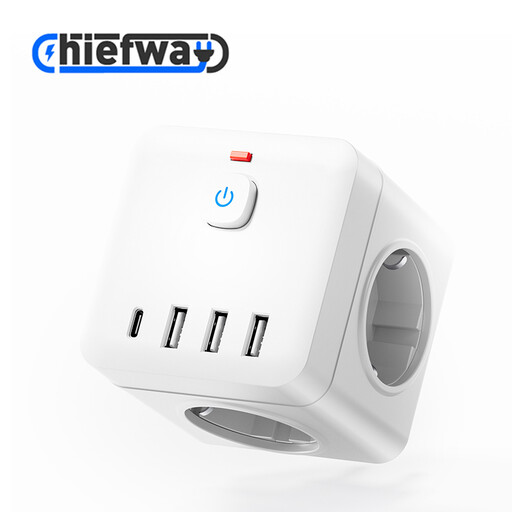 No image available
Suitable for a shared desk where you need standard mains sockets and USB ports; check that the USB port matches your light.
According to the Joybuy product listing: 3 AC sockets, 3 USB-A ports, 1 USB-C port and a 1.5 m cable. Observe this model’s stated maximum load and don’t connect extension leads to one another.
 No image available
Suitable for a desk where several USB devices and appliances with mains plugs are connected; compare the ports with your light’s input.
According to the Joybuy product listing: 4 AC sockets, 3 USB-A ports, 2 USB-C ports and a 3 m cable. The stated maximum load is 2500 W; don’t connect extension leads to one another.
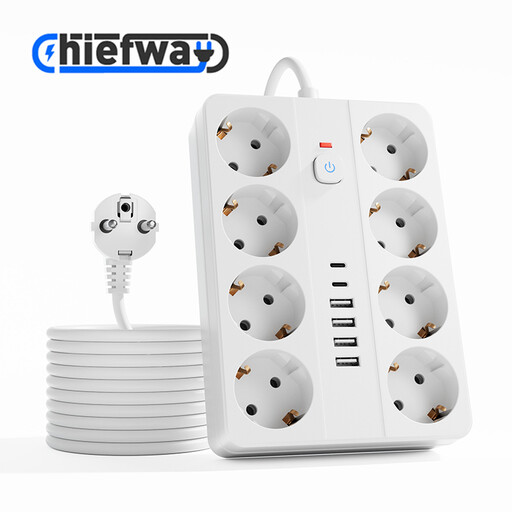 No image available
Suitable for a shared workspace where you need plenty of standard mains sockets and USB ports; check how many connections you’ll actually use at the same time.
According to the Joybuy product listing: 8 AC sockets, 4 USB-A ports, 2 USB-C ports and a 3 m cable. The stated maximum load is 2500 W; don’t connect extension leads to one another.
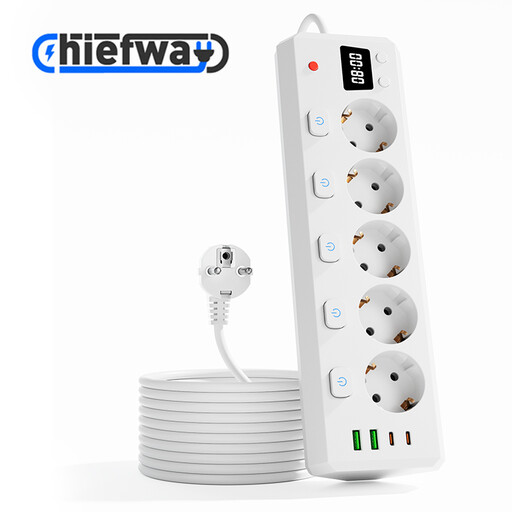 No image available
Suitable for a desk where you need several standard mains plugs as well as USB charging; check that the cable is long enough to reach the wall socket.
According to the Joybuy product listing: 5 individually switched AC sockets, 2 USB-A ports, 2 USB-C ports and a 3 m cable. The stated maximum load is 2500 W; don’t connect extension leads to one another.
 No image available
Suitable for a compact workspace where you need both standard mains sockets and USB ports; check that the connections suit your devices.
According to the Joybuy product listing: 3 individually switched AC sockets, 3 USB-A ports, 1 USB-C port and a 1.5 m cable. The stated maximum load is 2500 W; don’t connect extension leads to one another.
No. First check your light’s connector, cable and stated input. For example, IKEA Netherlands describes a light that works with a USB-C connection, while the SMÅHAGEL has three USB-A ports; these connectors won’t fit one another directly.
If you buy as a consumer in the Netherlands, you’re entitled to a product that is fit for purpose; if it’s faulty, the seller must offer a solution. The Government of the Netherlands states that there is no fixed statutory guarantee period in the Netherlands. For eligible online purchases from a business, you generally have a 14-day cancellation period, subject to legal exceptions.
CE marking is compulsory when the relevant EU product rules require it. The Netherlands Food and Consumer Product Safety Authority describes the rules for electrical products; the Low Voltage Directive covers, among other things, equipment rated at 50–1000 V AC. CE marking is the manufacturer’s declaration, not proof that a specific charging station has been independently tested or is suitable for your light.