
One lantern, one socket
You mainly need a compatible cable and USB port for your camping lantern, without taking extra charging equipment with you.


If you have access to a mains socket and only need to charge one camping lantern, a USB wall charger with a port and cable that match the lantern’s charging input will usually do the job. A multi-port charging station is most useful if you also want to charge other devices at the same time. Choose a power bank or power station if you can’t rely on a mains socket. Check your lantern’s charging instructions and the charger’s connections: a higher wattage doesn’t guarantee that your lantern will charge faster.
You mainly need a compatible cable and USB port for your camping lantern, without taking extra charging equipment with you.
You’re sharing a socket in your holiday home and want to connect other USB devices as well as your lantern. Check the types of port and how power is distributed.
You want to top up your lantern outside your holiday home or without mains power. You’ll need a suitable battery that’s been charged in advance.
First, check your lantern’s charging input and the power source available. Then decide whether you need extra ports or battery power.
| What to consider | What should you look for? | Who is this important for? |
|---|---|---|
| Connection and cable | Check the charging input on your specific lantern and choose a compatible USB port and cable. A USB port on a lantern may also be intended for charging other devices. | If I only want to charge my lantern, I’ll check its actual charging input and the cable first. For around 50% of consumers, connection and cable compatibility are the main concerns when buying. |
| Charging several devices at once | Check how many suitable ports there are and how power is shared when several devices are connected at the same time. | If I’m sharing a socket, I want to connect my lantern and other USB devices at the same time. For around 30% of consumers, charging multiple devices at once is the top priority. |
| Power without a socket | Check that the battery has a suitable USB output and that you can charge it before you leave. Its stated capacity doesn’t tell you how many times it can charge your lantern. | If I want to charge without a socket, the battery needs to be charged in advance and compatible with my lantern. For around 20% of consumers, charging without mains power is the main concern when buying. |
A USB port may be intended to power other devices. That doesn’t tell you which cable you need to charge the lantern itself.
Check the marked charging input and your lantern’s instructions before choosing a port or cable.
On chargers with several ports, the output can vary from one port to another. The connected device also affects the charging power.
Compare the port outputs and power distribution when charging several devices at once with the charging instructions for your lantern and other devices.
The Fire Service warns that charging incorrectly, or using a damaged or damp battery, can pose a fire risk.
Follow the charging instructions and the Fire Service’s advice on keeping an eye on the battery, choosing a suitable surface and having a smoke alarm.
The BoostCharge WCB009vfWH model reviewed is a compact mains charger with one USB-C port and one USB-A port.
The models reviewed include a multi-port desktop charger and the portable PB727 power bank, which meet different power needs.
The RIVER 3 is a power station for power needs beyond simply topping up one USB lantern.
This selection includes USB wall chargers for use with a mains socket and portable power stations for when you don’t have access to one. Before buying, check that the connections are compatible with your lantern and see which cables are included.
 No image available
Could be suitable if you have a mains socket and a compatible USB cable.
The title lists 65 W; the product description mentions two USB-C ports and one USB-A port.
 No image available
Could be suitable if you have a mains socket and can connect your lantern’s cable to one of the two ports.
The product title lists 30 W and two ports; the description mentions USB-A and USB-C, and charging two devices at the same time.
 No image available
Could be suitable if you have a mains socket and a compatible USB cable; this charger is supplied without a charging cable.
The product description lists up to 65 W, two USB-C ports, one USB-A port and a Europlug.
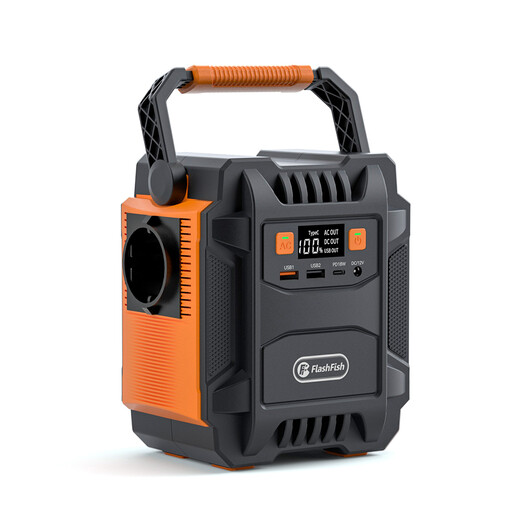 No image available
Could be worth considering if you want to charge without a mains socket; check in advance that the USB output is compatible with your lantern’s cable.
The product title lists a 200 W output and 48.000 mAh. The product description mentions two USB-A and two USB-C ports.
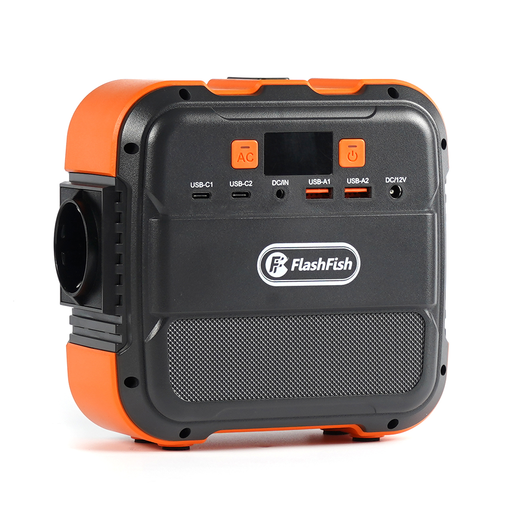 No image available
Could be suitable if you need power without a mains socket; check that the USB output matches your lantern’s charging input.
The product title lists 120 W and 26.400 mAh. The product description mentions USB-A and USB-C ports, and charging and discharging at the same time.
No. Don’t assume your lantern’s charging input from the term ‘USB camping lantern’. Check the specific model and its instructions. The Dutch guidance on USB-C for certain new device categories doesn’t mean that every camping lantern has a USB-C charging input.
The Fire Service advises charging on a hard surface where possible, while you’re nearby and in a room with a working smoke alarm. Unplug the charger once the battery is full, and don’t use a battery that’s damaged or has got wet.
No. ACM ConsuWijzer explains that your statutory rights exist alongside a manufacturer’s or seller’s warranty and depend on what you could reasonably expect from the product with normal use. If a product is faulty, contact the seller.
The Netherlands Food and Consumer Product Safety Authority says that CE marking is compulsory for electrical products sold in the Netherlands. Check the marking on the specific product; this requirement doesn’t mean the NVWA has tested every individual item.