
Vandaag of morgen in huis

Kwaliteit gegarandeerd

Welkomstaanbiedingen ontgrendelen: GRATIS bezorging | Tot 80% korting | Gratis 30 dagen JoyPlus-proefperiode
Download de app
Broken, lost, or just too slow? The search for a new USB-C to USB-C cable can be unnecessarily complex. One promises ultra-fast charging, another rapid data transfer, and yet another is specially designed for travel. It's easy to get lost in the technical specifications.
As a Joybuy Product Recommendation Officer, my job is to help you make the right choice. In this article, I'll provide practical guidance to help you find the cable that fits your devices and needs—without the marketing jargon. We'll look at the specifications that truly matter and highlight some popular choices.
Not all USB-C cables are created equal. Pay attention to the following three points to avoid making the wrong purchase.
The primary function of a USB-C charging cable is, of course, charging. How fast this happens depends on the maximum power (expressed in Watts) the cable can handle. A modern laptop requires more power than a smartphone.
Many cables use Power Delivery (PD), a standard for fast charging. A PD cable communicates with your device and charger to determine the optimal charging speed. To take full advantage of this, check that both your device and your charger support PD.
Do you only use the cable for charging? Then data transfer speed is less important. Most standard cables offer a speed of 480 Mbps (USB 2.0), which is fine for transferring a few photos.
However, if you work with large files, such as videos or backups, a fast USB-C data cable is essential. Cables with USB 3.2 support can reach speeds of up to 10Gbps or even 20Gbps. This can reduce transfer times from minutes to seconds.
A cable should be practical and built to last.
Below is a selection of USB-C cables, each with unique features for specific needs.
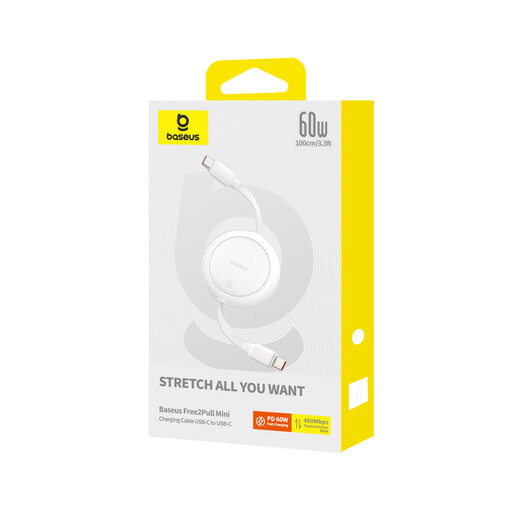
Why It Stands Out Its smart, retractable design makes this cable ideal for travel. No more tangled cables in your bag or on your desk. You can easily extend it to the desired length (up to 1 meter).
Key Features
Who Is It For? For the traveller, the remote worker, or anyone who dislikes cable clutter. A perfect, compact fast-charging cable for daily use. Note: data transfer is limited to 480Mbps (USB 2.0).
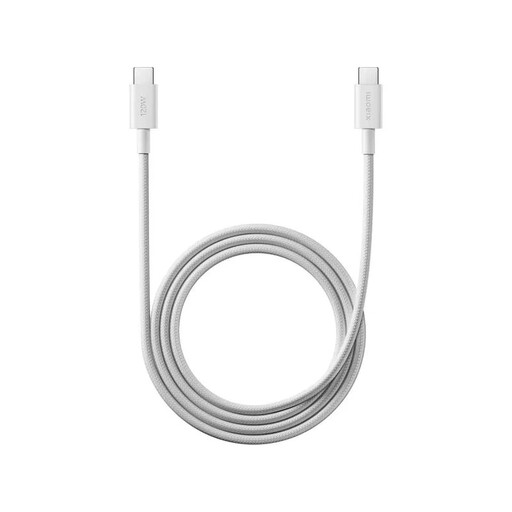
Why It Stands Out This cable is designed for high power output. According to Xiaomi, it supports up to 120W HyperCharge for compatible devices. The braided exterior provides extra durability.
Key Features
Who Is It For? For owners of high-end smartphones (especially Xiaomi) who want to leverage maximum charging speeds. It's also a solid choice for laptop users looking for a robust and powerful cable. Data transfer is standard (480Mbps).
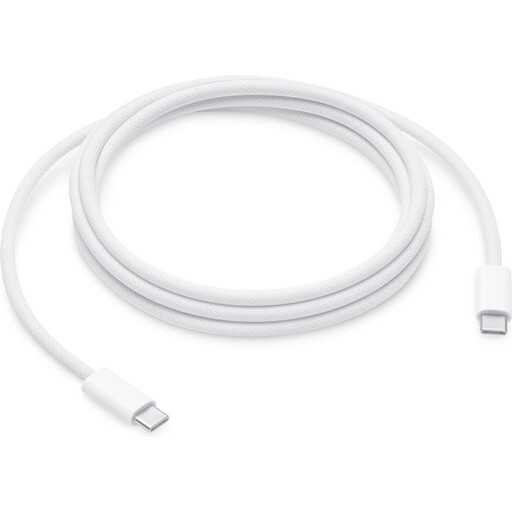
Why It Stands Out This is an official Apple cable that is future-proof. With support for a massive 240W, this cable can supply maximum power to the most powerful MacBooks and future devices. The 2-meter length offers plenty of flexibility.
Key Features
Who Is It For? Primarily for users of Apple devices, especially MacBook Pro models, who need a reliable and high-power charging solution. It's an investment in a cable that will last for years to come. Like the other charging-focused cables, data transfer is limited to USB 2.0 speeds (480Mbps).
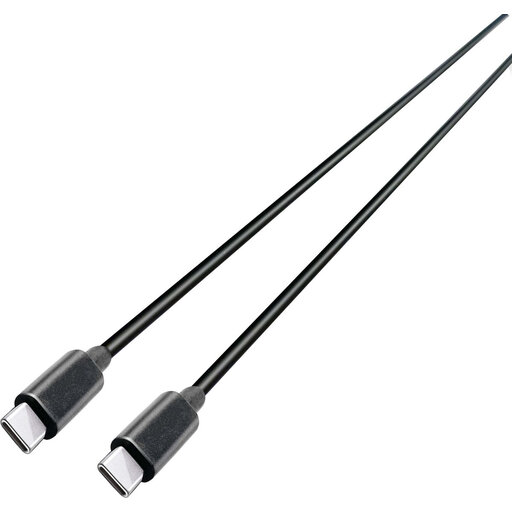
Why It Stands Out This cable from Grundig combines the best of both worlds: fast charging and blazing-fast data transfer. With support for USB 3.2 Gen 2, it achieves speeds of up to 10Gbps.
Key Features
Who Is It For? For the professional or demanding user who regularly transfers large files between a laptop and an external SSD, for example. This is the perfect all-in-one USB-C data cable that also functions as a powerful fast-charging cable.
The right cable depends heavily on your personal situation. The selection above covers the most common needs, but there are many more options available.
Browse our full range for more choices in lengths, materials, and specifications.
? Explore all USB-C to USB-C cables
Yes, in principle, any USB-C cable will fit into any USB-C port. However, the functionality can differ. A low-power cable (e.g., 30W) will charge a powerful laptop (that requires 100W) very slowly, or perhaps not at all. Conversely, you can safely use a 100W cable for your phone; the device will never draw more power than it can handle.
Technically, every USB-C cable can transfer data and charge a device. The difference lies in the speed. Most standard cables are optimised for charging and have a low data speed (480Mbps). A true USB-C data cable has extra internal wiring to achieve much higher speeds (5Gbps, 10Gbps, or more), which is necessary for quickly moving large files.
The easiest way is to check your device's specifications on the manufacturer's website. Look for terms like "Power Delivery (PD)," "Quick Charge (QC)," or a specific wattage (e.g., "supports 65W charging"). To achieve maximum speed, you need a compatible cable and a compatible charger.
