
Vandaag of morgen in huis

Kwaliteit gegarandeerd
Download de app
Categorieën

A new laptop, tablet, or smartphone like the iPhone 16 often means making the switch to a USB-C port. But not every USB-C to USB-C cable is created equal. The wrong choice can lead to slow charging, failed data transfers, or even a cable that breaks after just a few months. Finding the right one in a market saturated with technical specifications like Power Delivery (PD), wattage, and data speeds can be confusing.
This guide will help you make an informed choice based on factual product parameters. We'll explain what to look for and present a selection of cables for various use cases.
Before choosing a cable, it's important to determine your needs. The following criteria will help you filter through the specifications.
The charging power, expressed in Watts (W), determines how quickly your device can charge. This depends on the Power Delivery (PD) standard.
Note: For charging power above 60W, a cable must include an E-Marker chip. This chip communicates with the charger and the device to safely deliver the maximum charging speed.
Do you need the cable only for charging, or also for transferring files?
A durable charging cable saves you money and frustration in the long run.
Based on the criteria above, we have selected three products that fulfill different needs.
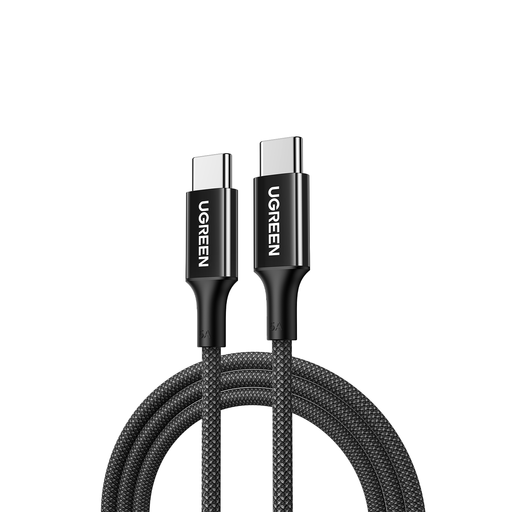
Why this product? This UGREEN cable is an excellent all-rounder. It combines high charging power with a highly robust, braided construction and a convenient 2-meter length, making it suitable for a wide range of devices, from smartphones to powerful laptops.
Advantages:
Who is this for? For the user seeking a single, reliable, and durable Type-C to Type-C cable for both their laptop and smartphone. The focus here is on charging performance and longevity, not maximum data speed (the cable has a USB 2.0 speed of 480 Mbps).
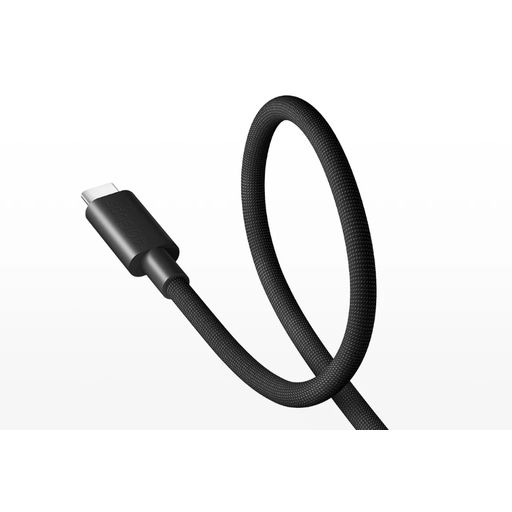
Why this product? This is the performance-focused choice. The Xiaomi cable supports the latest standards, including USB4 for extremely fast data transfer and PD3.1 for charging power up to 240W. This makes it not only powerful for today but also an investment for the future.
Advantages:
Who is this for? For the professional, content creator, or tech enthusiast who demands the highest possible performance. Perfect for transferring large video files, driving 8K monitors, and charging the most demanding laptops and future devices.
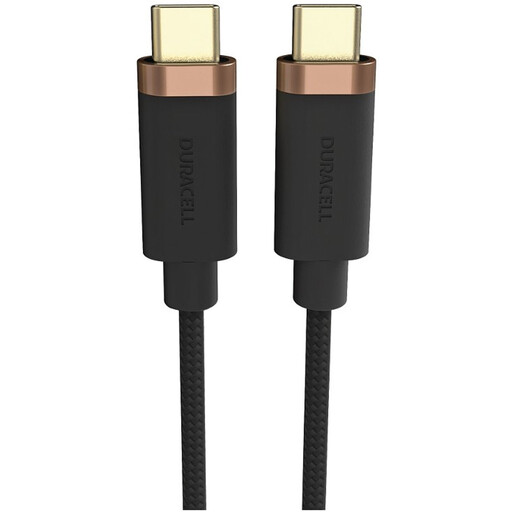
Why this product? This cable from Duracell focuses on reliability and extreme durability for daily use. Its construction is reinforced with Dupont Kevlar, and its specifications offer a solid balance between charging and data transfer for most common devices.
Advantages:
Who is this for? For the user looking for a very strong and long cable for daily charging of a phone, tablet, or a standard laptop. The 5 Gbps data speed is a bonus for those who occasionally need to transfer files quickly.
The selection above covers the most common needs, but perhaps you're looking for a different length, color, or a cable with specific certifications. For a broader overview of options, you can browse our full assortment.
️ View all Computer Cables
1. What is the difference between a standard USB-C cable and a USB-C fast charging cable? The main difference lies in the support for Power Delivery (PD) and the maximum wattage. A USB-C fast charging cable can handle higher power (e.g., 60W, 100W, or more) and often contains an E-Marker chip to communicate safely with the charger. A standard cable is often limited to a lower wattage (e.g., 15W) and will charge powerful devices like laptops slowly or not at all.
2. Can I use any USB-C to USB-C cable for my laptop? No, that is not recommended. Check the required wattage of your laptop's charger (e.g., 65W or 96W). Use a cable that supports at least that same wattage. A cable with too low a power rating will charge your laptop slowly, or in cases of heavy use, the battery might even drain while it's plugged in.
3. Will a USB-C cable work for the new iPhone 16? Yes. Since the iPhone 15, Apple has used a USB-C port. A high-quality USB-C to USB-C cable that supports Power Delivery, like the models mentioned above, is suitable to serve as an iPhone 16 charging cable and will charge it at high speed, provided it is paired with a compatible USB-C charger.
Written by: Joybuy Product Recommendation Officer