
Vandaag of morgen in huis

Kwaliteit gegarandeerd

Welkomstaanbiedingen ontgrendelen: GRATIS bezorging | Tot 80% korting | Gratis 30 dagen JoyPlus-proefperiode
Download de app
By: Joybuy Product Recommendation OfficerDate: 07-09-2026
A slow-charging phone, a laptop that won’t power up, or a cable that fails after just a few weeks—these are familiar frustrations. The cause is often simpler than you think: not all USB-C to USB-C cables are created equal. One might be built for lightning-fast charging, another for transferring massive files, and a third might only handle one of these tasks.
The market is saturated with options, which can make the choice feel overwhelming. This article serves as your practical guide. We'll explain what to look for and provide concrete recommendations, ensuring you find a cable that perfectly meets your needs without paying for features you won't use.
Before you make a choice, it's crucial to understand three key specifications. These determine whether a cable is suitable for your devices and your specific use case.
The charging power, expressed in Watts (W), determines how quickly your device will charge. A standard cable might only deliver 15W, whereas a USB-C fast charging cable can handle 60W, 120W, or even more. For a modern laptop, you typically need a cable that supports at least 60W. For the very latest high-end laptops and other power-hungry devices, a 240W charging cable is sometimes required to charge at full speed.
Note: For fast charging, your device, your charger, and your cable must all support the same protocol and power output.
Do you also use the cable to transfer files? Then data speed is critical. Many charging cables are fundamentally a simple USB-C data cable with a speed of 480 Mbps (USB 2.0). That's fine for syncing a few photos, but impractical for large video files.
For faster data transfers or connecting an external monitor, you need a cable with a higher specification. A USB4 cable, for example, can achieve speeds of up to 40 Gbps and even drive an 8K monitor. This is especially relevant for video editors, photographers, and anyone who works with large files.
A cable is bent, coiled, and carried around daily. A standard plastic cable can quickly wear out at the connectors due to this stress. A braided USB-C cable, with a nylon or other textile sheath, offers significantly more protection against kinking and pulling, and therefore often lasts much longer.
Also, consider the length. A 1-meter cable is compact for travel, while a 1.8 or 2-meter cable provides more flexibility at your desk or beside the couch.
Based on specifications and use cases, we've highlighted some of the most popular choices available.
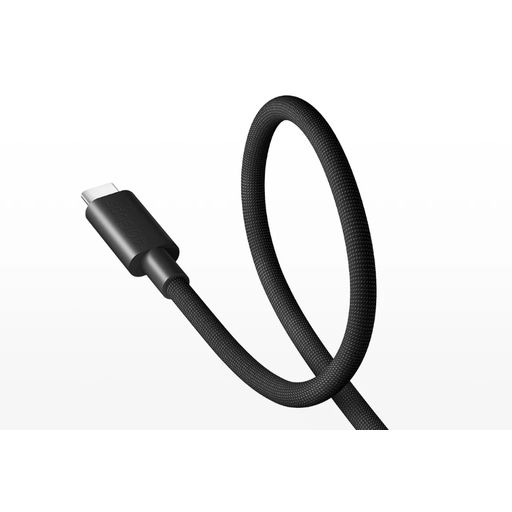
Why it stands out: This is an all-in-one solution for the demanding user. This cable combines the highest data speeds with exceptionally high charging power and video support, all wrapped in a durable design.
Key Features:
Best for: Professionals, content creators, and tech enthusiasts who want to get maximum performance from their equipment, whether for data, video, or charging.
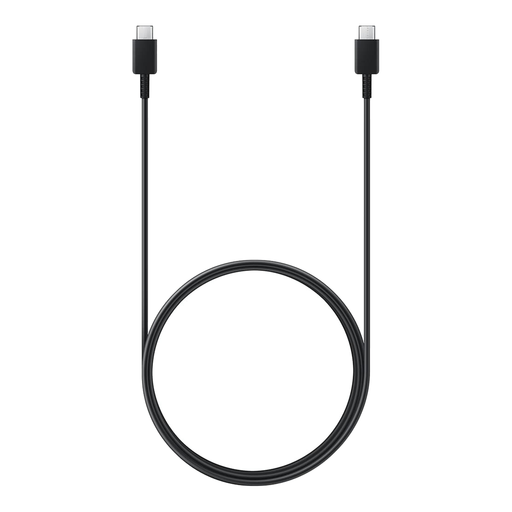
Why it stands out: A reliable and extra-long cable from a trusted brand. This Samsung USB-C cable is a solid choice for everyday use with a wide range of devices.
Key Features:
Best for: Anyone looking for a reliable, longer replacement cable for their Samsung device or other USB-C devices that require up to 60W of charging power.
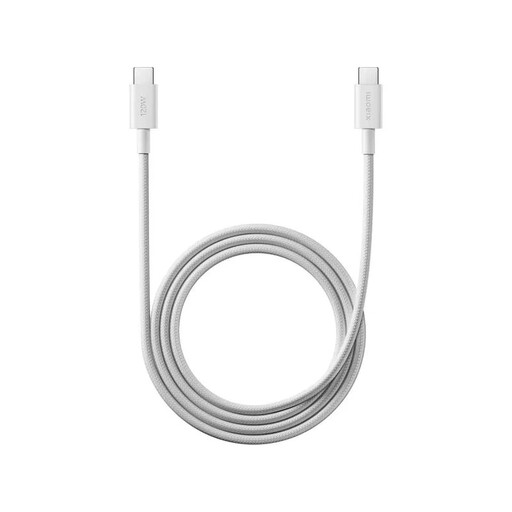
Why it stands out: This cable focuses on one thing: extremely fast charging. It's an excellent choice for those who want to leverage Xiaomi's latest fast-charging technology without paying for the extras of a USB4 cable.
Key Features:
Best for: Owners of a recent Xiaomi USB-C cable compatible smartphone who want to achieve maximum charging speeds. Also suitable for other devices that support high-wattage charging.
Does your charger, power bank, or laptop still have a traditional rectangular USB-A port? If so, you'll need a different cable to connect your USB-C devices.
Check out our range of Type-A to Type-C cables for a suitable solution.
The difference lies in the maximum power (wattage) the cable can safely transmit. A USB-C fast charging cable is made with thicker internal wiring to handle more current, such as 60W or 100W. A standard cable is often limited to 15W and will therefore charge your device more slowly, even with a fast charger.
Not always. Laptops typically require higher power (usually 45W, 60W, or more). A simple smartphone cable is often not powerful enough, which will cause the laptop to charge very slowly or not at all. Check the required wattage of your laptop and choose a cable that supports this power level, like the Samsung 60W cable or the Xiaomi 240W cable.
You only need a USB4 cable for very specific, high-demand tasks: connecting a 4K or 8K monitor, using an external SSD at maximum speed, or connecting an external graphics card (eGPU). For charging and standard data transfer alone, a cable with a lower specification (like USB 2.0) is usually sufficient and more cost-effective.
