
Vandaag of morgen in huis

Kwaliteit gegarandeerd

Welkomstaanbiedingen ontgrendelen: GRATIS bezorging | Tot 80% korting | Gratis 30 dagen JoyPlus-proefperiode
Download de app
New smartphone, tablet, or laptop? Chances are, it has a USB-C port. But the cable you use makes all the difference. Slow charging speeds, a cable that frays after just a few months, or a tangled mess of wires in your bag—these are common frustrations. Finding the right USB-C to USB-C cable isn't always straightforward, with all the different wattages, materials, and features available.
My name is Joybuy, and as a Product Recommendation Officer at Joybuy, I'm here to help you make the right choice. In this article, we'll explore what to look for and highlight a few popular choices for different users.
Before you make a decision, it's helpful to understand three key features. This ensures you buy a cable that perfectly suits your devices and lifestyle.
Not every USB-C cable delivers power at the same speed. The power output, measured in watts (W), determines how quickly your device charges, provided your charger and device also support it.
The standard plastic cables often included with devices are prone to wear and tear at the connectors. A durable USB-C cable is often a smart investment. Pay close attention to the material. A braided USB-C cable, typically made of nylon, is significantly more resistant to bending, pulling, and daily wear. This prevents internal breakage and ensures a longer lifespan.
Consider where you'll use the cable most. A two-metre cable is convenient for the sofa but impractical for your bag. For travellers or anyone who appreciates a tidy desk, a retractable charging cable is a perfect solution. These compact systems prevent tangles and take up minimal space.
Based on specifications and functionality, we've rounded up some interesting options for you.
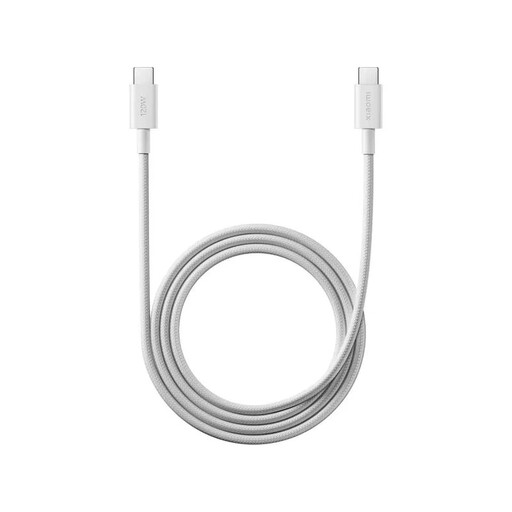
Why It Stands Out This cable from Xiaomi is designed for high performance. With support for 120W HyperCharge, it's an ideal USB-C fast charging cable for compatible Xiaomi devices, but it also works perfectly with other devices thanks to broad support for fast-charging protocols.
Pros
Who Is It For? For owners of a recent Xiaomi smartphone who want to leverage maximum charging speeds. It's also an excellent choice for anyone seeking a powerful, reliable, and durable all-round cable for various devices.
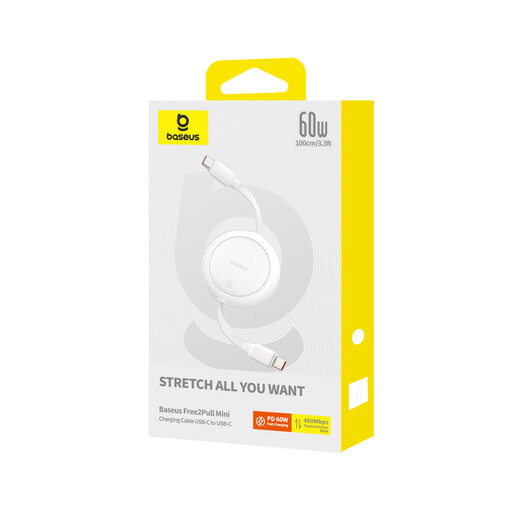
Why It Stands Out The Baseus Free2Pull is the definition of on-the-go convenience. This retractable charging cable neatly winds itself into a compact housing, making tangled cables in your bag a thing of the past.
Pros
Who Is It For? Ideal for travellers, commuters, and anyone who hates loose cables. It's the perfect companion for your power bank or for daily use at a flexible workspace.
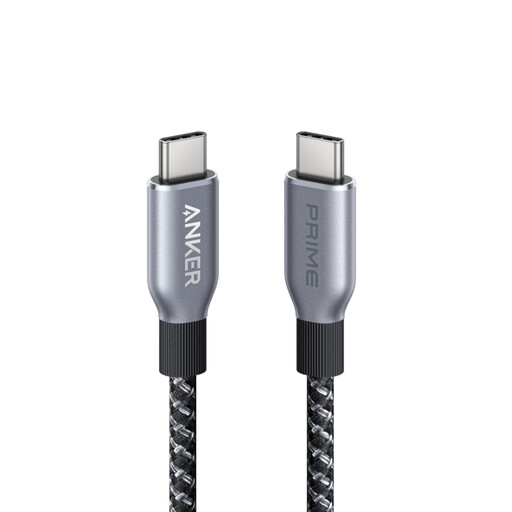
Why It Stands Out The Anker cable from the Prime series is built for the future. With a power capacity of 240W, this cable can charge virtually any modern USB-C device at maximum speed. According to Anker, the cable is engineered for extreme longevity, and its outer layer is made from recycled materials.
Pros
Who Is It For? For the power user who is investing in a cable for the long haul. Perfect for charging the most powerful laptops, docking stations, and other high-end equipment that supports the 240W standard.
This is just a selection to get you started. There are many more cables with different lengths, colours, and specifications that might be a better fit for your needs.
Explore all USB-C to C cables in our category
The difference lies in the internal construction and the presence of a so-called E-Marker chip. A USB-C fast charging cable has thicker copper wires to safely handle a higher power output (wattage). The E-Marker chip communicates with the charger and the device to report the cable's maximum capacity, which is essential for charging above 60W.
Not always. A USB-C laptop charging cable must support a wattage equal to or higher than what your laptop's original charger provides. Using a 45W cable for a 96W MacBook Pro will result in very slow charging, or the laptop may not charge at all. So, always check the required wattage of your laptop.
The easiest way is to look at your device's original charger. The output power is listed there, for example, "Output: 20V ? 3.25A". Multiply these two numbers (20 x 3.25 = 65W) to find the required wattage. A cable with a higher wattage than needed is always safe to use; the cable will never deliver more power than the device requests.
