
Vandaag of morgen in huis

Kwaliteit gegarandeerd

Welkomstaanbiedingen ontgrendelen: GRATIS bezorging | Tot 80% korting | Gratis 30 dagen JoyPlus-proefperiode
Download de app
Need a new USB-C to USB-C cable? The choice seems simple until you realise your new cable won't charge your laptop, or it breaks after just a few months. The market is flooded with cables that promise a lot but don't always deliver. Before you make a purchase, it's helpful to know what to look for to avoid making the wrong choice.
Many people fall into two common traps:
This guide will help you look past the marketing jargon and choose a type c cable that suits your devices and needs.
To make the right choice, there are a few technical specifications you need to check. They determine the speed, durability, and functionality of your cable.
The charging power, expressed in Watts (W), determines how quickly a cable can charge your device, provided your charger and device also support it. Most modern cables use Power Delivery (PD), a fast-charging protocol.
iPhone 15 and Samsung Galaxy models), tablets, and compact laptops like a MacBook Air. A standard fast charger cable often falls into this category.usb c cable for laptop, this is a safe minimum.Always check the specifications of your device and charger to determine what wattage you really need.
A cable is only as durable as its weakest part. Therefore, pay close attention to the material and construction.
A longer cable, like a usb c cable 2m, offers more freedom of movement but may charge a fraction slower than a shorter version. Choose the length that is practical for your situation.
Not every usb c charging cable is equally good at transferring data.
Based on objective specifications, we have selected a number of cables that fit different user profiles.
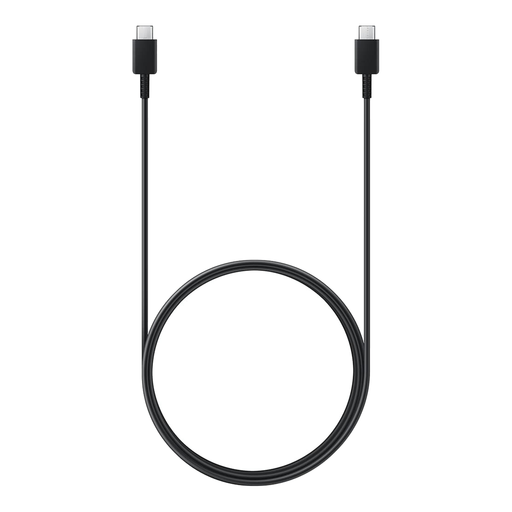
Why This Fits Their Persona: Ideal for those seeking a reliable, slightly longer cable for charging a smartphone or tablet. The 1.8-meter length offers just that extra bit of flexibility in the office or next to the sofa compared to a standard cable.
As an original Samsung accessory, this cable offers guaranteed compatibility and quality, helping you avoid the gamble of unknown, cheap brands.
Supports up to 60W, more than enough for fast-charging phones and tablets. The 1.8-meter length is practical for daily use.
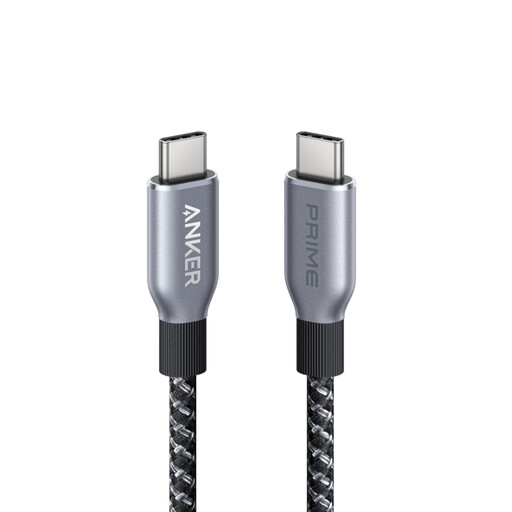
Why This Fits Their Persona: For those who want to charge a powerful laptop at full speed and need a cable that can withstand intensive use. Its high capacity makes it suitable for the most demanding tasks.
This cable solves the "wattage confusion" by offering a clear and high power rating of 240W, which is more than enough for virtually any USB-C laptop.
Future-proof with 240W Power Delivery. The durable, braided exterior is designed for a long lifespan, even with heavy use.
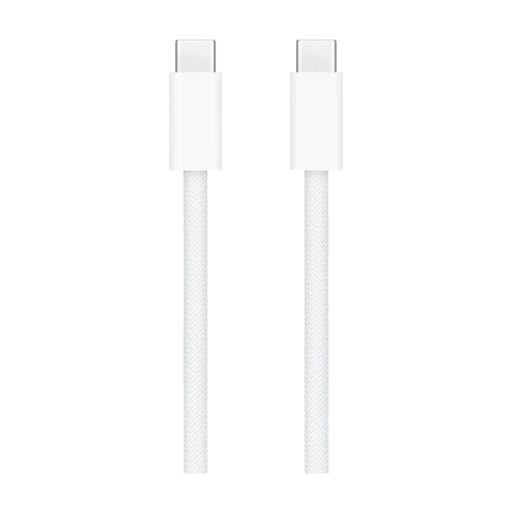
Why This Fits Their Persona: Perfect for Apple users who want a durable cable with a premium finish that seamlessly matches their devices. The woven design feels sturdy and is less prone to tangling.
The braided nylon casing directly addresses the problem of fragile cables. This design is specifically made to resist fraying and kinking at the connector.
Highly durable and less prone to tangling. It offers the reliable performance and finish you'd expect from an official Apple product.
We have compiled a complete, up-to-date list of products that fully meet these strict selection criteria and relevant safety standards.
Look at the device with the highest power consumption you intend to charge. For a smartphone or tablet, 30-60W is sufficient. For a laptop, you typically need 60W to 100W. Check the specifications of your laptop's original charger; this is a good guideline for the required wattage.
For most people, yes. A braided usb c cable is significantly more resistant to wear and tear from daily bending and storage. The higher initial cost often pays for itself as the cable lasts longer, and you won't have to buy a new one every few months.
No, not every type c cable is suitable. A usb c cable for laptop must support a sufficiently high charging power, usually a minimum of 60W. A standard cable designed for a phone (often around 30W) will either not charge a laptop or will do so very slowly. Always check that the cable's wattage matches what your laptop requires.
