
Vandaag of morgen in huis

Kwaliteit gegarandeerd

Welkomstaanbiedingen ontgrendelen: GRATIS bezorging | Tot 80% korting | Gratis 30 dagen JoyPlus-proefperiode
Download de app
Just bought a new smartphone, tablet, or laptop? Chances are you'll need a USB-C to USB-C cable. The days of needing a different charger for every device are over, but that doesn't mean every USB-C cable is the same. The wrong choice can result in slow charging speeds or may not work at all.
As a Joybuy Product Recommendation Officer, I'm here to help you make the right choice. In this guide, we'll explain what to look for and provide a few specific recommendations, so you can find a cable that fits your devices and your needs.
Before you make a decision, it's helpful to understand three key specifications. This will help you choose a cable that truly delivers on its promises.
Not every USB C charging cable is a USB C fast charging cable. The speed is determined by the power (in Watts) that a cable can handle. For fast charging, especially for laptops and modern smartphones, you need a cable that supports Power Delivery (PD). Also, pay attention to the current, measured in Amperes (A). For example, a 5A USB C cable can deliver more power than a standard 3A cable, resulting in faster charging times for compatible devices.
The standard length is often a 1m USB C cable. This is usually sufficient for use at a desk or next to your bed. Need more flexibility, perhaps on the couch or in a meeting room? Then consider a longer cable of 1.5 or 2 meters. Also, pay attention to the material. Cables with a TPE (thermoplastic elastomer) jacket are flexible and common, while braided nylon cables often provide extra protection against kinks and frays.
Most USB-C cables sold primarily for charging use the USB 2.0 standard for data transfer. This offers a speed of 480 Mbps. For most users, this is more than enough for syncing photos, music, and documents. Transferring a 1 GB file takes about 30 seconds at this speed. Only if you regularly transfer very large files, like 4K video footage, is a more expensive USB 3.1 or Thunderbolt cable worth considering.
Based on specifications and functionality, we've selected a few options suitable for the most common scenarios.
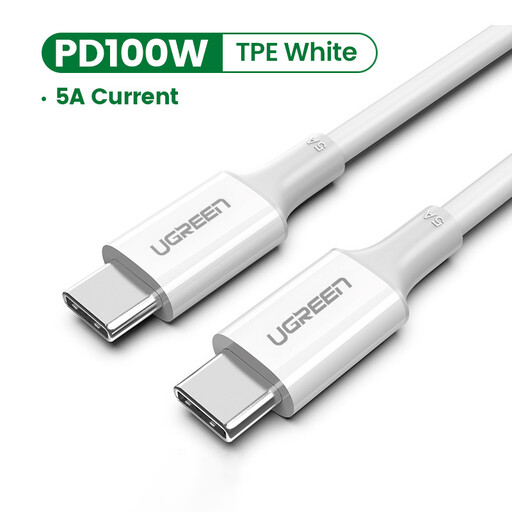
Why It Stands Out The UGREEN cable is a practical all-rounder. It supports a current of up to 5A and a power output of up to 100W, making it suitable for fast-charging a wide range of devices, from an iPhone 15 charging cable to a MacBook. According to UGREEN, the built-in E-Marker chip ensures a stable and safe charging current.
Key Features
Who It's For For the user looking for a reliable and affordable fast-charging cable that works with virtually any modern USB-C device.
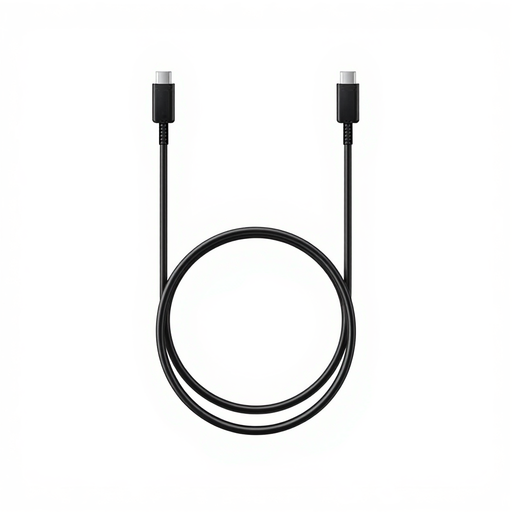
Why It Stands Out If you own a Samsung device, an official Samsung charging cable offers the guarantee of optimal compatibility and performance. This cable is designed to fully utilize the 5A charging capacity of many Samsung chargers and devices, ensuring efficient and safe charging.
Key Features
Who It's For Ideal for owners of Samsung smartphones, tablets, or other USB-C devices who prefer official accessories for guaranteed performance.
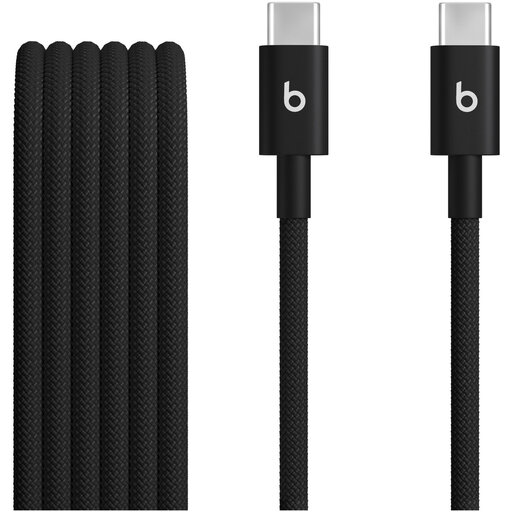
Why It Stands Out This cable from the Apple/Beats family, at 1.5 meters, offers a little extra length compared to standard cables. This is useful when your power outlet is a bit further away. The sleek, black design pairs well with the aesthetic of Apple and Beats products.
Key Features
Who It's For For users who need some extra cable length and value a product that seamlessly integrates with their Apple or Beats gear.
If none of these are quite what you're looking for, perhaps in terms of length, color, or brand, don't worry. We have a wider selection to suit different needs and budgets.
See all our USB 2.0 Type C cable options here.
No, definitely not. They differ mainly in charging power (expressed in Watts or Amperes) and data transfer speed (e.g., USB 2.0 vs. USB 3.1). A cable designed for a smartphone may not be suitable for charging a laptop at full speed.
For an iPhone 15 (and newer models), you need a USB-C to USB-C cable. To use the fast-charging feature, choose a cable that supports Power Delivery (PD), paired with a compatible 20W (or higher) USB-C power adapter.
Yes, as long as your laptop supports charging via its USB-C port. Check the required wattage for your laptop (this is often printed on the original charger) and make sure that both the cable and the power adapter can deliver this amount of power. Cables that support 100W, like the UGREEN cable mentioned above, are a great choice for this.
