
Vandaag of morgen in huis

Kwaliteit gegarandeerd

Welkomstaanbiedingen ontgrendelen: GRATIS bezorging | Tot 80% korting | Gratis 30 dagen JoyPlus-proefperiode
Download de app
Slow charging speeds, a tangled mess of cables in your bag, or a cable that fails after just a few months. These are common frustrations. The switch to USB-C promised a lot, but finding the right cable can still be a challenge. Not all cables are created equal, and the wrong choice can mean you're not getting the most out of your fast charger or laptop.
This guide is designed to help. We'll cut through the marketing jargon and focus on what really matters: power, durability, and functionality. This way, you can find a USB C to USB C cable that suits your devices and your needs.
Before we dive into the products, here are a few practical points to make your choice easier.
Not every USB C charging cable is a fast charger cable USB C. The maximum power, expressed in watts (W), determines how quickly your device can charge.
Note: For fast charging via Power Delivery (PD), your charger, cable, and device must all support this standard. The cable is often the forgotten link in the chain.
Do you only need the cable for charging, or do you also want to transfer files? Most standard USB-C cables support a data speed of 480 Mbps (USB 2.0). That's fine for syncing some photos.
For transferring large video files or backups, you'll need a USB C data cable with a higher speed, such as 5 Gbps, 10 Gbps, or even 20 Gbps (USB 3.2). This is almost always specified explicitly.
A cable you use daily needs to be durable. A braided USB C cable, often made of nylon, is typically more resistant to kinks and breaks than a standard plastic (TPE) cable. This is especially useful for travel or if you frequently coil your cable.
Below is a selection of USB-C to USB-C cables, each with its own unique strengths.
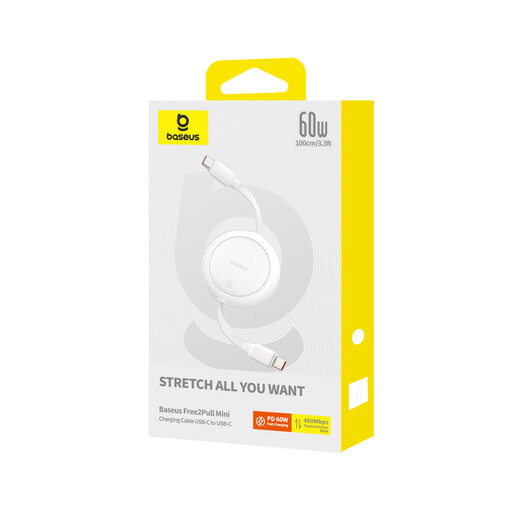
Why It Stands Out: The fully retractable design. No more loose cables in your bag or on your desk. You simply pull the cable to your desired length (up to 1 meter), and with a gentle tug, it retracts automatically.
Pros:
Who is it for? For the mobile professional, student, or traveler who hates cable clutter and is looking for a neat, portable solution.
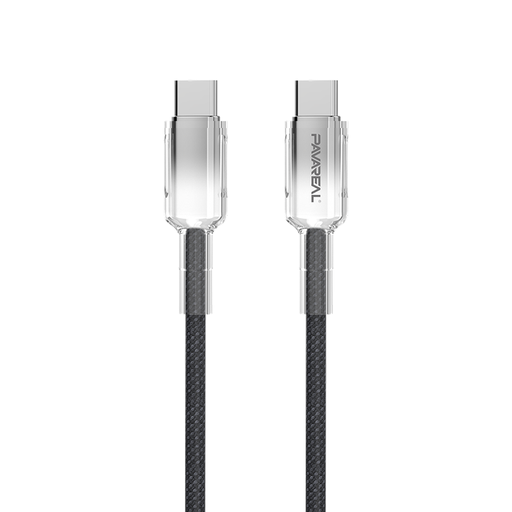
Why It Stands Out: The sheer power. With support for 100W Power Delivery, this is a USB C cable for laptop users who refuse to compromise on charging speed.
Pros:
Who is it for? For the power user with a high-performance laptop who needs a reliable and fast charging solution for the office or at home.
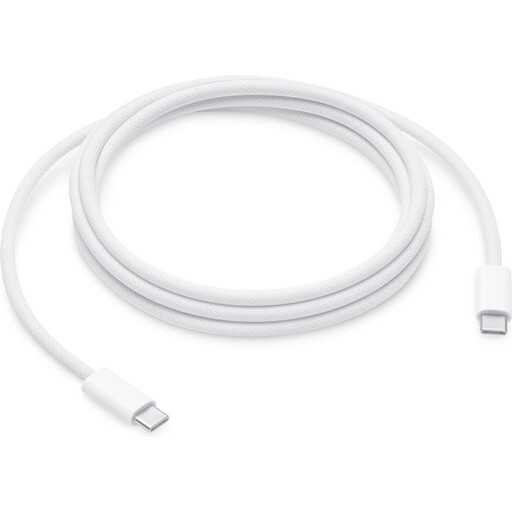
Why It Stands Out: This is an original Apple cable designed for maximum compatibility and power within the Apple ecosystem. At 240W, it's ready for future, even more powerful devices.
Pros:
Who is it for? For the Apple user who wants an original, extra-long, and very powerful cable for their MacBook, iPad, or iPhone and wants to ensure seamless performance.
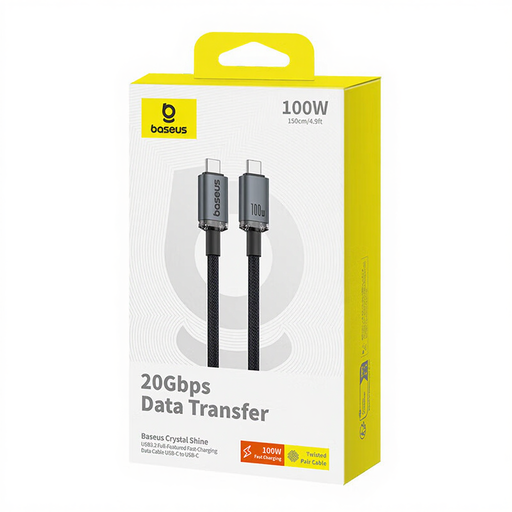
Why It Stands Out: This cable combines the best of both worlds: high power and extremely fast data transfer. It's not just a charging cable, but a fully-fledged USB C data cable.
Pros:
Who is it for? For content creators, video editors, and IT professionals who want one cable for charging, lightning-fast data transfer, and connecting an external 4K display.
Don't see the perfect cable for you, or are you looking for a different length or a specific brand? No problem. There are countless options available to meet various needs.
See all USB C charging cables on Joybuy.nl
Yes, it will physically fit. However, the charging speed is determined by the weakest link in the chain (charger, cable, or device). A 100W charger with a 30W cable will charge your device at a maximum of 30W. For optimal results, match the wattage of the cable and charger.
This information is usually on the product page, the packaging, or sometimes even indicated by a small icon on the cable's connector itself. If it's not mentioned, you can generally assume it's a standard cable not optimized for high power.
They use the same physical connector, but that's where the similarities end. Thunderbolt cables support much higher speeds for data (up to 40 Gbps) and video. All Thunderbolt 3/4 cables can function as a USB-C cable, but not all USB-C cables have Thunderbolt capabilities. For most users, a good Power Delivery cable is sufficient.
