
Reviewer with one spare socket
You want a second screen without automatically needing to plug in a second mains adapter. The right portable setup depends on your laptop’s video and power capabilities.


If you don’t have a spare socket for a screen, look for a portable model that can receive video and power through a suitable USB-C port on your laptop. If a socket is available, a mains-powered USB-C dock monitor will generally give you more screen space and can charge your laptop, provided the connection and power output are suitable for your laptop. For long sessions, adjustability and a separate keyboard setup also matter.
You want a second screen without automatically needing to plug in a second mains adapter. The right portable setup depends on your laptop’s video and power capabilities.
You have one socket for a larger screen and want to view code and changes clearly, perhaps while the monitor powers a compatible laptop.
You want to be able to position your screen and keyboard to suit your working posture. Specific workplace requirements apply to employees who work at a screen for extended periods every day.
When sockets are in short supply, start by considering how the monitor will be powered. Then think about usable screen space, your working posture and whether you need to take the screen with you.
Suitable when: there’s no spare socket for the screen and your laptop can provide both video and sufficient power via USB-C.
Bear in mind: a smaller screen gives you less physical space for code and changes, while drawing power from your laptop puts a strain on its power supply or battery.
Suitable when: you can use one socket for the monitor and want to combine video, peripherals and, if needed, laptop charging through a compatible USB-C connection.
Bear in mind: the monitor itself needs a mains socket, and its charging power must be suitable for your laptop. Dell Netherlands lists 90 W for the P2425DE; LG Netherlands lists 65 W for the 27BA65QB-B.
Suitable when: your laptop already has a separate power supply, or you don’t need USB-C docking and have a compatible video connection available.
Bear in mind: your laptop adapter may still need an extra socket. A USB-C port alone doesn’t prove that the monitor can charge your laptop.
| Factor | What should you check? | Who should pay extra attention? |
|---|---|---|
| Socket usage | Check the video output, available USB-C power and any adapter requirements for both your laptop and monitor. | If there’s no spare socket for a screen, I want to know whether my laptop can provide both video and power. Around 36% of consumers prioritise limiting socket use. |
| Space for code and changes | Compare the diagonal size, native resolution and aspect ratio. Also assess readability at your chosen scaling setting. | If I want to read code and a diff side by side, usable screen space matters more than a compact size. Around 29% of consumers put screen space first. |
| Adjustability | Check the height, tilt and swivel options, and how your keyboard and mouse are positioned at your workspace. | For long reviews, I want to be able to position the screen to suit my working posture. Around 21% of consumers pay most attention to adjustability. |
| Portability | Check the size, weight and stand, as well as the connections available on the laptops you’ll use with the screen. | If I review code in different workspaces, a second screen needs to be practical to carry and set up. Around 14% of consumers put portability first. |
Video over USB-C and charging have separate requirements for the laptop and monitor. A compatible plug alone doesn’t tell you whether both functions will work.
Check whether your laptop supports USB-C video, such as DP Alt Mode, and whether the power capabilities and charging output are suitable for the combination.
If the connection you choose doesn’t provide the video and power you need, you may still need a separate laptop power supply or adapter.
With a portable monitor, power pass-through via a suitable adapter can create a different setup from drawing power from the laptop. The connection you use determines the power route.
Before you buy, work out how the laptop, screen and any adapter will connect, and check that the setup is suitable.
According to ASUS, the ASUS ZenScreen MB16AHV has a tilt stand but no height adjustment. This means you may need to give extra thought to how the screen sits on your desk during long sessions.
Check how you can position the screen at a suitable height and whether the stand will work for your workspace.
You may need an additional mount or a different desk setup to adjust the screen position.
ACM ConsuWijzer explains that the statutory guarantee depends on what you could reasonably expect from the product under normal use. A shorter commercial warranty doesn’t automatically limit that right.
Keep your purchase and product information, and contact the seller if the product is faulty.
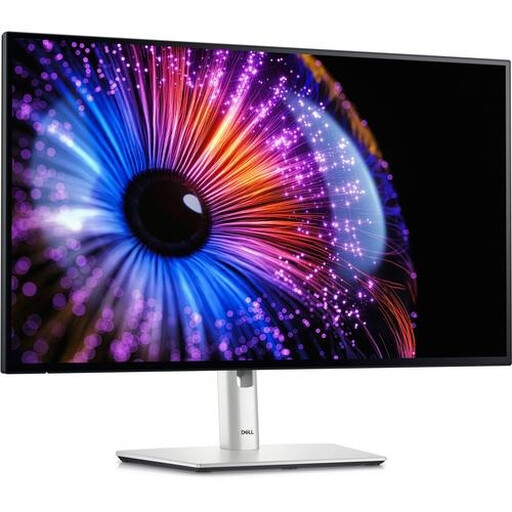
Dell Netherlands describes the P2425DE as a fixed 23.8-inch QHD USB-C hub monitor for those who want to combine screen space and laptop charging through the monitor.
Lenovo positions the ThinkVision M14d as a portable 14-inch 16:10 screen for a compact second display.
LG Netherlands describes the 27BA65QB-B as a fixed 27-inch QHD USB-C monitor for a workspace with room for a larger screen.
ASUS describes the ZenScreen MB16AHV as a portable 15.6-inch Full HD screen with USB-C and mini-HDMI.
Philips Netherlands describes the 24B1U5301H/00 as a 23.8-inch Full HD USB-C dock monitor with webcam features.
This selection includes fixed QHD monitors for more physical screen space, as well as a portable 16-inch option for a more compact second display. For each model, check that its connections, power route and adjustability suit your laptop and workspace.
 No image available
A 27-inch QHD monitor for a fixed review setup, with room to view code and changes.
The product details list an IPS Black panel and Thunderbolt 4. Check whether the connection provides the charging power your laptop needs.
 No image available
A fixed QHD USB-C hub monitor for a review workspace with one socket available for the screen.
Dell Netherlands lists a 23.8-inch screen, 2560 × 1440 pixels and 90 W Power Delivery for this model. The monitor itself needs mains power. Check that its charging output is suitable for your laptop.
The product details list height and tilt adjustment.
 No image available
A 24-inch QHD monitor for a fixed setup where you review code and changes on one screen.
The product details list 2560 × 1440 pixels, 100 Hz, and height, tilt, swivel and pivot adjustment.
 No image available
A 27-inch QHD monitor for a fixed workspace, with extra physical room for code and changes.
The product details list 2560 × 1440 pixels, USB-C with 90 W Power Delivery, and height, tilt and swivel adjustment. Check that the charging output is suitable for your laptop.
 No image available
A portable second screen for a more compact review setup. Its smaller size gives you less physical screen space than a fixed 24- or 27-inch monitor.
The product name lists 2560 × 1600 pixels, a 16:10 aspect ratio, USB-C and Mini HDMI. Check which video and power features your laptop supports through the connection you plan to use.
No. You can’t tell just from the shape of the port. For USB-C video on the 24B1U5301H/00, Philips requires DP Alt Mode support. Charging also requires support for the relevant power specifications. Check that both devices support these features and that the available power is sufficient.
Adjust the screen to suit your working posture and check whether you can position it at the height you want. Arboportaal states that for employees who work at a screen for more than two hours a day, the screen and keyboard must not be attached to one another. This means a separate input setup may need to be possible.
No. According to ACM ConsuWijzer, the statutory guarantee depends on what you could reasonably expect from the product under normal use. A two-year commercial warranty doesn’t automatically limit your statutory rights. For a standard online purchase, you’ll generally also have a 14-day cooling-off period after delivery, subject to statutory exceptions.
Electrical monitors placed on the EU market must meet the applicable product requirements and carry the required CE marking. Check that these apply to the version being offered. The workplace requirements described by Arboportaal apply to employees and depend, among other things, on how long they work at a screen.