
Vandaag of morgen in huis

Kwaliteit gegarandeerd

Welkomstaanbiedingen ontgrendelen: GRATIS bezorging | Tot 80% korting | Gratis 30 dagen JoyPlus-proefperiode
Download de app
Modern laptops like a MacBook or Surface are thin and light, but that minimalism comes at a cost: a shortage of ports. A USB-C hub seems like the simple solution, but the market is flooded with models that overpromise and underdeliver. Many people buy an adapter that stops working correctly after a few months, fails to charge their laptop, or causes a flickering display.
As a Product Recommendation Officer at Joybuy, I see where things go wrong every day. Before you spend your money, it's crucial to recognize three common pitfalls that lead to a bad purchase.
To avoid these pitfalls, focus on the specifications that truly matter. Check these three points before making a choice.
Make a list of the devices you want to connect. The right mix of ports is a personal choice.
For smooth and sharp image quality on an external monitor, 4K 60Hz is the standard. This means the image is refreshed 60 times per second, resulting in a smooth and stable picture. A hub that only supports 4K 30Hz is only suitable for static presentations. For video editing, movies, or a pleasant user experience, 60Hz is a requirement. More powerful docking stations sometimes even support 8K or multiple 4K monitors simultaneously.
Check the power rating (in watts) of your laptop's original charger. The Power Delivery port on your USB-C hub or laptop docking station must deliver a similar or higher wattage.
A hub with 100W PD can charge almost any laptop, but some of that power is consumed by the hub itself. Expect about 15W of power loss. A 100W PD hub, therefore, delivers approximately 85W to your laptop. Modern adapters often use GaN charger technology, making them more compact and efficient while producing less heat.
Not every user has the same needs. Here are three options, tailored to different profiles.
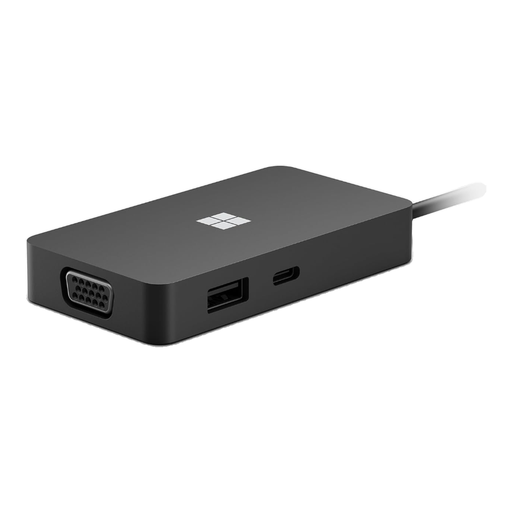
Why This Fits Their Persona: Ideal for those who are frequently on the move between the office, home, and client meetings. This compact hub fits easily into any laptop bag and provides the essential ports for presentations and flexible work.
This hub avoids the "one-size-fits-all" pitfall by offering specific ports that professionals need, such as HDMI (4K) and even VGA for older projectors, plus a stable ethernet port.
Compact and lightweight design with a focus on the most-used ports for presentations and network connectivity. Designed for Surface, but compatible with most USB-C laptops.
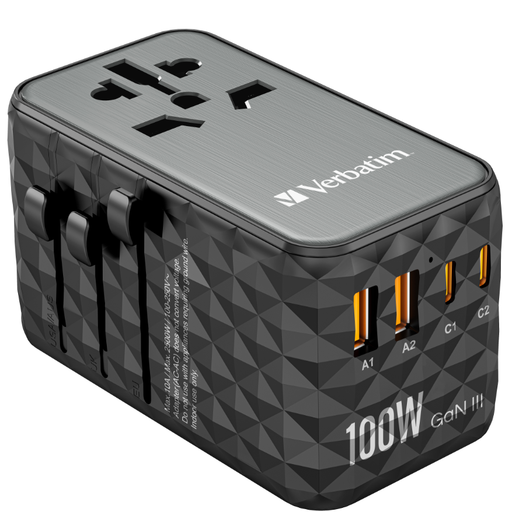
Why This Fits Their Persona: For those who travel the world and don't want to lug around a bag full of adapters. This is a universal travel adapter and a powerful GaN charger in one, suitable for over 180 countries.
This device tackles the "Power Delivery" myth by delivering a very high power output of 100W via USB-C PD. This allows you to charge even the most demanding laptops at full speed, wherever you are.
Combines a universal travel adapter with a powerful 100W GaN charger. Can charge up to five devices simultaneously (2x USB-C, 2x USB-A, 1x AC outlet). Includes a safety fuse.
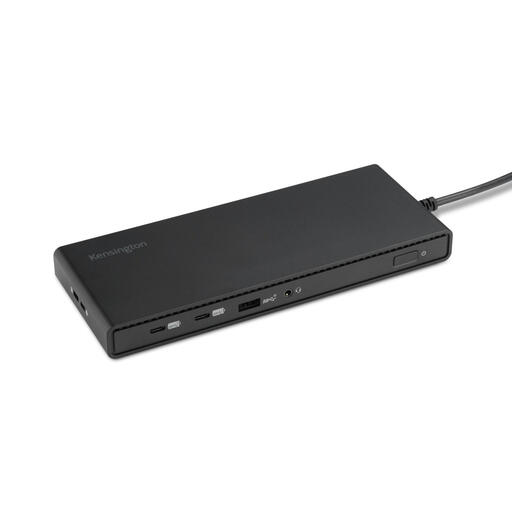
Why This Fits Their Persona: For the professional or student who wants to create a permanent, clean, and powerful workspace. This laptop docking station turns a single USB-C port into a complete command center.
This model tackles both the video and power pitfalls. It supports up to three external Full HD monitors (1080p @ 120Hz) for a smooth experience and delivers a solid 100W of Power Delivery.
Plug-and-play solution with its own power supply. Offers a wide array of ports, including DisplayPort and HDMI, and charges connected accessories even when the laptop is not connected.
We have compiled a complete, up-to-date list of products that fully meet these strict selection criteria and relevant safety standards.
A USB-C hub is typically compact, portable, and powered by the laptop itself (bus-powered). They are ideal for on-the-go use. A docking station is larger, has its own power adapter, and is designed for a fixed workstation. Docking stations can handle more and more powerful devices, such as multiple 4K monitors, and often provide more charging power.
Most hubs will work, but functionality can vary. For video output (via DisplayPort Alternate Mode) and charging (Power Delivery), both your MacBook's port and the hub must support it. Especially with M1/M2/M3 MacBooks, it's important to check the hub's specifications for support for dual external displays, as this is not standard for all models. A good MacBook adapter will explicitly state this compatibility.
Yes, it's normal for a hub to get warm, especially during intensive use like driving a 4K screen, transferring data, and charging simultaneously. The hub is working hard to process all those signals. An aluminum casing helps to dissipate heat more effectively. However, if the hub becomes too hot to touch, there might be a defect, and you should stop using it.
