
Vandaag of morgen in huis

Kwaliteit gegarandeerd

Welkomstaanbiedingen ontgrendelen: GRATIS bezorging | Tot 80% korting | Gratis 30 dagen JoyPlus-proefperiode
Download de app
By the Joybuy Product Recommendation Officer, July 5, 2026
A dead battery at the worst possible moment is frustrating. Just as frustrating is a bag cluttered with different chargers for your phone, laptop, and tablet. Fortunately, there's a solution: the universal USB-C fast charger. But with terms like GaN, Power Delivery, and various wattages, making the right choice isn't always straightforward.
This article isn't a sales pitch. It's a practical guide to help you find the USB-C charger that fits your devices and lifestyle. We'll look at the specs that actually matter and provide a few concrete recommendations.
Before you make a choice, there are a few key points to consider. This will help you avoid a bad purchase and ensure your devices charge safely and quickly.
The power output, measured in watts (W), determines how fast a charger can power up your device. A charger with insufficient wattage will barely charge your laptop, if at all.
Also, look for the term Power Delivery (PD). This is an intelligent charging protocol that allows the charger and your device to communicate to deliver the optimal amount of power. A Power Delivery charger is a safe and efficient choice.
You'll see the term GaN charger more and more often. GaN stands for Gallium Nitride, a material that is more efficient than the traditional silicon used in older chargers. The advantages are clear:
A compact charger with GaN technology is a smart investment if you travel frequently or simply want a clutter-free desk.
Do you have multiple devices? Then a multi-port USB-C charger is a game-changer. It allows you to simultaneously charge your laptop, phone, and, for example, your earbuds with just one wall outlet. Pay attention to the combination of ports: most modern chargers offer multiple USB-C ports, sometimes supplemented with a traditional USB-A port for older cables.
Based on specifications and use cases, we've highlighted a few popular choices for you.
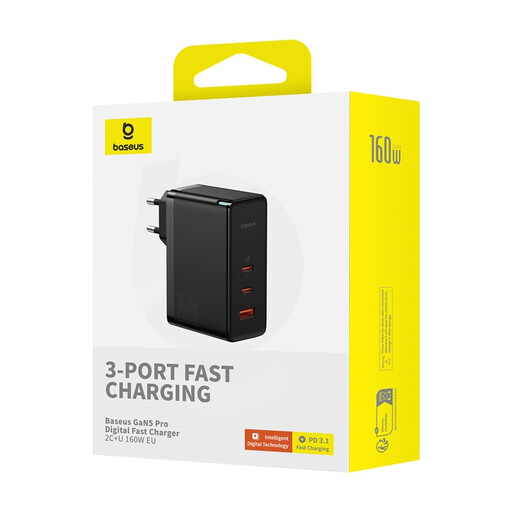
Why It Stands Out: This is a powerhouse. With a total output of 160W and three ports, this charger can effortlessly power a high-performance laptop, a tablet, and a phone simultaneously. The included 240W cable is a valuable addition.
Pros:
Who Is It For? For the professional, creative, or gamer who needs to charge a powerful laptop (like a 16-inch MacBook Pro) and multiple other devices at the same time. This is the one-stop solution to replace all your other chargers, both on your desk and in your travel bag.
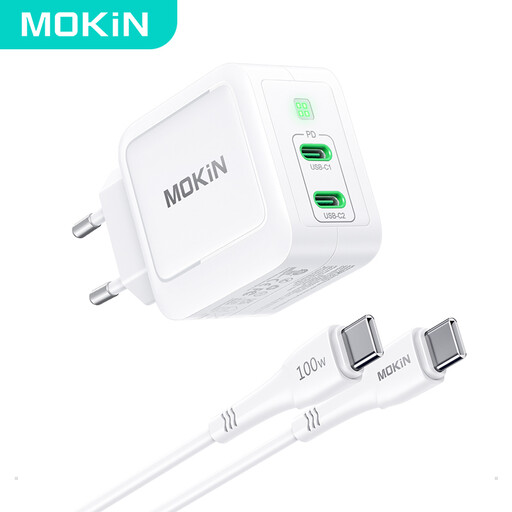
Why It Stands Out: This charger offers an excellent balance of power and portability. 67W is the ideal spec for many popular laptops, like the MacBook Air and 13-inch Pro, while the dual USB-C port offers flexibility.
Pros:
Who Is It For? For the daily commuter and traveler with a modern setup, such as a USB-C laptop and a smartphone. It's powerful enough for your work device and compact enough to take anywhere.
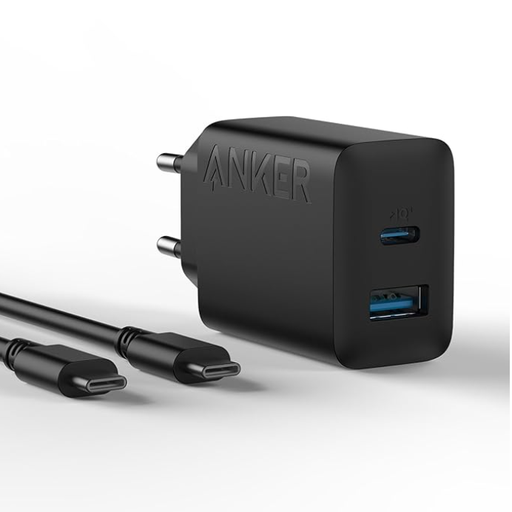
Why It Stands Out: Sometimes you don't need massive power, just a reliable, fast, and compact charger for your phone. This Anker charger delivers exactly that, with the flexibility of both a USB-C and a USB-A port.
Pros:
Who Is It For? For anyone looking for a fast and reliable charger for their smartphone and small accessories. It's a perfect upgrade from the stock charger—which is often no longer included—or as a convenient extra charger for travel.
If the perfect charger for you isn't listed here, or if you want to explore more power options or port configurations, many more models are available to meet different needs.
? Explore our full range of USB-C Chargers
1. What is a GaN charger and why should I choose one? A GaN charger uses Gallium Nitride instead of silicon. This material is more efficient, allowing the charger to be smaller, lighter, and cooler than a traditional charger with the same power output. You should choose one if you want a powerful charger that is easy to carry.
2. Can I use any USB-C fast charger for my laptop? Not necessarily. You must check that the wattage (W) of the charger is equal to or higher than the power your laptop requires. A 65W laptop will not charge properly (or at all) with a 30W charger. Most laptops specify their required wattage on the original charger.
3. Is fast charging bad for my phone's battery? Modern smartphones and chargers are equipped with smart technology (like Power Delivery) that manages the charging process. The charging speed automatically slows down as the battery gets fuller to minimize overheating and degradation. When using certified chargers, fast charging is generally safe for your battery.
