
Vandaag of morgen in huis

Kwaliteit gegarandeerd

Welkomstaanbiedingen ontgrendelen: GRATIS bezorging | Tot 80% korting | Gratis 30 dagen JoyPlus-proefperiode
Download de app
A USB-C charging cable may seem straightforward, but the differences between cables can be significant. One cable may be suitable for a smartphone, while another can also charge a tablet or laptop. Some cables support data transfer, while others are mainly designed for charging. Even a promising description such as “fast charging” does not automatically tell you how much power your device will actually receive.
If you only consider price or wattage, you may therefore face several common risks:
Check both ends of the cable. The most common variants are:
An iPhone charging cable with a Lightning connector is therefore not the same as a cable for an iPhone with a USB-C port. The same applies to a Samsung charging cable: check whether your phone uses USB-C and whether the charger supports Power Delivery or another compatible protocol.
Power is measured in watts. A 60W charging cable, 100W charging cable or 240W charging cable may be suitable for different devices, but the maximum power can only be achieved when all components support it.
Pay particular attention to:
Brands may make claims about charging speed. According to the relevant brand’s own research, certain conditions may result in a specific speed. In practice, results also depend on battery level, temperature, adapter and device.
A USB-C data cable can synchronise files as well as charge devices. Check the stated USB version and speed. According to the product information, the UGREEN USB Type-C 2.0 Braided Data Cable supports USB 2.0 at up to 480 Mbps. This is useful for everyday file transfers, but it is not designed for USB-C video output.
A braided charging cable can be convenient for everyday use and is often more resistant to kinks than a thin standard sheath. However, the connection remains a vulnerable point. Always pull the connector, not the cable itself.
Compact models are useful when you are out and about. A longer cable gives you more freedom of movement, but takes up more space and can become tangled more easily. Also check whether a cable is suitable for video transmission; the Baseus Free2Pull Mini Charging Cable 60W, for example, explicitly states that it is not intended for video.

Why it suits this profile: The 2-metre length is convenient at a desk, beside a bed or on the sofa. The cable supports USB-C to USB-C, charging at up to 3A and USB 2.0 data transfer.
The product information clearly states USB 2.0 and 480 Mbps, so you do not have to assume a higher data speed.
2-metre length; braided exterior; support for PD/PPS according to the product specification.
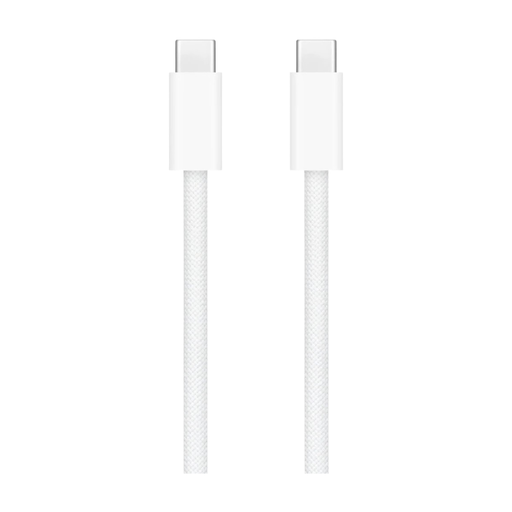
Why it suits this profile: This Apple cable is designed for USB-C devices such as iPads and other compatible devices. The nylon exterior is flexible and the cable is 1 metre long.
The USB-C-to-USB-C connections are clearly specified. A suitable PD charger is recommended for fast charging; the cable alone does not determine the speed.
1 metre; braided nylon sheath; suitable for charging, synchronisation and data transfer according to the product description.
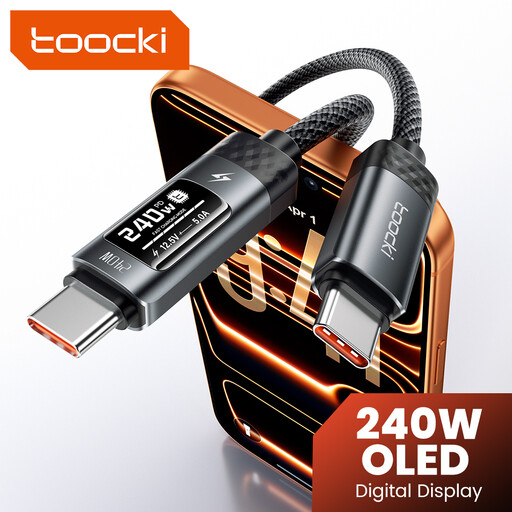
Why it suits this profile: This cable is intended for users looking for a high power rating for compatible phones, tablets, laptops and other USB-C devices. The product name states 240W and an LED display.
The high rated power is not presented as a guaranteed charging speed: always check the adapter, device and charging protocol first.
Rated support of up to 240W according to the product name; LED display; USB-C-to-USB-C design.
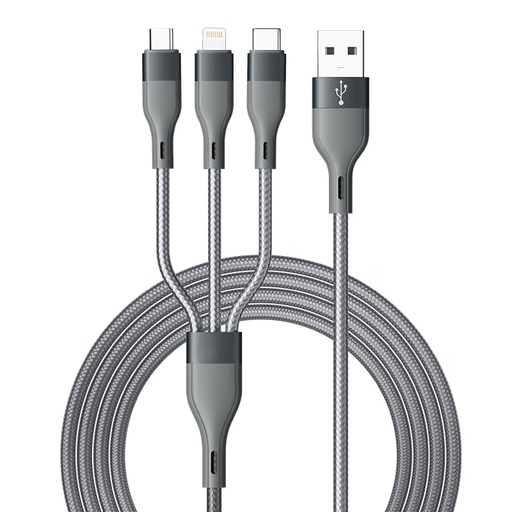
Why it suits this profile: With a length of 1.5 metres and connections for Apple, Type-C and Android, this 3-in-1 charging cable is practical for travelling and households with different devices.
You do not need to carry a separate cable for every device. However, check for each connection whether charging or data transfer is supported.
1.5 metres; three connection types; suitable for charging and synchronisation according to the product description.
We have put together a complete, up-to-date list of products that fully meet these strict selection criteria and the applicable European safety regulations.
Only use a cable with compatible equipment and a suitable charger. Stop using it immediately if you notice fraying, exposed wires, discoloured connectors or unusual heat. Keep cables dry and do not bend them sharply close to the plug. With a retractable cable, such as the Baseus Free2Pull, use the mechanism without forcing it.
A certification mark or statement of EU conformity is not a substitute for correct use. Keep the product information and check the warnings provided by the manufacturer and seller. Products sold in the EU are also covered by the statutory guarantee; the precise rights depend on the circumstances and the applicable consumer protection rules.
Choose a cable that supports your device’s charging protocol and required power. A PD charging cable is relevant for many modern devices. Also check whether the charger supports PD or PPS. A 60W cable may be suitable for a phone or tablet, while a laptop may require 100W or more.
No. Some cables are designed for charging only or offer limited data speeds. Check whether USB 2.0, USB 3.x or another standard is specified. USB 2.0 at 480 Mbps is suitable for basic synchronisation, but not automatically for video signals or fast transfers of large files.
Its lifespan depends on the material, pulling force, bending and storage. A braided charging cable may offer extra protection, but it too will wear out if used incorrectly. Pull the plug out of the device by its housing, keep the cable dry and replace it as soon as the sheath or connector becomes damaged.
