
Vandaag of morgen in huis

Kwaliteit gegarandeerd

Welkomstaanbiedingen ontgrendelen: GRATIS bezorging | Tot 80% korting | Gratis 30 dagen JoyPlus-proefperiode
Download de app
By the Joybuy Product Recommendation OfficerLast Updated: July 14, 2026
Bought a new phone, tablet, or laptop? Chances are, a charger wasn't included in the box. Or perhaps your current charger is painfully slow. Finding the right USB-C charger and cable can be a maze of technical jargon and marketing promises.
This article is designed to be a practical guide. We'll help you understand the specifications that truly matter, so you can make an informed decision on a charger, cable, or adapter that fits your devices and your needs.
Before we dive into specific products, here are a few key factors to consider that will help you make your choice.
A charger's power, expressed in Watts (W), largely determines its charging speed. A 20W phone charger will charge faster than a 5W one. For larger devices like tablets and laptops, you'll often need even more power, such as a 45W charger.
Pay close attention to the term Power Delivery (PD). This is a charging standard that allows the charger and your device to communicate to determine the optimal charging speed. A fast charger with PD can charge an iPhone to 50% in about 30 minutes, provided you use the right cable. Without PD, a powerful charger may not deliver its promised speed.
A powerful charger is useless without a suitable cable. A USB-C to USB-C cable is now the standard for most new devices. These cables support higher wattages and faster data transfer speeds.
Also, consider the build quality. A braided cable, like the woven Apple charging cable, is often more durable and resistant to kinks and breaks than a standard plastic cable. Do you still have many devices with an older USB-A port? In that case, a USB-C adapter can be a convenient and cost-effective solution.
Although USB-C is a universal standard, some brands offer extra features when you use their own accessories. For example, an official Samsung charger can activate "Super Fast Charging" on compatible Samsung phones, a speed you might not achieve with a third-party charger. Always check which charging protocols and wattages your device supports to avoid disappointment.
Based on specifications and use cases, we've rounded up some popular choices for you.
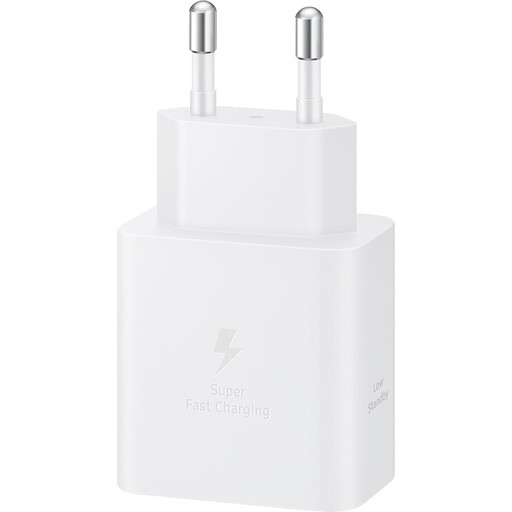
Why It Stands Out: This charger is engineered to deliver the maximum charging power to Samsung devices that support 45W fast charging. According to Samsung, this gives your device the power it deserves.
Pros:
Who It's For: Ideal for owners of recent Samsung Galaxy smartphones or tablets who want to achieve the fastest possible charging times. It's also a solid choice for anyone looking for a powerful, universal PD charger for multiple devices. Note: a compatible USB-C to USB-C cable is required and sold separately.
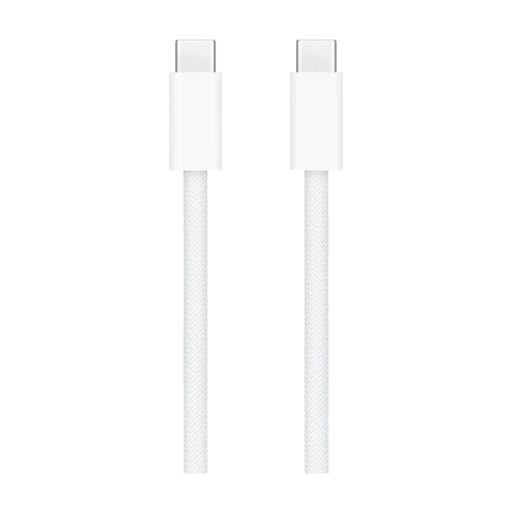
Why It Stands Out: The woven nylon exterior makes this cable noticeably more durable and resistant to daily wear and tear than traditional plastic cables.
Pros:
Who It's For: An excellent choice for users of Apple products like the iPad, MacBook, or iPhone 15 (and newer) who need a reliable and durable cable. It's also suitable for anyone who wants a high-quality USB-C to USB-C cable that will last longer.
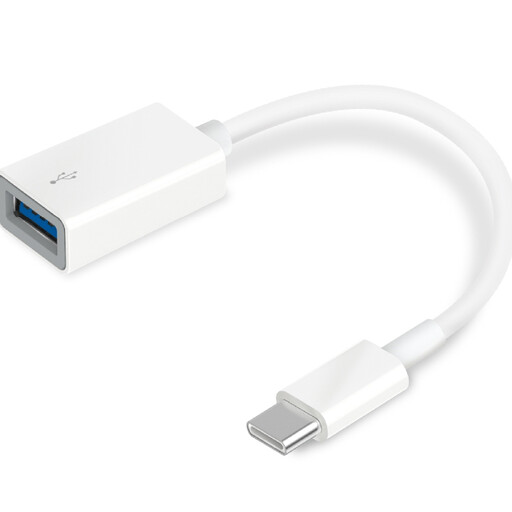
Why It Stands Out: This compact adapter is a simple and effective solution to bridge the gap between your old USB-A accessories and your new devices that only have USB-C ports.
Pros:
Who It's For: Perfect for anyone who just got a new laptop or tablet without the traditional USB-A ports. With this USB-C adapter, you don't have to replace all your existing peripherals and cables.
The world of chargers and cables is vast. For a wider range of accessories, from adapters to specialized cables, you can browse our witte veer collection.
No. The charging speed depends on the wattage and whether the charger supports a fast-charging protocol like Power Delivery (PD). A 5W phone charger with a USB-C port is significantly slower than a 45W charger with PD. Always check the specifications of both the charger and your device.
Yes, in most cases. The USB-C standard is designed to be universal. A Samsung charger with Power Delivery can charge an iPhone just fine, and vice versa. However, for the absolute fastest charging speeds advertised by a brand (like Samsung's Super Fast Charging 2.0), you may need the specific combination of that brand's charger and cable.
Braided cables, like the woven Apple charging cable, have a textile casing (often nylon). This generally makes them more resistant to wear, kinks, and fraying than standard plastic-coated cables. They often last longer, making them a great choice for heavy use or for travel.
