
Vandaag of morgen in huis

Kwaliteit gegarandeerd

Welkomstaanbiedingen ontgrendelen: GRATIS bezorging | Tot 80% korting | Gratis 30 dagen JoyPlus-proefperiode
Download de app
A slow charger or a broken cable is a familiar frustration. The search for a replacement often leads to an overwhelming number of choices, filled with marketing jargon that creates more confusion than clarity. Before you make a purchase, it's helpful to know what to look for to avoid wasting money on a product that doesn't meet your expectations.
As a Joybuy Product Recommendation Officer, I see the issues consumers face every day. These are the most common pitfalls:
To avoid a bad purchase, you can focus on a few concrete specifications. These objective features will help you see through the marketing hype and choose a product that actually does what it promises.
The power, expressed in Watts (W), determines how quickly a charger can charge your device. Modern smartphones and laptops often use Power Delivery (PD), a charging standard that enables higher power outputs.
Always check what charging speed your device supports. A 45W fast charger offers no advantage if your phone can only charge up to 25W. The combination has to be right: a suitable charger, a cable that can handle the power, and a device that supports it.
The lifespan of a cable depends on the quality of its materials and design. A braided cable made of nylon or Kevlar often provides better protection against kinks and wear than a standard plastic sheath. However, pay special attention to the strain relief: the flexible piece of plastic or rubber at the connector. A long and sturdy strain relief prevents the internal wires from breaking due to bending. A USB-C to USB-C cable that is used intensively every day benefits most from this.
If you regularly transfer large files, such as photos or videos, the data speed of the cable is crucial.
A high-speed data cable is often thicker and more expensive, but it's a worthwhile investment if you don't want to wait.
Based on objective specifications, we have selected a number of products that suit different needs and use cases.
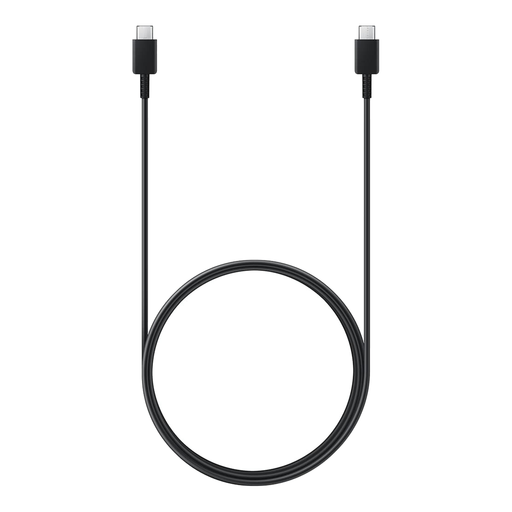
Why This Fits Their Persona: Ideal for Samsung users looking for an original, reliable replacement cable without the hassle. The 1.8-meter length offers practical convenience for use at home or in the office, without being tethered to the wall outlet.
As an original Samsung product, compatibility and quality are guaranteed. You avoid the risk of underperforming third-party cables, and the specifications (3A/60W) are clear and reliable.
Supports fast charging up to 60W, and the 1.8-meter length provides extra freedom of movement. It is an official original Samsung charger accessory.
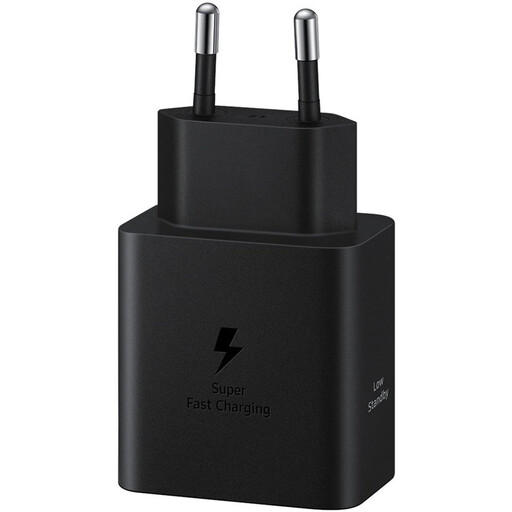
Why This Fits Their Persona: For the user with a modern smartphone or tablet that supports 45W charging. This person wants to minimize charging time and be fully operational again as quickly as possible.
This 45W charger delivers on its promise for compatible devices. It avoids the pitfall of vague "fast charge" claims by offering a concrete, high charging speed tailored to specific devices.
Supports Super Fast Charging up to 45W via Power Delivery. As an original product, it offers built-in protection against overvoltage and overheating.
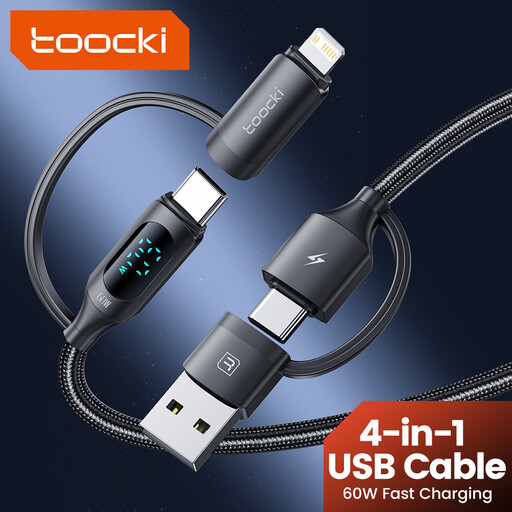
Why This Fits Their Persona: Perfect for those who travel light or have a household with a mix of devices (Apple, Android, etc.). This cable replaces a whole bundle of loose cables and is ideal for the car, on vacation, or in a shared workspace.
This product instantly solves the compatibility puzzle. Instead of having to buy and carry multiple, potentially inferior cables, this single cable provides a solution for the most common connections.
Four-in-one design with USB-A/C to USB-C/Lightning connectors. The braided design contributes to its durability and reduces the chance of tangled cables.
We have compiled a complete, up-to-date list of products that fully meet these strict selection criteria and safety standards.
Yes, the physical USB-C connector is universal and will always fit. However, performance, such as charging speed and data transfer, is not universal. A basic cable can limit the high speed of an advanced fast charger. For the best results, the specifications of the cable and the charger should be aligned.
Check the specifications of your device (smartphone, tablet, laptop). Manufacturers often state whether the device supports fast charging and which protocol is used, such as Power Delivery (PD). If your device supports it, you can significantly reduce charging time with a compatible fast charger and cable.
Not necessarily. A higher price can indicate better materials, such as a stronger braided cable or support for higher data speeds (e.g., USB4). However, it's more important to look at the specifications that are relevant to you. An expensive, high-speed data cable is unnecessary if you only use it for charging. Focus on the right combination of power, material, and data speed for your use case.
