
Vandaag of morgen in huis

Kwaliteit gegarandeerd

Welkomstaanbiedingen ontgrendelen: GRATIS bezorging | Tot 80% korting | Gratis 30 dagen JoyPlus-proefperiode
Download de app
A drawer full of different chargers, tangled cables, and a phone that charges at a snail's pace. Sound familiar? The switch to USB-C was supposed to simplify everything, but the reality is often different. The market is flooded with options and marketing promises that don't always deliver.
As a Joybuy Product Recommendation Officer, I see the challenges consumers face every day. Before you purchase a new USB-C charger, it's crucial to understand the following common pitfalls that lead to wasted money and frustration.
laptop charger USB-C suddenly becomes a slow trickle charger.To ensure you make the right choice, there are a few technical specifications you need to check. These determine whether a charger truly performs as you expect.
The power output, measured in Watts (W), determines how fast a device can charge. A fast charger for a smartphone typically delivers 20-30W. A tablet often needs around 30W, while a laptop can easily require 45W to 100W.
The key here is the Power Delivery (PD) standard. This is a protocol that allows the charger and the device to communicate to safely negotiate the optimal charging speed. Without PD, a high-wattage charger won't be able to charge a laptop at the correct speed. Therefore, always check if the USB-C charger explicitly supports PD, especially if you intend to use it for a laptop.
Consider how many and what types of devices you need to charge simultaneously. A modern USB charging station often combines multiple ports.
battery charger for rechargeable AA batteries.A good, future-proof charger has at least two USB-C ports, one of which should offer high power output (at least 45W).
If you come across the term GaN charger, pay close attention. GaN stands for Gallium Nitride, a material that replaces silicon in a charger's internal components. In practice, this means three things:
For anyone looking for a powerful yet portable charger, a GaN charger is the logical choice.
Not every charger is right for everyone. Below, we match some popular choices with specific user profiles, so you can find a model that truly fits your needs.
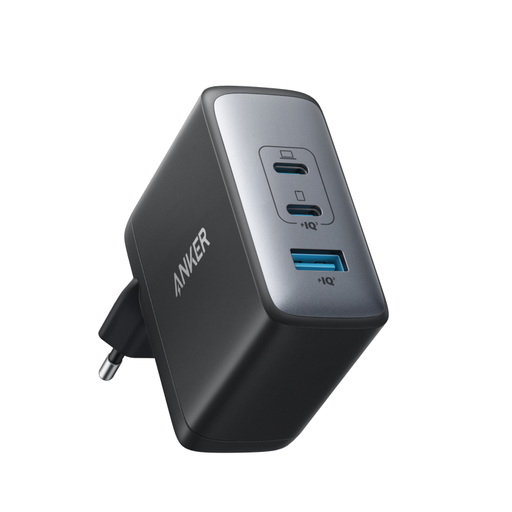
Why This Fits Their Persona: This user wants a clean desk and the ability to charge a laptop, smartphone, and headphones simultaneously from a single outlet. This Anker charger functions as a compact USB charging station.
With 100W of total power and smart distribution, this charger delivers sufficient power even when multiple ports are in use. It sidesteps the misleading "total" wattage trap.
GaN II Technology: Powerful yet compact. Versatile: Two USB-C ports and one USB-A port for broad compatibility.
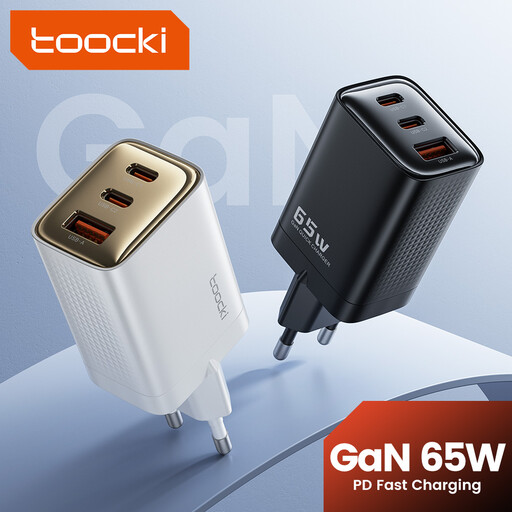
Why This Fits Their Persona: This user is always on the go and needs a charger powerful enough for a laptop but small enough for a carry-on bag. Weight and size are critical.
Thanks to GaN technology, this charger is extremely compact without sacrificing power. It avoids the pitfall of a bulky, cumbersome charger that isn't practical for travel.
65W Power Delivery: Sufficient power for most ultrabooks and MacBooks. Ultra-compact: Ideal for any bag.
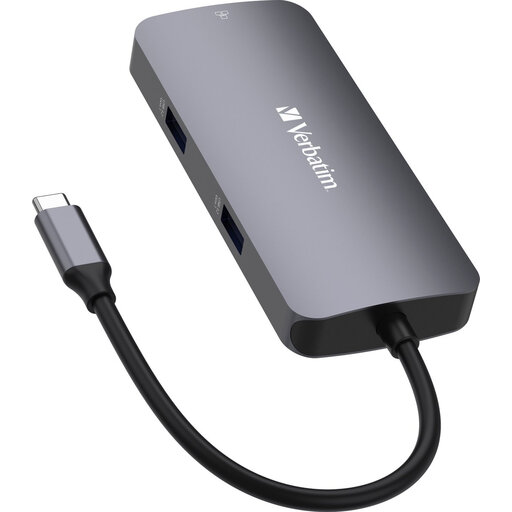
Why This Fits Their Persona: This user has a modern laptop with only USB-C ports and needs more than just charging. An external monitor, mouse, and wired internet are essential. This isn't just a charger, but a USB-C hub that also enables charging.
This product avoids the mistake of buying a charger when the real problem is a lack of ports. The USB-C PD port ensures you can charge while using all the other ports.
All-in-one connectivity: Adds HDMI, Ethernet, and USB-A ports. Passthrough charging: Doesn't sacrifice a USB-C port for charging.
We've compiled a complete, up-to-date list of products that meet these strict selection criteria and all applicable safety standards.
Check the wattage of the original charger that came with your laptop. Most compact laptops (like a MacBook Air or Dell XPS 13) are fine with a charger between 45W to 65W. More powerful models (like a 16-inch MacBook Pro or gaming laptops) require 90W to 100W. Always ensure the laptop charger USB-C you choose supports Power Delivery (PD).
For most users, yes. A GaN charger is noticeably smaller and lighter than a traditional charger with the same wattage. It also runs cooler, which indicates more efficient operation. If you travel often or simply want a more compact solution for your home, the extra cost of GaN technology is worth considering.
No, a well-designed USB-C charger is safe for all your devices. Thanks to protocols like Power Delivery, the charger "negotiates" with the connected device to deliver the maximum safe amount of power. A 100W charger will not overload a smartphone that can only handle 20W. However, it is important to choose chargers from reputable brands that meet European CE safety standards to minimize any risk of overheating or damage.
