
Vandaag of morgen in huis

Kwaliteit gegarandeerd

Welkomstaanbiedingen ontgrendelen: GRATIS bezorging | Tot 80% korting | Gratis 30 dagen JoyPlus-proefperiode
Download de app
A USB-C charger may seem simple: plug it into the mains, connect the cable and start charging. Yet many unsuitable purchases are caused by differences in wattage, charging protocols, cable quality and port type. A charger suitable for a smartphone may provide too little power for a laptop. An adapter with a USB-C connection is not automatically a charger, either.
This practical buying guide explains which specifications matter and which USB-C solution is right for your needs.
Packaging that mentions “fast charging” or “100W” does not always tell you how much power your device will actually receive. Your smartphone, tablet or laptop works with the charger and cable to determine how much power is drawn.
So pay attention to:
A USB-C PD charger supports Power Delivery, a charging standard that adjusts the power between the charger and the device. The device will not automatically charge at the charger’s maximum output.
Not every USB-C cable is suitable for high power levels. A cable designed for basic charging can limit the performance of a 45W, 65W or 100W charger. For higher power levels, it is wise to check whether the cable is rated for them. Some cables require an E-marker chip to support higher currents safely.
Also check the connection at both ends. USB-C to USB-C is different from USB-A to USB-C or USB-C to Lightning. A “universal” cable can be convenient when travelling, but check for each connector whether both charging and data transfer are supported.
A USB-C adapter can be a charger, but it can also be a connectivity accessory. For example, a USB-C to Ethernet adapter connects you to a wired network. A USB-C to HDMI adapter sends video to a monitor or television, but does not charge the device.
Before buying, check the following:
Power Delivery is particularly relevant for laptops, tablets and smartphones that use different charging levels. Do not look only for “PD”; also check the supported outputs, such as 5V, 9V, 15V or 20V. This information is usually listed on the product page or charger.
For a Samsung USB-C charger, support for PPS or Samsung Super Fast Charging may also be relevant. According to Samsung’s product information, the charging power is adjusted to match what the connected device supports. So a 45W adapter will not charge a device that accepts a maximum of 25W at 45W.
A single USB-C port is straightforward and can deliver all the available power to one device. A multi-port charger is more convenient for a desk, student room or travel, but the total power is often divided once you connect multiple devices.
For example, a Baseus charger lists different combinations for two USB-C ports and a USB port. When charging simultaneously, the first device may therefore receive less power than when that port is used on its own.
A GaN charger uses gallium nitride instead of traditional semiconductor technology. Manufacturers position this type as compact while offering higher power. However, size and weight remain important if you travel frequently.
Any powerful charger can become warm during use. Use the charger on a hard, well-ventilated surface, do not cover it and stop using it if you notice visible damage, a burning smell or unusual heat. Only use the charger within the stated mains voltage and follow the instructions.
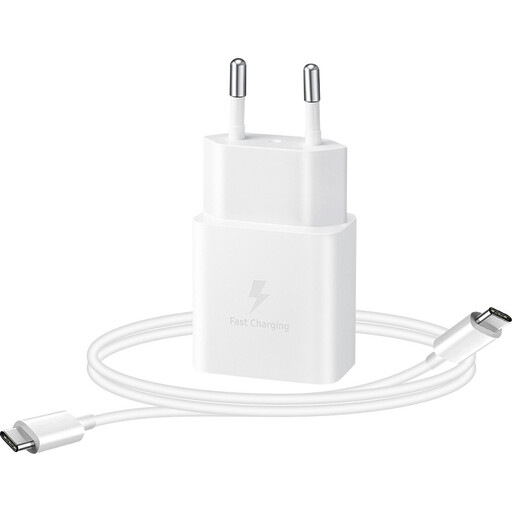
Why it suits this profile: A straightforward choice for anyone who wants to charge a USB-C smartphone, tablet or smartwatch every day without extra ports or high power output.
The stated output is 15W and the included cable is 1 metre long. This makes it clear what the combination is designed for.
1x USB-C output, detachable cable, 15W output and a stated weight of 38.5 grams.
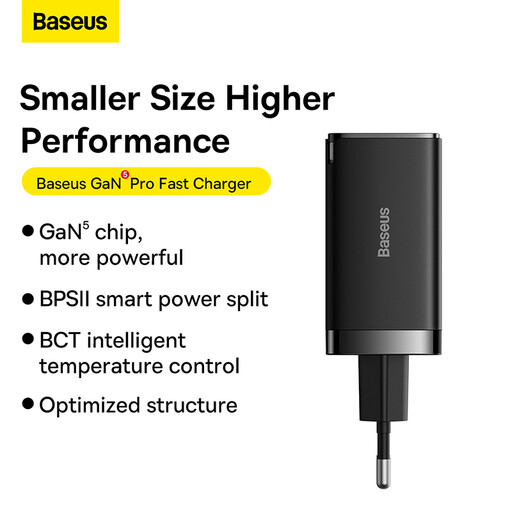
Why it suits this profile: Ideal for home workers and travellers who want to power a laptop, smartphone and accessory with one compact charger.
The product information specifies separately how the power is distributed when multiple ports are used.
GaN5 technology, up to 65W, two USB-C ports, one USB port and an included 1-metre USB-C cable.
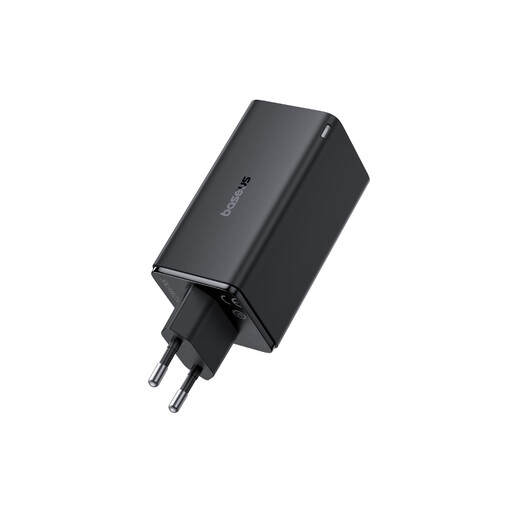
Why it suits this profile: Suitable for users with a powerful laptop, tablet and multiple accessories in use at the same desk.
The specifications make it clear that power is shared between the ports. Use USB-C1 on its own when one device needs the maximum output.
Up to 100W, two USB-C ports, two USB ports and a compact size of 43 × 40 × 80.6 millimetres.
We have put together a complete, up-to-date list of products that fully meet these strict selection criteria and the applicable European safety regulations.
A wireless charging stand is an alternative for compatible smartphones, smartwatches and earbuds. You do not need a USB-C cable connected to the device, although the stand itself usually uses a USB-C power connection.
Usually, yes, as long as the voltage, charging protocol and connector are suitable. A USB-C PD charger can work with various devices, but the charging speed is determined by the combination of device, charger and cable.
Its lifespan depends on heat, frequency of use, cable strain and storage. Keep the charger dry, do not cover it and replace it if the cables are damaged or you notice loose connections, smoke or unusual heat.
No. The 100W figure is the maximum output, not its fixed power consumption. A connected smartphone will generally draw far less. Actual energy consumption depends on the device, its charging status and the charger’s efficiency.
