
Dash cam user with a USB-C laptop
Wants to copy clips from a removable memory card at home and mainly needs a suitable card slot and connector. The SD Association describes a card reader as a way to transfer files from a memory card to a computer.


Choose a USB-C card reader with a slot that fits your dash cam’s memory card, and check that your computer or phone can open the files. The SD Association describes a card reader as a way to transfer files. An extra USB-A connector is particularly useful if you switch between different computers, while a hub is a good choice if you also need other ports or pass-through charging. A higher UHS rating only helps if both the card and reader support it.
Wants to copy clips from a removable memory card at home and mainly needs a suitable card slot and connector. The SD Association describes a card reader as a way to transfer files from a memory card to a computer.
Switches between USB-C and USB-A when copying files and would rather not use a different reader each time. UGREEN describes model 50706 as having both connector types.
Wants to connect peripherals as well as a card reader, or charge their laptop while copying files. Belkin lists these features for the AVC009btSGY hub.
Start with the card in your dash cam and the port on the device where you want to save your clips. Then consider whether you really need extra connections, and whether the card and reader support the same UHS standard.
| What to consider | What to look for | Who it matters to |
|---|---|---|
| Card and device compatibility | Check the card format and standard, the reader’s slot, and the port and file access on your computer or phone. | I want to make sure my dash cam card and device work together at home before transferring files. Around 31% of consumers make card and device compatibility their top priority. |
| Copying clips carefully | Check the files at their destination and remove the reader as instructed by your operating system. | If I want to keep clips, I need to be able to check the copied files before using the card again. Around 25% of consumers prioritise careful file transfers and checks. |
| USB-C and USB-A | Check that the exact version has both connector types and the right card slot. | I use computers with different USB ports and don’t want to reach for a different reader for each one. Around 19% of consumers make compatibility with USB-C and USB-A devices their top priority. |
| Copying speed | Compare the UHS support of the card and reader; don’t treat stated maximum speeds as guaranteed transfer times. | When copying lots of video files, I want to know whether the card and reader can handle the transfer speed I need. Around 13% of consumers prioritise frequent, large transfers. |
| Extra connections | Check which ports you need and whether the hub suits your laptop and charging set-up. | I want to transfer clips at the kitchen table while connecting other equipment or charging my laptop. Around 12% of consumers make this combination of card access and extra workspace ports their top priority. |
The connector and card format are separate compatibility considerations: a USB-C plug doesn’t tell you whether the reader can take the card from your dash cam.
First, note your dash cam’s card type, then check both the slot and connector on the exact reader you’re considering.
If the slot doesn’t fit, you may still need another card reader.
The card, card interface and reader all play a part in the transfer. For example, Transcend states that the RDC8 uses a UHS-II card at UHS-I speed.
Compare the UHS support of your card and reader rather than looking only at a USB speed rating.
The microSD slot listed by Belkin for the AVC009btSGY isn’t automatically included on other hubs.
Check the port list for the full model number, and choose a hub mainly if you’ll use its extra features.
Ports you don’t use add little value; otherwise, you may still need a separate card reader.
Dash cam footage may contain identifiable people or information that can be traced back to them. The Dutch police and the Dutch Data Protection Authority distinguish between keeping footage private and sharing it more widely.
Keep copying footage at home separate from sharing or publishing it publicly, and check the privacy rules before distributing footage.
The USB-C 2-in-1 Card Reader A8370 is an option if you want to read SD and microSD cards directly via USB-C.
Model 50706 is worth considering if you want to use one reader with both USB-C and USB-A devices.
The AVC009btSGY described in the Netherlands combines a microSD reader with connections for a laptop workspace.
The RDC8 is an option if you want to read CompactFlash and SD cards as well as microSD cards.
This selection features USB-C hubs and card readers. For each model, check that the card slot fits your dash cam card and that the extra ports or charging function suit your workspace.
 Image unavailable
An option for combining a USB-C card reader with extra connections; check that the SD/TF slot fits the card in your dash cam.
The product title lists HDMI 4K@30Hz, 100W PD charging and 3 USB 3.0 ports at 5Gbps.
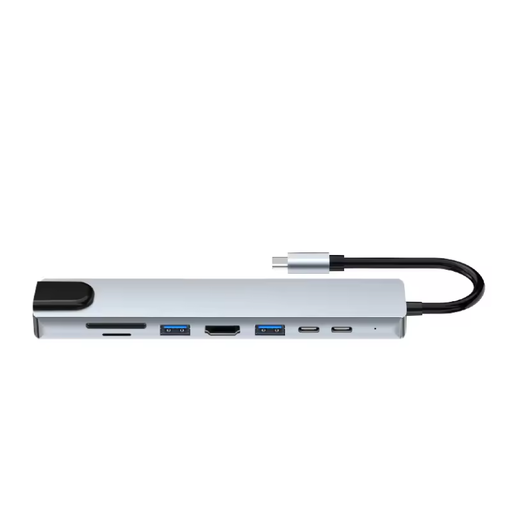 Image unavailable
This adapter could be a good fit if you want to combine card access with extra laptop ports; check that the card readers support your dash cam card.
The product title lists HDMI, Ethernet (RJ45), 3 USB 3.0 ports, SD and microSD slots, and a USB-C charging function.
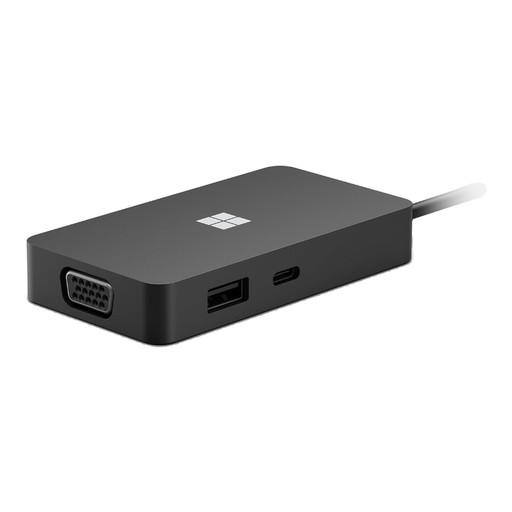 Image unavailable
The product title identifies this model as a USB-C travel hub. Before using it with dash cam clips, check whether the exact version has a suitable card slot.
 Image unavailable
Before choosing this hub for dash cam clips, check whether the exact version has the card reader and slot you need.
The product title lists USB Type-C and 10000 Mbit/s; this rating doesn’t guarantee copying speeds for your files.
No, start by checking which card you actually use. The SD Association distinguishes between UHS-I and UHS-II. For example, Transcend states that the RDC8 can read a UHS-II card, but works at UHS-I speed.
First, check the copied files at their destination, then safely remove the hardware. Microsoft recommends safely removing external hardware in Windows before disconnecting it to prevent data loss.
You can with a compatible reader and the Files app, as Apple explains for SD cards. Also check that the connection, card format and storage are suitable for your iPhone; a USB-C plug alone doesn’t confirm this.
Contact the seller if the product breaks sooner than you could reasonably expect during normal use. According to ACM ConsuWijzer, you’re entitled to a product that works properly, in addition to any manufacturer’s or seller’s guarantee. In the Netherlands, there is no single fixed statutory guarantee period that applies to every product.
Not without considering the implications. The Dutch police warn against publishing dash cam footage that shows identifiable personal data. The Dutch Data Protection Authority distinguishes between keeping footage private and sharing it more widely; copying a clip at home doesn’t mean you have permission to publish it.