
Traveller with a camera and laptop
Wants to copy videos from an SD card to a USB-C laptop and check the files before using the card again. Microsoft Support explains how to check files and safely remove external storage.


Choose a card reader that matches the format of your SD or microSD card and the USB-C port on the device you want to save your videos to. UHS-II is most relevant when both your card and reader support that interface. After copying, check your files and, where possible, keep a second copy.
Wants to copy videos from an SD card to a USB-C laptop and check the files before using the card again. Microsoft Support explains how to check files and safely remove external storage.
Records videos on a microSD card and needs a reader with the right card slot while travelling. Sandisk makes separate QuickFlow models for SD and microSD.
Switches between SD and microSD, or wants to transfer files via a phone or tablet. Apple Support explains how to connect external storage to iPhone models with USB-C; also check that your specific device and reader are compatible.
| What to consider | What should you check? | Which consumers is this important for? |
|---|---|---|
| Compatible card format | Check that the reader explicitly has an SD or microSD slot to match your card. | I want to read my camera card directly while travelling, so I check the card format first. Around 33% of consumers make the right card slot their top priority. |
| Keeping your files safe | Check the available storage space, view the copied videos and only remove the card once you have checked the copy. | I want to check that my videos have transferred properly and avoid keeping them in just one place. Around 27% of consumers prioritise an archiving process they can verify. |
| Transfer time | Compare the UHS interface on your card and reader. A stated maximum speed does not guarantee the speed of your entire copying task. | For large video files, I want to know whether my card and reader support UHS-II together. Around 20% of consumers make transfer time their top priority. |
| Device compatibility | Check the connection, support for external storage and available space on your laptop, tablet or phone. | I want to transfer my files to the device I have with me at the café, so I check its connection and storage options. Around 20% of consumers prioritise compatibility with the device they use. |
A USB-C plug doesn’t tell you whether a reader is suitable for SD or microSD. The wrong slot won’t fit the card you want to read.
Compare the card format in your camera with the slot listed for the exact reader model.
Your card, reader and connection all affect the transfer you can achieve. The SD Association describes UHS-I and UHS-II as different bus interfaces; a maximum speed doesn’t guarantee how long a transfer will take in a café.
Match the UHS support of your card and reader, and compare speed claims only when they are based on the same testing method.
If your files are stored on only one device, you’re relying on a single copy.
Check the files at their destination, keep a second copy where possible, and only remove the card once you have safely disconnected the storage.
A second copy requires extra storage space.
The features listed apply to the specific models and product ranges below; they are not a general assessment of the entire brand.
Offers separate USB-C readers for SD and microSD.
According to UGREEN, model 50706 combines SD and microSD card slots with USB-C and USB-A connections.
The PowerExpand 2-in-1 SD 4.0 Card Reader A8328 is designed for users of SD and microSD cards.
The CONNECT AVC009 is a USB-C hub for anyone who wants to combine card readers with extra connections.
The Professional Multi-Card 3-in-1 Reader is worth considering if you use CompactFlash as well as SD and microSD.
This selection includes hubs with card reader functions and an SDHC/SDXC UHS-II card reader. For each model, check the supported card format and the connection your device needs.
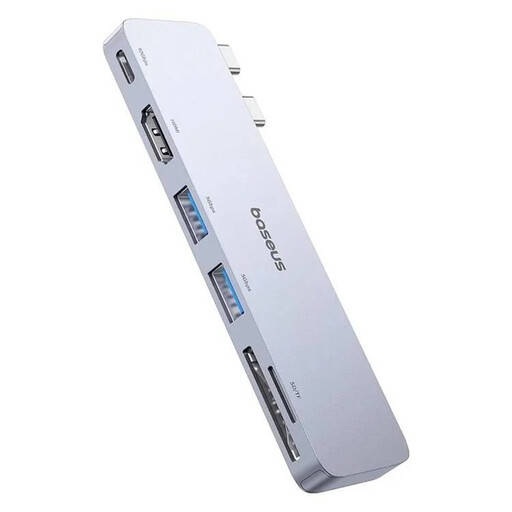 No image available
A hub with card reader functions and extra connections for anyone who wants to use other ports while archiving.
The product name lists 100W, 1xUSB-C, 2xUSB, 1xHDMI and an SD/microSD slot.
 No image available
A USB Type-C hub with card reader functions for anyone who wants to combine card use with extra connections.
The product name lists 10000 Mbit/s; check the product information to see which connection this figure refers to.
 No image available
An option for anyone using SDHC or SDXC cards and looking for a reader with UHS-II support; also check that your card supports this interface.
The product name lists USB3.2 Gen1, dual-slot, SDHC/SDXC and UHS-II.
UHS-II is most relevant when both your card and reader support that interface. Check your card’s specifications first; a stated maximum speed doesn’t guarantee how long your entire copying task will take.
Check the files at their destination before erasing the card. Keep a second copy where possible, and safely remove external storage when you’re finished.
Apple explains how to connect external storage to iPhone models with USB-C and import photos and videos from compatible devices. Check separately that your iPhone, card reader and available storage space are suitable for the transfer.
According to the Dutch government, the seller must provide a solution if there is a problem with a consumer purchase. A manufacturer’s warranty is separate from your statutory guarantee.
The Dutch government states that electronic devices placed on the EU market must meet European safety requirements and carry a CE mark. Check the product and seller information; a visible mark is not, by itself, an independent safety test.