
Vandaag of morgen in huis

Kwaliteit gegarandeerd

Welkomstaanbiedingen ontgrendelen: GRATIS bezorging | Tot 80% korting | Gratis 30 dagen JoyPlus-proefperiode
Download de app
A drawer full of cables, but not a single one that does what you want. Sound familiar? One charges your phone agonisingly slowly, another doesn't work with your laptop. Since the introduction of USB-C, the world of cables hasn't gotten any simpler. While the connector is universal, the performance certainly isn't.
As a Joybuy Product Recommendation Officer, I'm here to help you make the right choices. In this article, we'll explain what to look for when purchasing a USB-C to USB-C cable and provide specific recommendations for different scenarios. This way, you'll find the cable that perfectly matches your devices and needs.
Not every Type C cable is created equal. The differences lie in charging power, data speed, and build quality. Pay attention to the following three points to avoid making the wrong choice.
The charging power, measured in watts (W), determines how quickly a cable can charge your device. A standard USB C charging cable often delivers up to 60W, which is fine for most smartphones and tablets.
Do you have a powerful laptop or want to be prepared for the future? Then look for a fast-charging USB C cable that supports Power Delivery (PD) 3.1. These cables can deliver up to 240W, enough to charge even the most demanding laptops at full speed. A USB C cable for a laptop with a high wattage is therefore essential for on-the-go productivity.
Do you also use the cable to transfer files or connect an external display? Then the data speed, measured in gigabits per second (Gbps), is crucial. Many cheaper charging cables have a low data speed (480 Mbps, the speed of the old USB 2.0).
For quickly transferring large files, such as videos or backups, you need a USB C data cable with a higher specification. A USB4 cable, for example, offers speeds up to 40Gbps. These cables are also capable of transmitting video signals, sometimes up to 8K resolution, making them ideal for connecting modern monitors.
A cable that breaks after just a few months is a waste of money. Braided nylon cables are generally stronger and more resistant to kinks and pulls than standard plastic cables.
Also, consider the length. A short cable (1 metre) is convenient for on the go and prevents a tangle of wires. A longer cable (1.8 metres or more) gives you more freedom of movement when working at a desk or if the power outlet is further away.
Based on specifications and applications, we have highlighted a few popular choices for you.
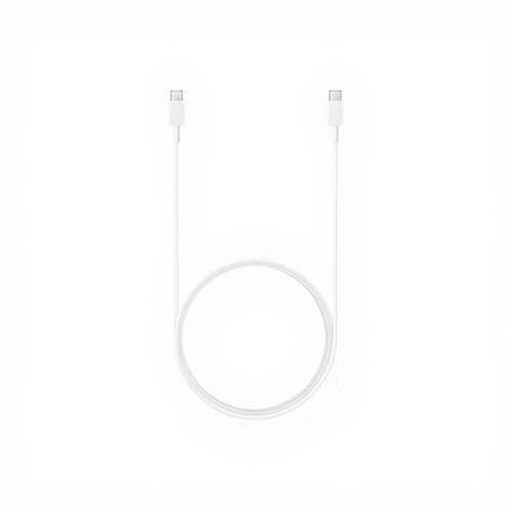
Why it stands out: A reliable and genuine cable from a well-known brand, with a comfortable length for everyday use.
Pros:
Who is this cable for? Ideal for the average user looking for a reliable replacement or spare cable for their smartphone or tablet. A solid choice for anyone who values the quality of a top-tier brand.
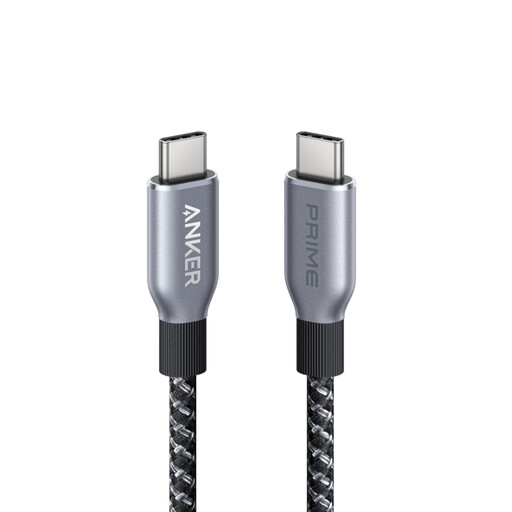
Why it stands out: This cable combines extremely high charging power with a focus on durability.
Pros:
Who is this cable for? Perfect for professionals and tech enthusiasts who need a powerful 240W USB C cable for their high-end laptop. Also an excellent, future-proof choice for those investing in durability and performance.
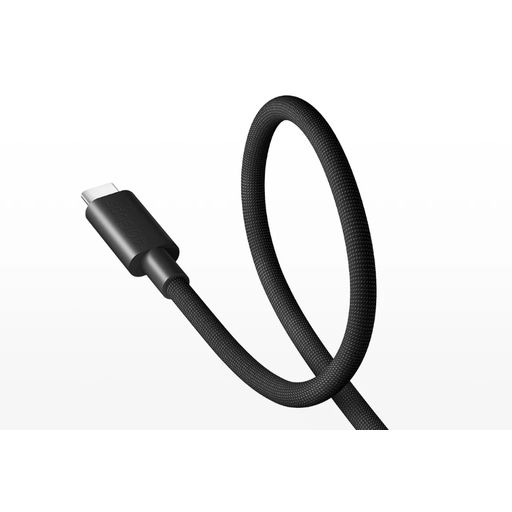
Why it stands out: This cable is an all-around powerhouse: maximum charging power, blazing-fast data transfer, and support for 8K video.
Pros:
Who is this cable for? The ultimate choice for creative professionals, gamers, and anyone who demands the highest performance. If you regularly move large files, use a 4K or 8K monitor, or simply want the most advanced USB4 cable, this is the right option.
After reading this article, have you realised that your charger or device still has the older, rectangular USB-A port? No problem. For those situations, you'll need a different cable.
? Check out our range of USB-C to USB-A cables here.
1. Is every USB-C cable the same? No, absolutely not. Although the connector is identical, there are major differences in charging power (watts), data transfer speed (Gbps), and build quality. A simple charging cable is often not suitable for high-speed data transfer or charging a laptop.
2. How do I know how many watts my cable can handle? The manufacturer usually states the maximum charging power (e.g., 60W, 100W, or 240W) on the packaging or in the product description. If this is not mentioned, it is likely a basic cable unsuitable for fast-charging laptops.
3. Can I safely use a 240W cable for my phone that only needs 25W? Yes, that is perfectly safe. A smart device like a smartphone or laptop communicates with the charger and only "requests" the power it needs and can handle. The cable and charger will never supply too much power. A higher-wattage cable is therefore 'smarter' and more future-proof, but not dangerous for lower-power devices.
