
Vandaag of morgen in huis

Kwaliteit gegarandeerd

Welkomstaanbiedingen ontgrendelen: GRATIS bezorging | Tot 80% korting | Gratis 30 dagen JoyPlus-proefperiode
Download de app
A drawer full of cables, yet none that can truly fast-charge your new laptop or smartphone. Sound familiar? The switch to USB-C has brought many advantages, but it has also created confusion. Not every USB-C to USB-C cable is created equal. The differences in power, speed, and durability are significant.
As a Joybuy Product Recommendation Officer, I'm here to help you make the right choice. In this article, we'll explain the specifications you need to look for and provide concrete, jargon-free recommendations for various scenarios. This way, you'll find a cable that perfectly matches your devices and usage.
Before you make a decision, it's helpful to understand three key properties. These determine whether a cable is suitable for your specific needs.
The power output, measured in Watts (W), determines how quickly a cable can charge your device. This works in conjunction with a technology called Power Delivery (PD).
A good fast-charging cable therefore supports an appropriate Power Delivery wattage.
Do you only use the cable for charging, or do you also need to transfer large files quickly?
The lifespan and ease of use of a cable depend heavily on its construction.
Based on specifications and various use cases, we've compiled a list of popular choices for you.
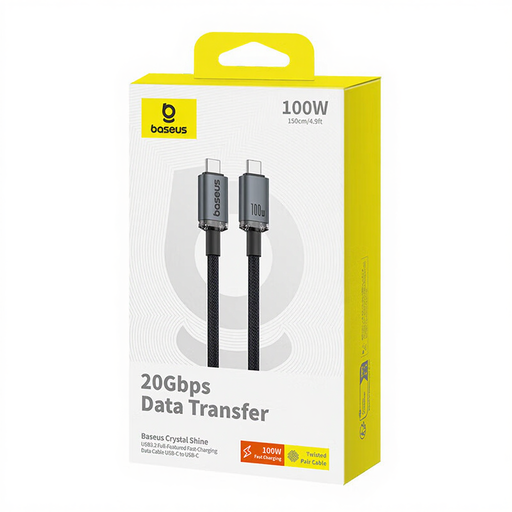
Why it stands out This cable from Baseus combines high power with an extremely high data transfer speed. The "Crystal Shine" finish also gives it a modern look.
Key Features
Who is it for? For the professional, content creator, or tech enthusiast looking for a single cable for everything: fast-charging a laptop, transferring large video files, and connecting a 4K monitor.
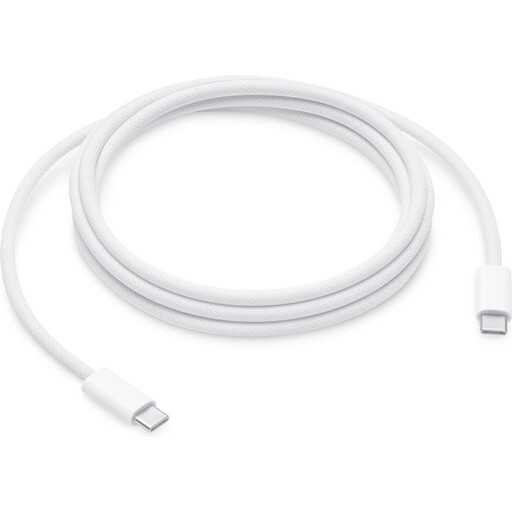
Why it stands out This is an official Apple cable designed for maximum durability and the highest possible charging power. Its braided construction makes it very robust.
Key Features
Who is it for? For Apple users and anyone looking for an extremely durable and powerful USB-C charging cable for the long term. Ideal if your priority is charging and not fast data transfer (this cable has USB 2.0 speed).
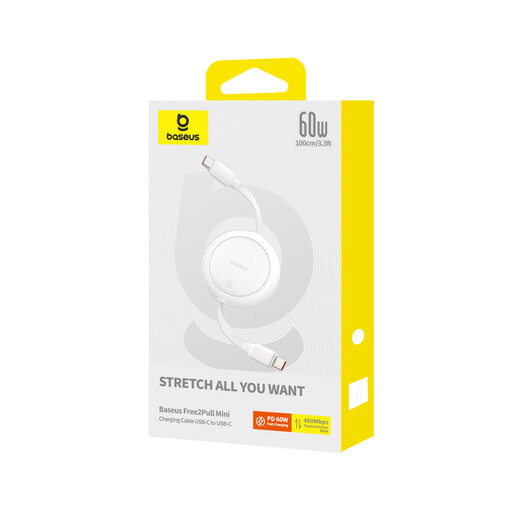
Why it stands out This cable completely solves the problem of tangled cables. Its smart retractable mechanism makes it the perfect companion for your bag or pocket.
Key Features
Who is it for? For the traveler, commuter, or anyone who hates messy cables. An ideal, clutter-free solution for daily use on the go.
These recommendations cover the most common scenarios, but of course, there are many more options with different lengths, colors, or specific features. If your ideal cable isn't listed here, there's surely another one that will meet your needs.
Browse our full range and find the perfect match for your devices. Discover more options in our Power Cable category.
1. Is every USB-C to USB-C cable the same? No, absolutely not. There are significant differences in charging power (Watts), data transfer speed (Mbps or Gbps), and build quality (plastic vs. braided). A cheap cable is often only suitable for slow charging and slow data transfer.
2. Can I use a 100W cable for my phone that only needs 25W? Yes, that is completely safe. The Power Delivery technology ensures that your device, charger, and cable communicate with each other. The cable will never deliver more power than your device can safely handle. Therefore, using a higher-wattage cable for a device that requires less power is perfectly fine.
3. What cable do I need for my iPhone 15 or Samsung S-series? For fast-charging a modern smartphone like the iPhone 15 or a Samsung Galaxy S-series, a USB-C charging cable that supports at least 30W Power Delivery is usually sufficient. The Baseus Free2Pull (60W), for example, is an excellent choice. For a laptop like a MacBook, you'll need a cable with a higher power rating, such as the 100W or 240W models.
