
Vandaag of morgen in huis

Kwaliteit gegarandeerd

Welkomstaanbiedingen ontgrendelen: GRATIS bezorging | Tot 80% korting | Gratis 30 dagen JoyPlus-proefperiode
Download de app
New laptop, smartphone, or tablet? Chances are you'll need a USB-C cable. But not all cables are created equal. The wrong choice leads to frustration: your phone charges at a painfully slow pace, your external monitor doesn't work, or the cable breaks after just a few months. Before you add another cable to your collection that doesn't quite do what you need, it's wise to know what to look for.
We'll outline the most common pitfalls and explain how to choose a model that matches your devices and usage.
You're bombarded with marketing terms, but what do they really mean? These are the three problems many people encounter:
You don't need to be a tech expert to avoid the pitfalls above. Pay attention to the following three specifications to make an informed choice.
This is the most important factor for charging speed. Modern devices like a MacBook, HP laptop, or Samsung smartphone use a technology called Power Delivery (PD) to charge at high power.
Not every USB-C cable is made for fast data transfer or connecting a monitor.
The durability of a cable depends on the materials used.
Based on these criteria, we have selected a number of products that suit different user profiles.
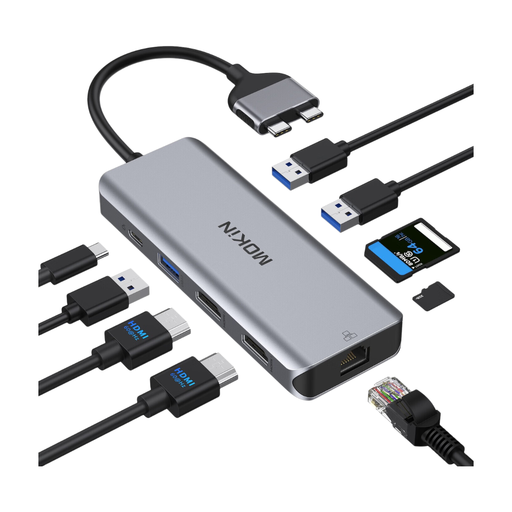
Why This Fits Their Persona: Ideal for those who want to transform their laptop (like a MacBook or HP) into a full-fledged workstation. This docking station solves the port shortage in one go.
This is more than just a cable; it bypasses the data and video bottleneck by providing dedicated ports for each function, including two HDMI outputs and a stable RJ45 Ethernet port.
All-in-one connectivity for a clutter-free desk. Supports laptop charging (pass-through) while all ports are in use.
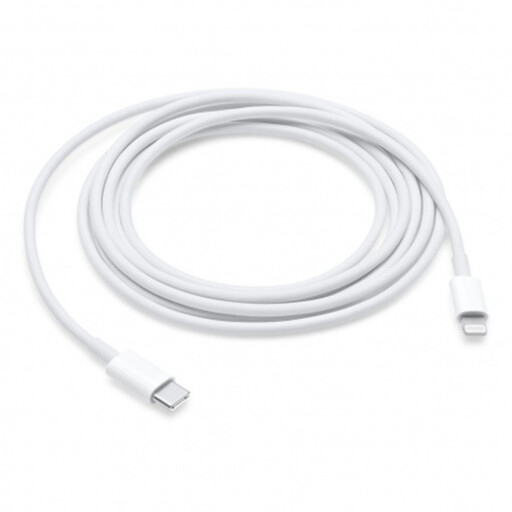
Why This Fits Their Persona: For owners of an iPhone (older models) and a modern MacBook or iPad with USB-C. This official cable guarantees seamless operation within the Apple ecosystem.
Avoids the "fast-charging" myth. When paired with a suitable Apple USB-C adapter, this cable supports the fast-charging feature on compatible iPhone models, something non-certified cables often fail to do.
Certified compatibility for both charging and data syncing. The 2-meter length offers significantly more freedom of movement than the standard included cable.
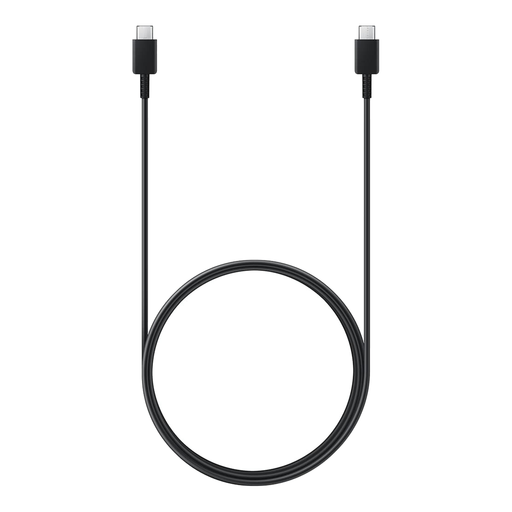
Why This Fits Their Persona: Perfect for users of a recent Samsung Galaxy or another Android phone that supports Super Fast Charging. This cable is designed to deliver maximum power.
Ensures that the power from a 45W Samsung fast charger actually reaches the device. A generic cable would create a bottleneck here and reduce the charging speed.
Official Samsung product, designed for the highest charging speeds on compatible devices. The 1.8-meter length offers extra convenience.
We have compiled a complete, up-to-date list of products that fully meet these strict selection criteria and safety regulations.
Check the product specifications for Power Delivery (PD) and the maximum wattage (W). For fast charging, your device, charger, and cable must all support it. A 100W cable will not charge a phone faster if the charger only delivers 20W. The weakest link determines the speed.
Although they use the same reversible connector, their performance is different. A Thunderbolt 3 or 4 cable is a more advanced version of USB-C that offers much higher data speeds (up to 40 Gbps) and always supports video output. A standard USB-C cable is usually limited to lower speeds (480 Mbps to 20 Gbps) and doesn't always support video. For a USB-C docking station with multiple 4K displays, a Thunderbolt cable is often the recommended choice.
Not just any. A MacBook adapter requires a cable that can handle the correct wattage (e.g., 60W or 100W) to charge the battery efficiently. For a cable for iPhone (the latest models with a USB-C port) or an older iPhone with a USB-C to Lightning cable, an MFi-certified (Made for iPhone) cable is recommended. This guarantees compatibility, safety, and support for fast charging. Cheap, non-certified cables can damage your battery over time or simply not function correctly.
