
Vandaag of morgen in huis

Kwaliteit gegarandeerd

Welkomstaanbiedingen ontgrendelen: GRATIS bezorging | Tot 80% korting | Gratis 30 dagen JoyPlus-proefperiode
Download de app
A slow charging cable, or one that breaks after just a few months. We've all been there. The switch to USB-C has brought many advantages, but it hasn't made choosing the right cable any easier. With terms like Power Delivery, 120W, and 240W, it's easy to feel overwhelmed.
As a Joybuy Product Recommendation Officer, I'm here to help you make the right choice. In this article, we'll cut through the marketing jargon and focus on what really matters, so you can find a USB-C to USB-C cable that perfectly suits your devices and needs.
Before we dive into the products, here are a few practical points to consider.
The power output, measured in Watts (W), determines how quickly your device charges. A standard cable is fine for your earbuds, but for a modern smartphone or laptop, you'll need something more powerful.
A cable is an everyday item. It gets coiled up, tossed in bags, and has to withstand daily use. A braided charging cable is often more resistant to kinks and pulls than a standard plastic one, which improves its lifespan.
Also, consider the length. A standard 1-meter cable is fine for your bedside table, but a long 1.8m USB-C cable gives you significantly more freedom of movement at the office or on the couch.
Almost every USB-C cable can also transfer data. Most cables in this price range offer a speed of 480 Mbps (USB 2.0). This is more than enough for syncing photos and documents. For regularly transferring very large files, like 4K video footage, there are more specialised cables with USB 3.2 or Thunderbolt, but for everyday charging and standard data use, 480 Mbps is the norm.
Based on specifications, durability, and use case, we've highlighted a few popular choices for you.
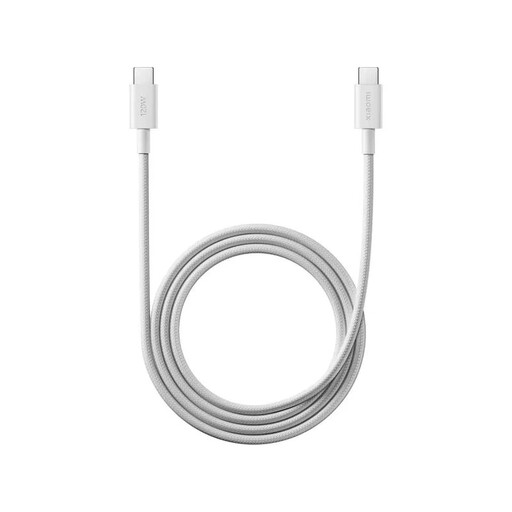
Why it stands out: This cable from Xiaomi combines high power output with a durable design. It's specifically engineered to support the high charging speeds of modern devices.
Pros:
Who is it for? For users of Xiaomi phones who want to take full advantage of maximum charging speeds. It's also an excellent choice for anyone looking for a powerful and robust USB-C fast-charging cable at a great price.
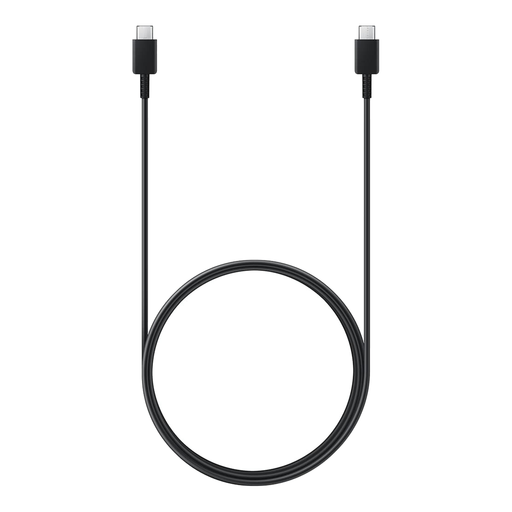
Why it stands out: This is an official Samsung USB-C cable, which stands for reliability and optimal compatibility with Samsung devices. The extra length makes it very practical.
Pros:
Who is it for? Ideal for Samsung users who prefer an original accessory. It's also a solid and reliable choice for anyone looking for a long USB-C cable for everyday charging of various devices.
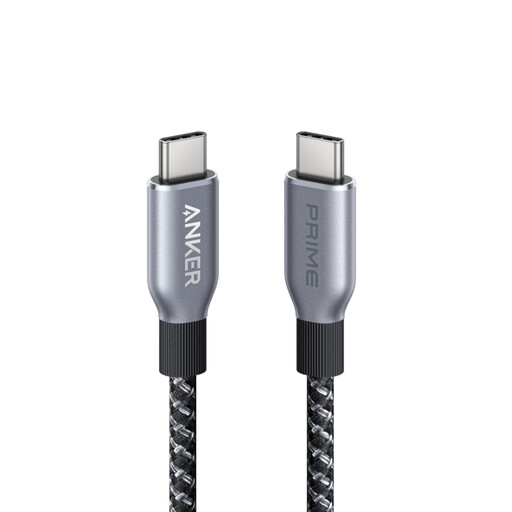
Why it stands out: The Anker USB-C cable from the Prime series is built for maximum performance and durability. With 240W support, this cable is ready for the future and can handle the most powerful laptops.
Pros:
Who is it for? For professionals, creatives, and tech enthusiasts who need a USB-C cable for their laptop that can handle the highest charging speeds. If you're investing in high-end equipment, this is the cable that ensures you get the most out of it.
Do you have a device with an older USB-A port? Not every cable is USB-C to USB-C. To connect devices with the traditional rectangular USB port, you'll need a different solution.
Check out our selection of [USB-A to USB] cables for more options.
Yes, in principle, any USB-C cable will fit into any USB-C port. However, the actual charging speed is determined by the weakest link: the cable, the charger, or the device itself. A 240W cable with a 20W charger will charge your device at a maximum of 20W.
The difference lies in the maximum power (Wattage) that the cable can safely transmit. A USB-C fast-charging cable is built differently internally to support higher wattages (e.g., 60W, 120W, or 240W) through protocols like USB Power Delivery (PD). A standard cable is often limited to 15W-20W.
Check the required wattage for your laptop. This is usually listed on the original power adapter (e.g., 65W, 96W, or 140W). Choose a USB-C cable for your laptop that supports at least that same wattage to ensure correct and safe charging. For most modern laptops, a cable that can handle 60W or more is a good starting point.
