
Vandaag of morgen in huis

Kwaliteit gegarandeerd

Welkomstaanbiedingen ontgrendelen: GRATIS bezorging | Tot 80% korting | Gratis 30 dagen JoyPlus-proefperiode
Download de app
A USB-C cable seems simple: plug it in and start charging. Yet many problems are caused by the wrong connector, insufficient charging capacity or a cable that’s only suitable for charging. A cable can look sturdy, while its data transfer is limited to USB 2.0. And “fast charging” doesn’t automatically mean your smartphone or laptop will charge faster.
As a Joybuy Product Recommendation Officer, I focus on specifications you can verify. Follow the tips below to avoid a poor purchase and find a cable that suits your phone, tablet, power bank or laptop.
The shape of the connector doesn’t tell you everything about performance. A USB-C to USB-C cable may be suitable for charging, data transfer or both. So check:
You don’t need a standard USB-C to USB-C cable for an iPhone with a Lightning connector. Instead, choose a USB-C to Lightning cable or, if you have an older charger, a USB-A to Lightning cable.
A cable rated at 100W can only deliver that power if the charger and device are also compatible. A smartphone that accepts a lower wattage won’t automatically charge at 100W. For laptops, the charger and charging protocol matter too, and sometimes an e-marker chip is required.
Use a Power Delivery cable with a compatible PD charger if you want to charge compatible devices faster. Always check your device and adapter specifications. Some brands state that their cables support multiple charging protocols, but that doesn’t mean every connected device will charge at the same speed.
Many cables support both charging and data transfer, but use USB 2.0. The stated maximum speed of 480 Mbps is enough for documents, photos and everyday syncing, but less suitable for large video files or fast storage.
A 1-metre USB cable is often handy for a desk, bedside table or power bank. A 1.5- or 2-metre cable may be more convenient for use by the sofa. A longer cable isn’t automatically faster, so pay particular attention to the stated standard.
First, choose the right combination:
Also consider the space around the connector. A sturdy casing or angled plug can be practical, but it needs to fit your device’s case.
A cable rated at 3A works for many smartphones and tablets. Some USB-C cables are rated at 5A and have a higher maximum charging power. Only use one of these cables with a compatible charger and a device that supports it.
For example, the UGREEN USB 2.0 Type-C M-M Round Nickel Cable Black 1m is rated at 3A and supports Power Delivery and Quick Charge, with a data speed of 480 Mbps. This makes it most suitable for everyday charging and standard data transfer. The product information also mentions reinforced connectors and a protective rubber sheath.
Check the point where the cable meets the connector. This is often where damage occurs from everyday bending. A braided nylon sheath, TPE material or extra strain relief can help reduce wear, but no cable is immune to pulling, kinks or moisture.
Before buying, check:
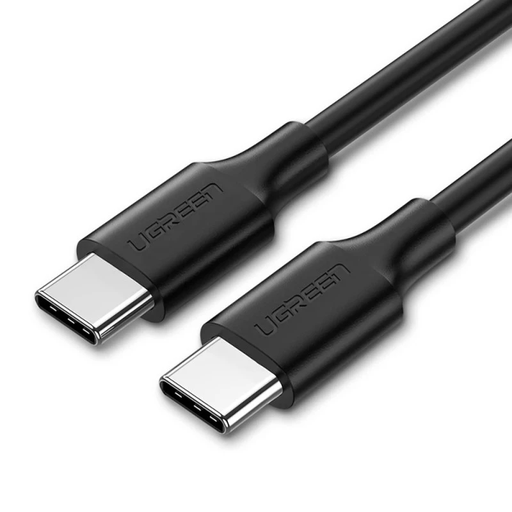
Why it suits this profile: A straightforward 1-metre USB-C to USB-C cable for charging and standard data connections with smartphones, tablets and other USB-C devices.
The product information clearly states 3A, 480 Mbps and Power Delivery support, so you don’t have to judge the cable by the connector shape alone.
1-metre length, USB 2.0 data transfer, USB-C connectors at both ends and reinforced connectors, according to the product description.
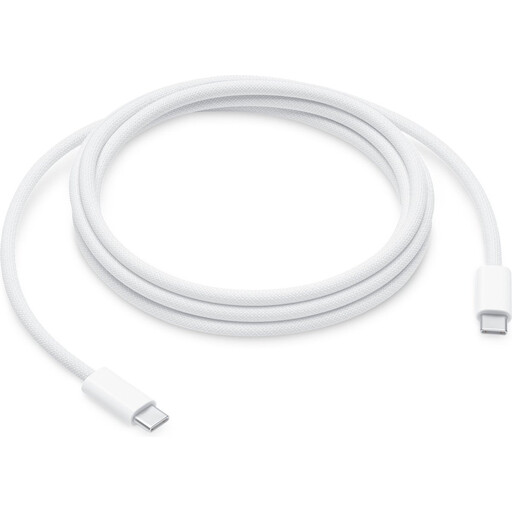
Why it suits this profile: A longer cable for Apple users with USB-C devices who need extra reach at a desk, bed or workstation.
The specifications state the maximum charging power, USB 2.0 data transfer and compatibility with USB-C devices, making the key limitations clear.
2-metre length, USB-C to USB-C connection and a woven nylon exterior, according to the product information.
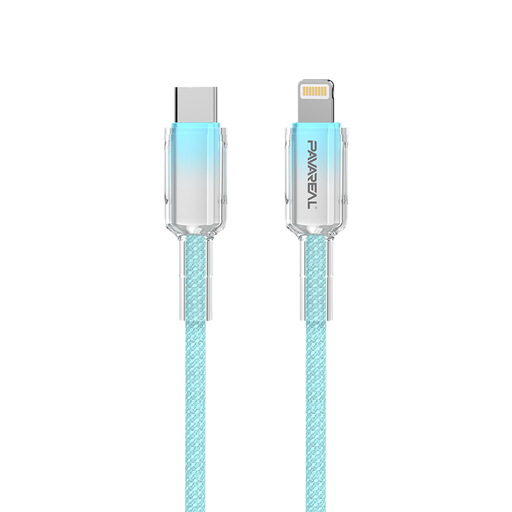
Why it suits this profile: Designed for users with USB-C devices who want a braided cable with support for PD charging.
The description lists 100W separately for USB-C to USB-C and PD 27W, so always check which figure applies to your device.
1-metre length, nylon braiding and zinc alloy connectors, according to the product specifications.
We’ve put together a complete, up-to-date list of products that meet these strict selection criteria and current European safety regulations.
That depends on the connector on your iPhone. A model with USB-C usually uses a USB-C to USB-C cable. A model with Lightning needs a USB-C to Lightning cable for a USB-C charger. Also check that the cable supports both charging and data transfer.
Its lifespan depends on how you use it, how sharply it bends, how much strain it’s under and how it’s stored. Unplug the cable by holding the connector, not by pulling the cord. Don’t use it if the sheath is torn, wires are visible or a connector gets hot. Store the cable somewhere dry and avoid sharp kinks.
A 1-metre USB cable is often handy for a desk, bedside table or power bank. If you’re unsure, measure the distance between the charger and your device. Choose a 1.5- or 2-metre cable if you need more room to move while charging, but always compare the charging and data specifications.
