
Vandaag of morgen in huis

Kwaliteit gegarandeerd

Welkomstaanbiedingen ontgrendelen: GRATIS bezorging | Tot 80% korting | Gratis 30 dagen JoyPlus-proefperiode
Download de app
You've got a new laptop, tablet, or smartphone, all equipped with that versatile USB-C port. But the included cable is too short, worn out, or you simply need a spare. The search for a new USB-C to USB-C cable can be overwhelming. Wattages, data speeds, materials—the specifications can make your head spin.
As a Joybuy Product Recommendation Officer, my job is to help you make an informed choice. In this article, we'll cut through the marketing jargon and focus on what really matters, so you can find the cable that perfectly suits your devices and your needs.
Not all USB-C cables are created equal. The differences lie in the details that determine how quickly your device charges and how smoothly you transfer files. Here are three key points to consider.
The charging power, expressed in watts (W), is crucial. A smartphone might only need 20W, but a USB-C laptop charging cable often requires 60W, 100W, or even more.
Look for support for Power Delivery (PD). This is a charging protocol that allows a fast-charging USB-C cable to intelligently communicate with your device to deliver the maximum safe power. A high-wattage cable, such as one rated for 100W, can also safely charge a phone that only requires 20W. The reverse is not true: a 20W cable will either not charge a powerful laptop or will do so extremely slowly.
Do you also use the cable to transfer files? Then the speed of the USB-C data cable is important. This is expressed in gigabits per second (Gbps).
A cable needs to be built to last. Braided nylon cables are often more durable and less prone to tangling than standard cables with a plastic (TPE/PC) exterior. Length is a matter of personal preference: 1 metre is convenient for on-the-go use, while 2 metres offers more freedom of movement at your desk or on the sofa.
Based on objective specifications and various use cases, we have curated a selection of popular choices for you.
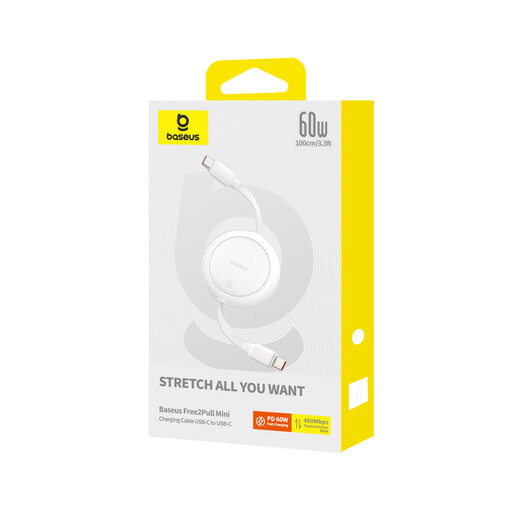
Why it stands out: This cable is designed for maximum portability. Thanks to its fully retractable mechanism, you can store it without creating a tangled mess of wires.
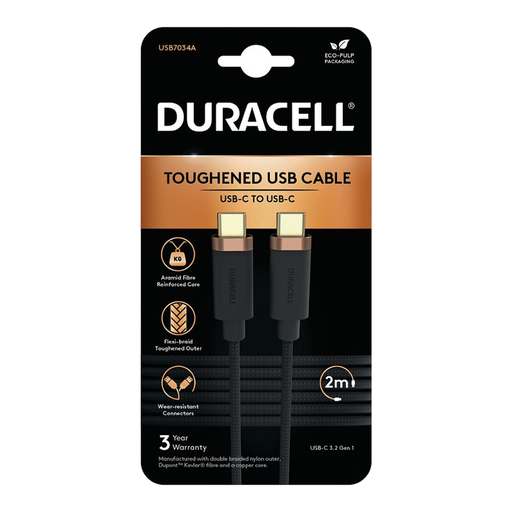
Why it stands out: This cable from Duracell combines robustness with solid all-around performance. The double-braided nylon exterior, reinforced with Dupont Kevlar, is made for intensive use.
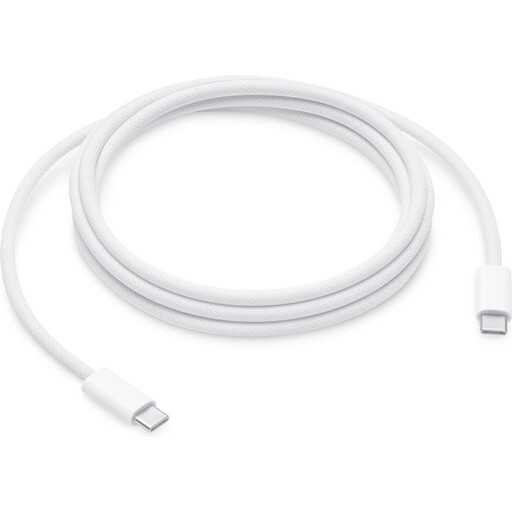
Why it stands out: This official Apple cable is engineered to deliver extremely high power, up to 240W. This makes it future-proof and suitable for the most demanding laptops.
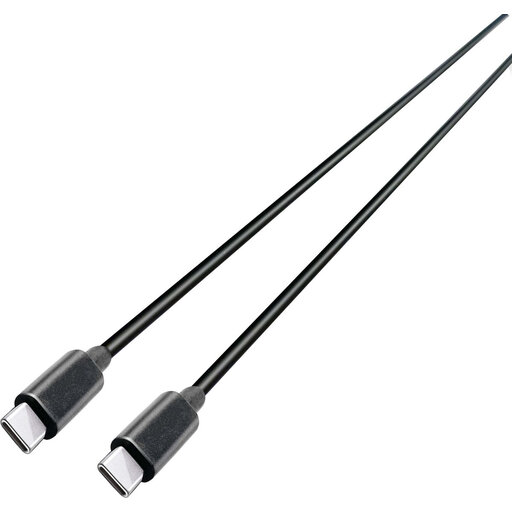
Why it stands out: This cable from Grundig is focused on maximum performance for both charging and data. With 100W of power and a 10 Gbps speed, it's a true powerhouse.
The world of USB-C cables is vast. If you're looking for a specific length, like a 2m USB cable, or simply want to compare more options, check out our full range.
Discover more USB-C cables on Joybuy
A Power Delivery cable contains a special chip that communicates with the charger and the device to safely deliver higher power (more than 15W). A standard USB-C charging cable without PD is often limited to lower speeds and power outputs, making it unsuitable for fast-charging laptops or tablets.
No, not every cable is suitable. A USB-C laptop charging cable must support high power, typically 60W or more. A cable with too low a wattage will either not charge your laptop or will do so very slowly. Always check the maximum wattage of the cable and compare it with your laptop's requirements.
The speed is often indicated on the packaging or in the product description. Look for terms like "USB 2.0" (480 Mbps), "USB 3.2 Gen 1" or "SuperSpeed 5Gbps," or "USB 3.2 Gen 2" or "SuperSpeed 10Gbps." If no speed is mentioned, you can generally assume it is the basic USB 2.0 speed.
