
Vandaag of morgen in huis

Kwaliteit gegarandeerd

Welkomstaanbiedingen ontgrendelen: GRATIS bezorging | Tot 80% korting | Gratis 30 dagen JoyPlus-proefperiode
Download de app
A broken or slow charging cable is a common frustration. You need a new USB C cable, but the selection is overwhelming. One cable promises blazing-fast charging, while another claims to be indestructible. Unfortunately, this often leads to a bad buy: a cable that breaks after three months or fails to fast-charge your new smartphone at all.
As a Joybuy Product Recommendation Officer, I'm here to help you cut through the marketing hype. We'll focus on the facts so you can choose a cable that actually delivers on its promises. Let's avoid the two most common pitfalls.
fast charger cable only works if the cable itself, the USB C adapter (the plug), and your device (phone, laptop) all support the same fast-charging technology. A cheap cable is often the weakest link, limiting the overall speed.You don't need to read a technical manual to make a good choice. Pay attention to the following three specifications. They determine whether a cable is right for your needs.
The power output, measured in Watts (W), determines how quickly a cable can charge your device. A standard cable might deliver 15W, which is fine for an older phone. However, a modern laptop or a Samsung charging cable for the latest models often requires 60W or more.
Look for the term Power Delivery (PD). This is a standard for fast charging via USB-C. A cable that supports PD can intelligently deliver higher power to devices that also support it. For charging a laptop, a cable with at least 60W PD support is recommended. For the most powerful devices, there are even cables that can handle 100W or 240W.
Not every USB C cable is also a good data cable. Many cheaper cables are primarily a charging cable and use the outdated USB 2.0 standard for data. This means a transfer speed of only 480 Megabits per second (Mbps). That's sufficient for transferring a few photos, but a large video file will take forever.
A modern data cable supports USB 3.2, with speeds of 5 or 10 Gigabits per second (Gbps)—that's more than ten times faster. If you regularly transfer large files between your laptop, hard drive, or camera, a cable with a specified speed of 5 Gbps or higher is a must.
A cable's lifespan depends on its materials. Standard plastic cables are prone to breaking and fraying, especially at the connectors where most of the bending occurs.
A braided cable, often made of nylon, is significantly more durable and resistant to kinks and pulls. Brands like Duracell sometimes even reinforce their cables with materials like Kevlar. These cables often cost a bit more but typically last much longer. This is a smart investment if you frequently take your cable with you or use it intensively.
Based on objective specifications, we have selected a few cables that suit different needs.
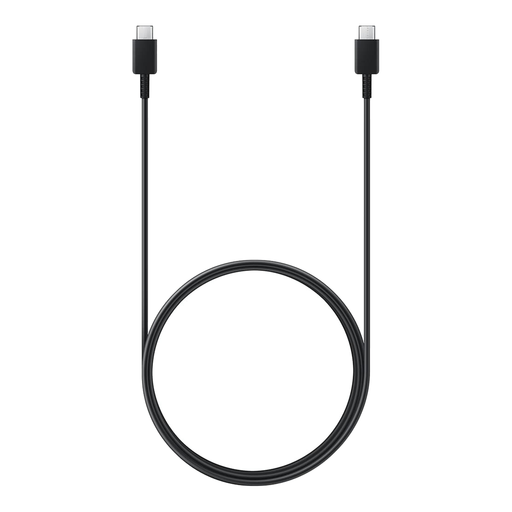
Why This Fits Their Persona: You're looking for a reliable, no-nonsense cable for your Samsung phone or tablet. This official cable is guaranteed to work seamlessly with your device and fast charger. The 1.8-meter length gives you that extra bit of flexibility.
As an official Samsung cable, its specifications (60W) are reliable and tailored for their devices. No vague fast-charging claims, just guaranteed performance.
Supports fast charging up to 60W, which is more than enough for most smartphones and tablets. The 1.8-meter length is practical for use at home and in the office.
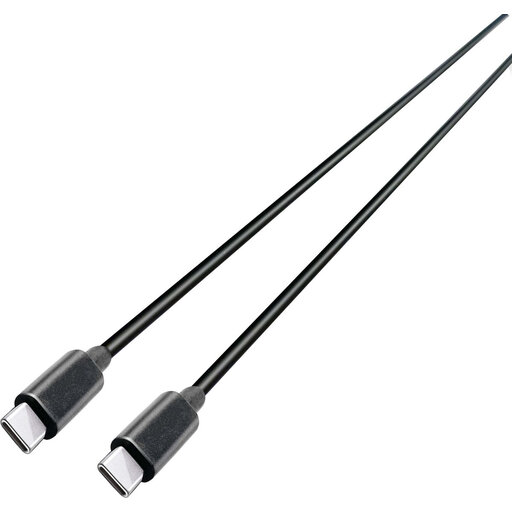
Why This Fits Their Persona: You use your USB-C cable for everything: charging your laptop, transferring large files, and powering your phone. You need a cable that can handle both high power and high data speeds.
This cable clearly specifies both its charging power (100W) and its data speed (10 Gbps). This ensures you're not buying a slow data cable that's only good for charging.
Supports 100W Power Delivery for charging most USB-C laptops at full speed. The USB 3.2 Gen 2 speed of 10 Gbps is ideal for rapid file transfers.
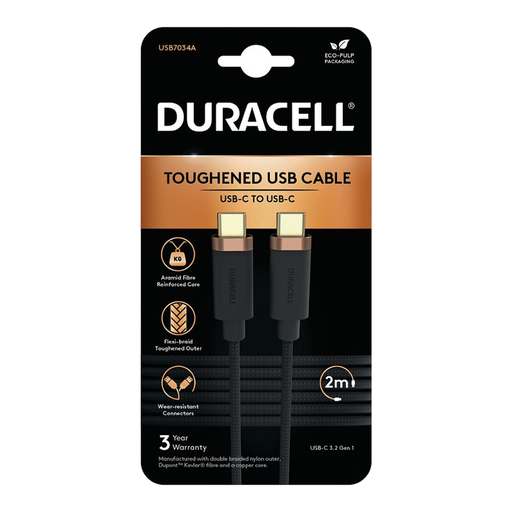
Why This Fits Their Persona: You're tired of cables that break easily. You're looking for a robust, reliable cable that can take a beating, whether you use it at home, in the car, or toss it in your bag.
This cable tackles the durability myth head-on. Its double-braided nylon exterior, reinforced with Dupont Kevlar, is designed to last.
Extremely robust construction with a braided cable and reinforced connectors. It also supports 65W fast charging and 5 Gbps data transfer, so it's functionally strong as well.
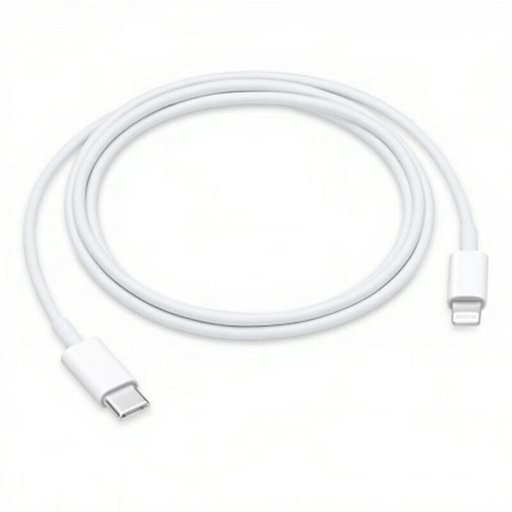
Why This Fits Their Persona: For owners of an iPhone (model 14 or older), iPad, or iPod with a Lightning port. You want to connect your device to a modern USB-C charger or MacBook and take advantage of fast charging.
As an official Apple cable, it prevents compatibility issues and error messages. It's designed to work safely and efficiently with Apple devices and their fast-charging feature.
Enables fast charging for compatible iPhone and iPad models when paired with a USB-C Power Delivery adapter. This is the standard iPhone charging cable for modern chargers.
We have compiled a complete, up-to-date list of products that fully meet these strict selection criteria and local safety regulations.
No, not every cable is suitable. For fast charging, especially via Power Delivery (PD), the cable must be able to handle the required wattage. Check the product specifications to see if the cable supports 60W or 100W, for example. Your cable, adapter, and device must all support the same fast-charging standard for optimal results.
While most USB-C cables perform both functions, the difference lies in the data transfer speed. A simple charging cable often has a low data speed (USB 2.0, 480 Mbps). A true data cable supports much higher speeds (e.g., 5 or 10 Gbps), which is essential for quickly transferring large files. If you only need to charge, a basic cable is sufficient.
The most common cause is wear and tear at the joint between the cable and the connector. Frequent bending and pulling can cause the internal wires to break. A braided cable made of nylon with reinforced connectors is much more resistant to this and generally has a longer lifespan than a standard plastic cable.
