
Vandaag of morgen in huis

Kwaliteit gegarandeerd

Welkomstaanbiedingen ontgrendelen: GRATIS bezorging | Tot 80% korting | Gratis 30 dagen JoyPlus-proefperiode
Download de app
Need a new USB-C cable? It seems like a simple purchase—until your device won't charge, the cable breaks after three months, or you accidentally buy the wrong connector. The market is flooded with cables that promise everything but don't always deliver. As a Joybuy Product Recommendation Officer, I'll help you see through the marketing jargon and choose a cable that simply does its job, without needlessly emptying your wallet.
Before you toss a random cable into your shopping cart, watch out for these common pitfalls:
You don't need to read a technical manual to make the right choice. Pay attention to these three practical specifications to ensure a solid purchase.
This is the most important factor for charging speed. Your charger and device determine how much power they need, and your cable must be able to handle it.
Always check the product details for the maximum wattage (W) and the term Power Delivery (PD). This protocol ensures that your cable, charger, and device communicate safely and efficiently to deliver the highest possible charging speed.
Check both ends of the cable you need.
The length of the cable is a matter of personal convenience.
Also, pay attention to the material. Cables with a braided nylon exterior are often more durable and less prone to tangling than standard plastic cables.
To help you choose, we've highlighted a few cables that suit specific needs and avoid the pitfalls mentioned earlier.
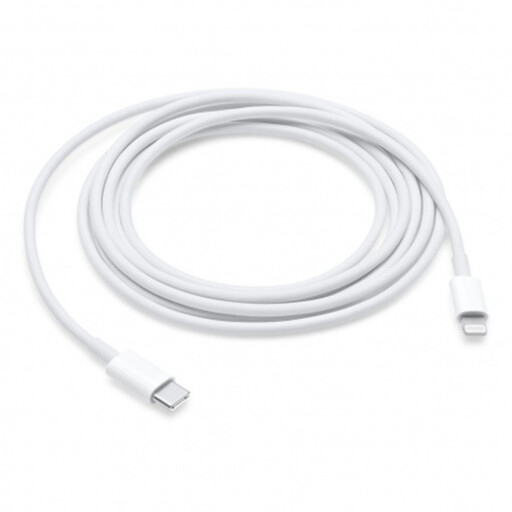
Why it's a match: If you have an iPhone 14 or older, or an iPad with a Lightning port, this is the go-to cable for connecting to modern USB-C chargers and MacBooks. The 2-metre length offers added convenience.
This official Apple cable guarantees compatibility and the correct Power Delivery support for fast charging, helping you bypass the pitfall of slow or unsafe 'knock-off' fast-charging cables.
Designed for seamless integration with Apple devices and supports fast charging on compatible models. The 2-metre USB-C cable length is a practical bonus.
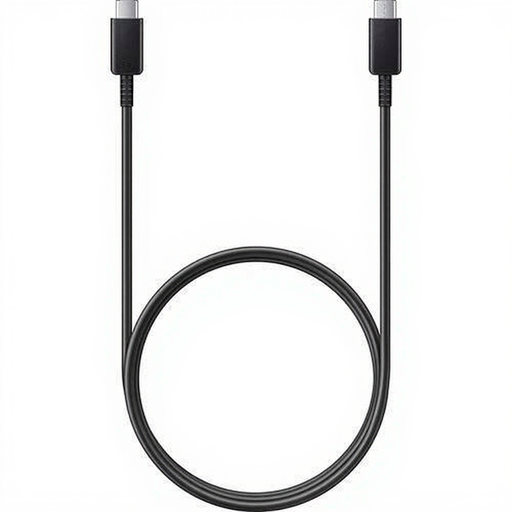
Why it's a match: A reliable USB-C to USB-C cable for anyone with a Samsung phone, tablet, or other Android devices. With support for 5A, it's powerful enough for many laptops.
As an original Samsung accessory, you avoid the 'you get what you pay for' trap. You get a cable built to your device's specifications, which benefits battery safety and longevity.
Supports a high current of 5A for fast charging and has a comfortable length of 1.8 metres for flexible use at home or in the office.
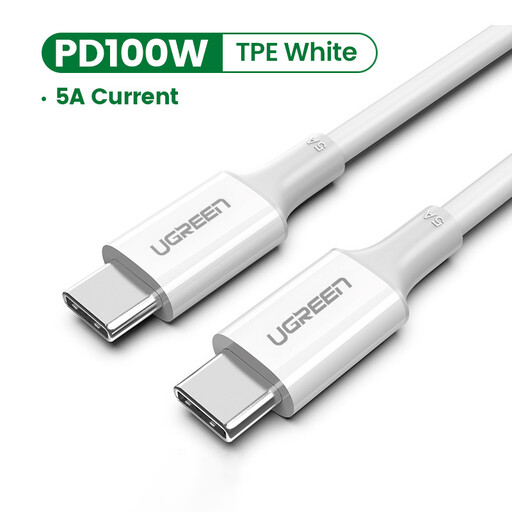
Why it's a match: For those seeking a reliable cable without paying a premium. UGREEN offers a good balance between performance and price, suitable for a wide range of USB-C devices.
This cable delivers what it promises. It supports Power Delivery and Quick Charge, and includes an e-marker chip for safety. This helps you avoid the pitfall of substandard 'fast-charging' cables.
Supports a high current of 5A and power up to 100W, making it surprisingly versatile for both phones and powerful laptops.
We have compiled a complete, up-to-date list of products that fully meet these strict selection criteria and safety regulations.
Check the required power (in Watts) of your device and your charger. You can usually find this information on the charger itself or in your device's manual. Choose a cable that supports this wattage. Look for terms like Power Delivery (PD) and the maximum wattage (e.g., 60W or 100W) in the specifications to ensure a good match.
For charging, the speed difference with a quality cable is usually negligible. A 2-metre USB-C cable is fine for everyday use and often more practical. Only for very high-speed data transfers (like Thunderbolt 3/4) might a shorter cable have an advantage, but for standard charging and syncing, you don't need to worry about this.
Although most cables will physically fit, they won't all perform optimally. A MacBook charging cable requires a Power Delivery cable that can handle high power (at least 60W). For an iPhone 17 charging cable, a standard USB-C cable will suffice, but a model that supports Power Delivery will charge your phone significantly faster. So, always check the cable's supported wattage.
