
Vandaag of morgen in huis

Kwaliteit gegarandeerd

Welkomstaanbiedingen ontgrendelen: GRATIS bezorging | Tot 80% korting | Gratis 30 dagen JoyPlus-proefperiode
Download de app
Got a new laptop, tablet, or smartphone? Chances are, you're dealing with USB-C. While this port is convenient, the search for the right USB-C adapter can be frustrating. The market is flooded with options, and specifications are often unclear. Before you know it, you've bought a charger that won't power your laptop or a hub that doesn't recognise your second monitor.
As a Joybuy Product Recommendation Officer, I see the challenges consumers face every day. To help you avoid making a bad purchase, I've outlined the most common pitfalls and key factors to consider.
Many adapters look alike, but the differences under the hood are significant. Watch out for these common issues to avoid wasting your money.
You don't need to be a tech expert to make the right choice. By focusing on the following three specifications, you can easily filter the options and find an adapter that truly works for your setup.
The power output, measured in watts (W), determines how fast your device charges—or if it charges at all.
Check if the adapter supports Power Delivery (PD). This is a smart charging protocol that ensures your device receives the precise amount of power it needs, making it both efficient and safe. A modern GaN charger is often an excellent choice; it uses Gallium Nitride, which allows the charger to be smaller and more efficient than traditional ones.
Think carefully about which ports you need now and in the future.
Always check the product description to see if your specific device (brand and model) is supported. For Apple users, it's wise to look for adapters that explicitly mention compatibility with MacBook or iPad. Windows users should verify that their laptop's USB-C port supports 'DisplayPort Alternate Mode' if they plan to connect an external display.
Based on these criteria, we have selected a few products that fit different user profiles.
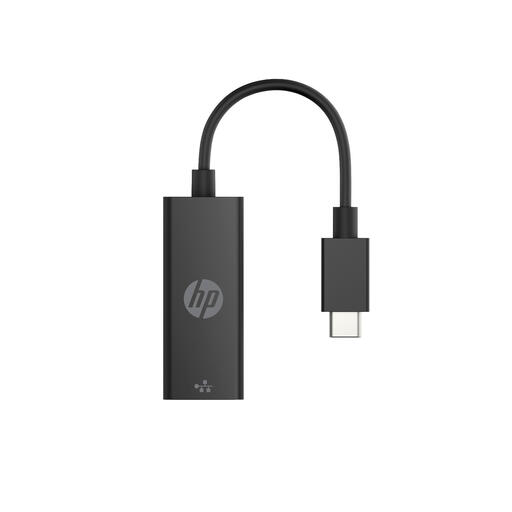
Why This Fits Their Persona: Perfect for those who work from home and need a stable internet connection that Wi-Fi can't always provide. No fuss, just a reliable, wired connection for your laptop.
This adapter does one thing and does it well. You avoid the pitfall of a multiport adapter with hidden limitations. It is purely focused on delivering a fast Ethernet connection.
Supports Gigabit Ethernet for high-speed internet. It's a plug-and-play solution, so no software installation is required.
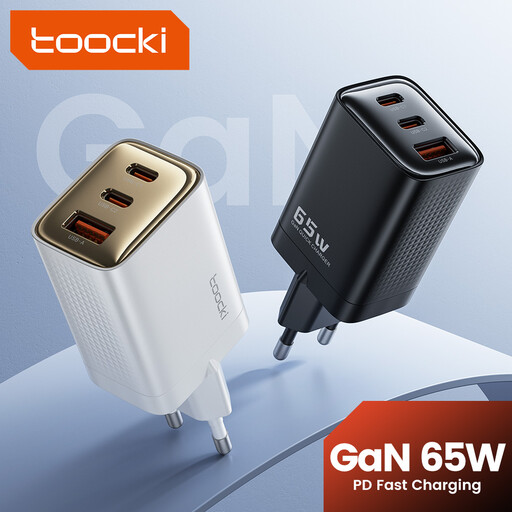
Why This Fits Their Persona: Ideal for those who are frequently on the go and want to charge a laptop, phone, and earbuds with as few chargers as possible. Compact, powerful, and versatile.
With 65W of power and three ports, it avoids the pitfall of insufficient power and too few connections. This charger can power a laptop while also charging a phone.
The GaN technology makes the charger remarkably small and efficient. With two USB-C ports and one USB-A port, it's suitable for both new and older devices.
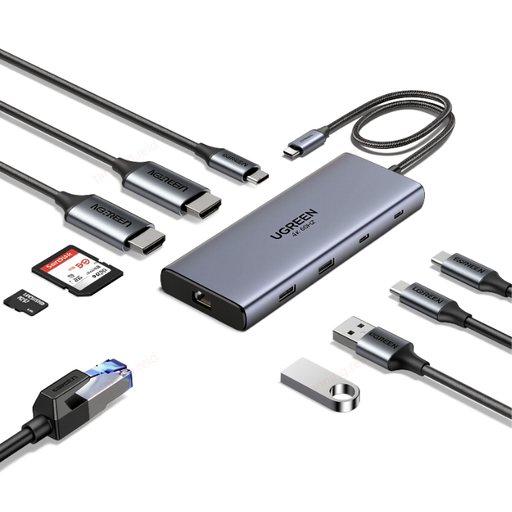
Why This Fits Their Persona: For the creative or professional who wants to build a complete workstation. Connect two 4K monitors, a hard drive, the internet, and more through a single USB-C port on your laptop.
This isn't a simple hub, but a full-fledged USB-C docking station. It solves the pitfall of too few ports and limited functionality by offering 10 specific, high-performance ports.
The dual 4K@60Hz HDMI ports are a major plus. It also offers 100W Power Delivery, a Gigabit Ethernet port, and fast data transfer up to 10 Gbps.
We have compiled a complete, real-time list of products that fully satisfy these strict selection criteria and UK safety regulations.
This depends on your device. For a smartphone, 20-30W is sufficient. For a laptop, you'll typically need 65W or more. Check the specifications of the original charger that came with your device; this is a good guideline. Using an adapter with a higher wattage than required is not a problem, as your device will never draw more power than it can handle.
Not always. While most basic functions like USB ports and card readers work universally, issues can arise with video output (HDMI/DisplayPort). Check if the hub is explicitly compatible with your operating system (macOS or Windows). To connect multiple displays to a MacBook with a standard M1, M2, or M3 chip (not the Pro/Max versions), you often need a hub with special DisplayLink technology.
The terms are often used interchangeably, but generally, a USB-C hub is a more compact, portable adapter with a few essential ports. A USB-C docking station is a larger, stationary solution for your desk. Docks often have their own power supply and offer more ports and higher power output, designed to turn a laptop into a full desktop setup with a single cable.
