
Vandaag of morgen in huis

Kwaliteit gegarandeerd

Welkomstaanbiedingen ontgrendelen: GRATIS bezorging | Tot 80% korting | Gratis 30 dagen JoyPlus-proefperiode
Download de app
The transition to USB-C is nearly complete. Your laptop, phone, tablet, and even your headphones likely feature that convenient, reversible port. But this universal port has also created a jungle of USB-C accessories. The market is flooded with cables, chargers, and hubs that promise the world. Unfortunately, these promises often lead to buyer's remorse. Before you spend your money, it's wise to know the common pitfalls.
As a Joybuy Product Recommendation Officer, I see where things go wrong every day. Many products look great on paper but fall short in practice. These are the most common problems:
You don't need to be a tech expert to avoid these pitfalls. Just pay attention to a few key specifications. This will help you choose a functional product that delivers on its promises.
For fast charging, Power Delivery (PD) is the most important standard. Don't just look at the wattage of the fast charger; verify that your device and cable also support it.
Not all USB-C cables and ports are created equal. Some are only for charging, while others can also transfer data and video.
An accessory can have perfect specs, but if it doesn't work with your device, it's useless.
Below are some USB-C accessories selected for their clear specifications and functionality, tailored to specific use cases.
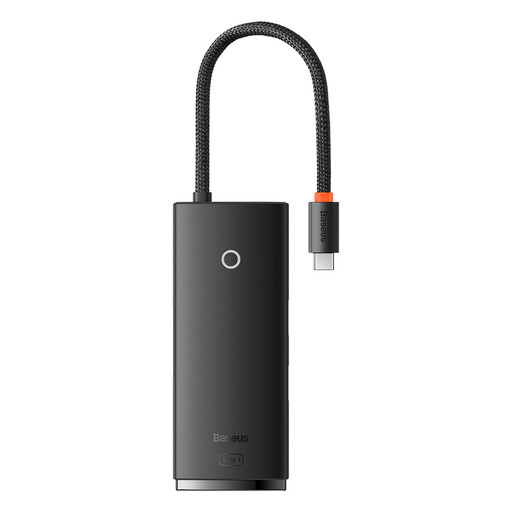
Why This Fits Their Persona: Ideal for those who use their laptop at a desk and want to connect an external monitor, mouse, keyboard, and charger with a single cable. It turns a laptop into a clutter-free workstation.
This hub avoids the overheating and instability trap by focusing on essential ports. The specs are clear: 4K@30Hz via HDMI and a PD port for pass-through charging, without overpromising.
Combines the most-used ports (HDMI, 3x USB 3.0, PD charging) in a compact and functional design. Its plug-and-play functionality means no installation is required.
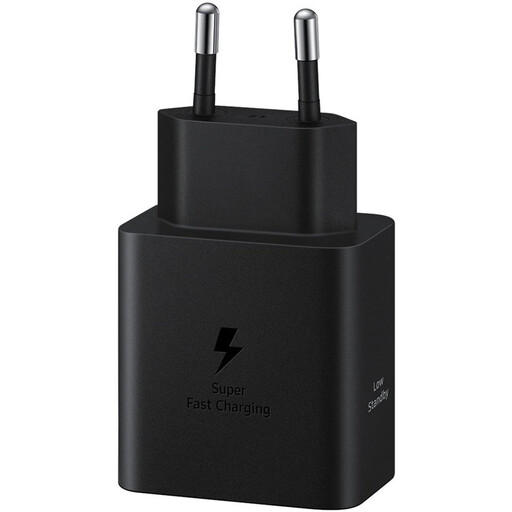
Why This Fits Their Persona: For those who are frequently on the go and need to quickly charge their phone, tablet, or even a compact laptop. A reliable, powerful charger with a small footprint.
This charger sidesteps the 'fake fast-charging' pitfall. As an original Samsung charger, it delivers the promised 45W output and supports the correct protocols (Power Delivery, Super Fast Charging) for compatible devices.
Delivers a high power output of 45W, which is ideal for the latest generation of smartphones and tablets. Built-in protection against over-voltage and overheating ensures safe charging.
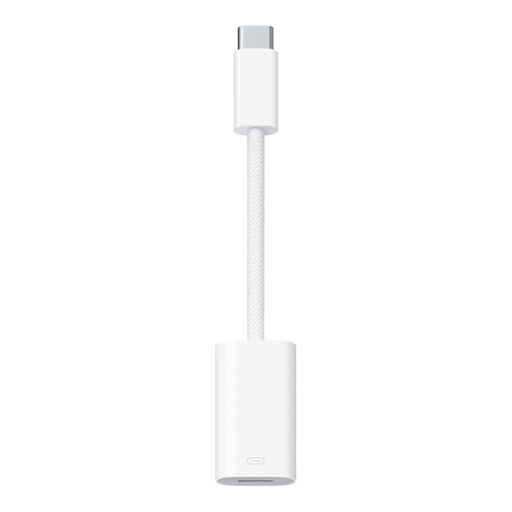
Why This Fits Their Persona: Perfect for anyone in the Apple ecosystem who wants to continue using their existing Lightning cables and accessories with a new iPhone, iPad, or MacBook that has a USB-C port.
This is an official Apple product. It prevents the compatibility issues and error messages ("Accessory Not Supported") that often occur with uncertified third-party adapters after a software update.
Supports charging, data transfer, and audio. The braided cable provides extra durability, a common weak point in standard cables.
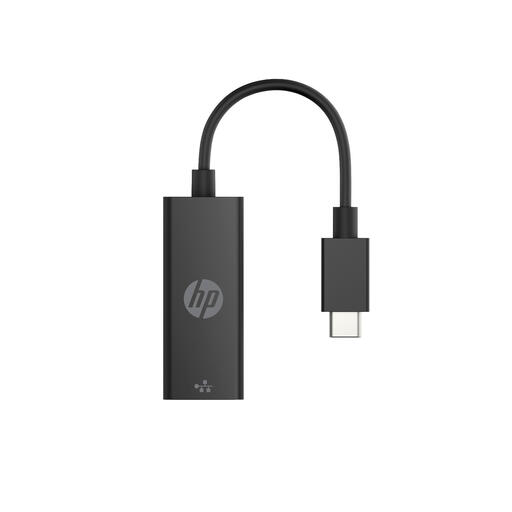
Why This Fits Their Persona: For anyone who needs a stable, high-speed internet connection that Wi-Fi can't provide. Essential for online gaming, lag-free video conferencing, or downloading large files.
This adapter does one thing and does it well. Unlike cheap all-in-one hubs where the Ethernet port is often an unreliable afterthought, this HP product delivers a stable Gigabit connection.
Offers Gigabit Ethernet speeds for a reliable, wired connection. Its compact and lightweight design makes it easy to carry for use at the office or on the go.
Didn't find what you were looking for? There are more accessories that meet these selection criteria. Explore the full range for more choices.
Technically, the plug will always fit, but it's not always a good idea. A charger with too little power (Watts) may not charge your laptop. A charger with too much power isn't a problem; your device will only draw the power it needs. For the fastest charging speed, the charger, the USB-C cable, and your device must all support the same fast-charging standard, such as Power Delivery (PD).
The most common reason is that the USB-C port on your laptop doesn't support video output. This feature is called DisplayPort Alternate Mode (DP Alt Mode). Check your laptop's specifications or look for a lightning bolt (Thunderbolt) or 'DP' symbol next to the port. Other causes could be a faulty cable or an incompatibility with your monitor.
A USB-C hub is typically a small, portable adapter that draws power from the laptop. It's ideal for on-the-go use and offers a few extra ports. A docking station is a larger device, often with its own power adapter. It's designed for a fixed workstation and can drive more peripherals (like multiple monitors and high-power USB devices) without straining the laptop.
