
Vandaag of morgen in huis

Kwaliteit gegarandeerd

Welkomstaanbiedingen ontgrendelen: GRATIS bezorging | Tot 80% korting | Gratis 30 dagen JoyPlus-proefperiode
Download de app
The transition to USB-C is nearly complete. From your smartphone and laptop to your headphones, everything seems to feature the same convenient, reversible connector. But this universality is also a pitfall. Just because a cable fits doesn't mean it will work correctly. Many people buy accessories that don't charge fast enough, fail to transmit video, or break after just a few months. Before you spend money on the wrong cable or adapter again, here’s what you need to look out for.
To avoid the pitfalls above, check these three technical specifications. They determine whether an accessory is right for your needs.
Charging Protocol and Power (Watts): For fast charging, Power Delivery (PD) is the most important standard. Your device, the charger, and the cable must all support it. Check the maximum wattage (W) your device can handle and choose a USB-C charger that delivers this power. A modern GaN charger is a great choice; this technology makes chargers more compact and efficient without overheating. For on-the-go use, a USB-C car charger with PD support is practical.
Data and Video Speed: Not every USB-C cable is made for data. Some are purely for power. To connect external drives, you need a cable that supports high data speeds (e.g., 5 Gbps or 10 Gbps). Want to connect a monitor via a USB-C to HDMI adapter or cable? Then the port on your laptop and the cable must support DisplayPort Alt Mode. Without this feature, you won't get a video signal.
Connector Type and Build Quality: The most common cables are USB-C to USB-C. For older iPhones, you'll need a USB-C to Lightning cable. A USB-C docking station is ideal for connecting multiple devices at once, such as a monitor, mouse, and Ethernet cable. Pay attention to build quality: a braided cable jacket and reinforced ends will last significantly longer.
Here are some popular choices, tailored to specific user profiles.
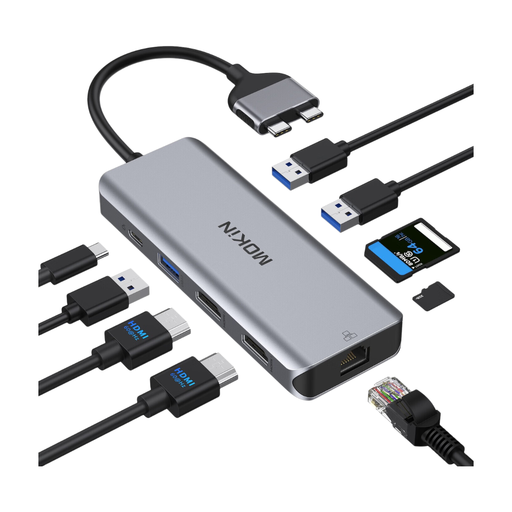
Why This Fits Their Persona: Ideal for anyone who wants to turn their laptop into a full-fledged workstation. With a single cable, you can connect two monitors, a wired network, and all your peripherals. Perfect for a clutter-free desk.
This USB-C docking station solves the "universal fit" pitfall. It provides specific, clearly labeled ports for each function, ensuring your monitor, internet, and USB drives will work.
All-in-one solution with support for two HDMI displays, a stable Gigabit Ethernet port, and Power Delivery pass-through to charge your laptop while you work.
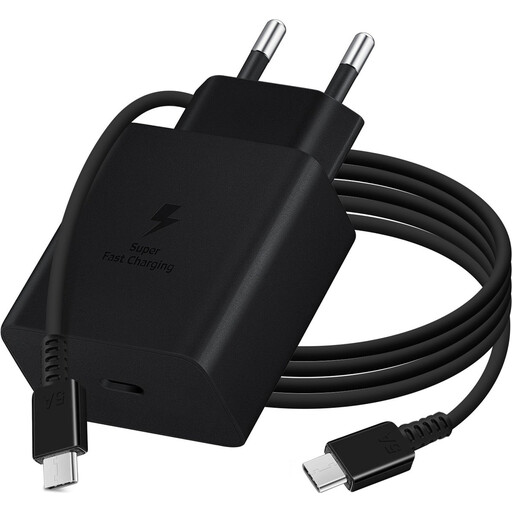
Why This Fits Their Persona: For anyone who wants to get the most out of the fast-charging feature on their Samsung phone or other compatible device. No guesswork, just a complete set for high-speed power.
This set avoids the wattage myth. The 45W fast charger and the included cable are matched to safely deliver the promised power to devices that support it.
Supports Power Delivery and is optimized for Samsung's own fast-charging technology. The 1.8-meter cable provides extra freedom of movement while charging.
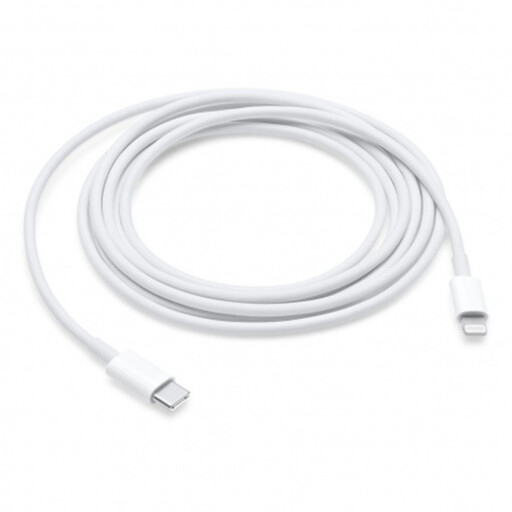
Why This Fits Their Persona: For those who want to charge and sync an iPhone with a Lightning port using a modern Mac or iPad with USB-C. An essential bridge between two generations of Apple products.
Avoids the "cheap can be costly" pitfall. An official USB-C to Lightning cable guarantees compatibility and support for fast charging, without the risk of error messages or damage to your device.
Supports the fast-charging feature on recent iPhone models when paired with a suitable USB-C adapter. The 2-meter length offers great flexibility in use.
We have compiled a complete, up-to-date list of products that meet these strict selection criteria and EU safety regulations.
Not always. Check your laptop's manual for the required wattage; this is often 45W, 65W, or even more. A standard phone charger (usually 20-30W) is too weak and will either not charge the laptop or do so very slowly. Make sure the charger you choose delivers the correct wattage and supports the Power Delivery (PD) standard.
The difference lies in the build quality, materials, and internal specifications. More expensive cables often support higher charging power (wattage) and faster data transfer speeds (Gbps). They have better shielding to prevent interference and sturdier connectors that are less likely to break. A quality cable protects your devices from power surges and lasts longer.
To connect an external display, your laptop or tablet's USB-C port must support video output. Look for terms like "DisplayPort Alt Mode" or "Thunderbolt 3" (or higher) in your device's specifications. Sometimes, there's a small lightning bolt icon (Thunderbolt) or a 'DP' symbol (DisplayPort) next to the port itself. A standard USB-C port without this feature cannot transmit a video signal.
