What should you look for when buying?
First, check how your bike light charges. Then decide whether you need a compact USB charger, a charging station for several devices or a power strip with USB ports.
| What to consider |
What should you check? |
Who is this important for? |
| Bike light connector |
Check the exact light model, charging connector, required cable and charging instructions. |
If I just need a suitable place to charge my own bike light, I want to know which connector it uses. Around 36% of consumers put the connector first. |
| Safe charging |
Check the condition of the cable and plug; charge in a clear space and make sure you have a working smoke alarm. |
I want to be able to use my charger freely in my student room, with an undamaged cable. Around 29% of consumers prioritise safe charging. |
| Charging several devices at once |
Count the devices you’ll actually charge at the same time, then check the ports and power distribution. |
If I want to charge my bike light alongside other USB devices, the connections and power output need to suit how I’ll use them. Around 21% of consumers make simultaneous charging their first requirement. |
| Space and features you need |
Measure the available space and decide whether you need extra mains sockets or a cable. |
I don’t want a charging solution that takes up more space or offers more connections than I need. Around 14% of consumers prioritise compactness and the features they need. |
Joybuy products
These products are intended for charging a USB bike light and, depending on your needs, other USB devices or extra mains sockets in your student room.
 No image available
20W Dual Port wall charger with USB-A and USB-C
A compact option if you want to charge your bike light or a second device using a compatible USB-A or USB-C connection.
Stated output: 20 W. The product information describes indoor use in a dry place.
View at Joybuy
 No image available
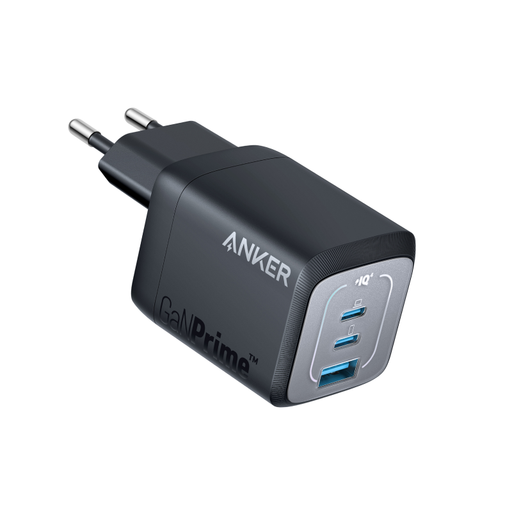
Anker Prime 735 wall charger, 67 W, 1A/2C, EU plug
Worth considering if you want to connect other devices via USB-A and USB-C as well as charging a bike light.
Stated output: 67 W. The product name specifies one USB-A port and two USB-C ports.
View at Joybuy
 No image available
Neomounts DS22-840BL6 desk socket with clamp
An option if you need both USB connections and extra mains sockets on your desk.
The product information lists three Schuko sockets, two USB-C ports, one USB-A port and a clamp for attaching it to a desk or tabletop.
View at Joybuy
 No image available
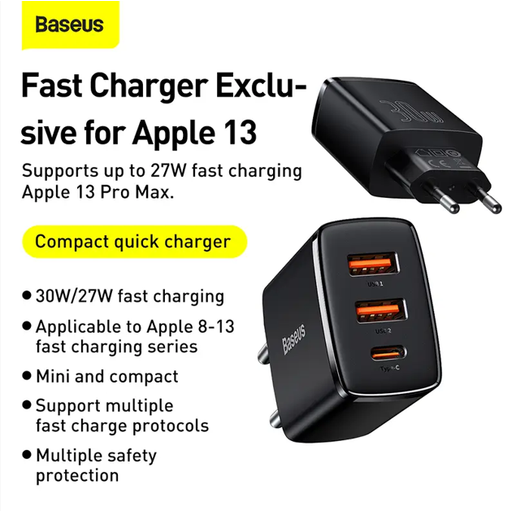
Baseus Compact Quick Charger, black
A compact charging option to compare if you’re looking for a USB charger for your bike light. Before buying, check which connector your light needs and whether this charger is compatible.
View at Joybuy
 No image available
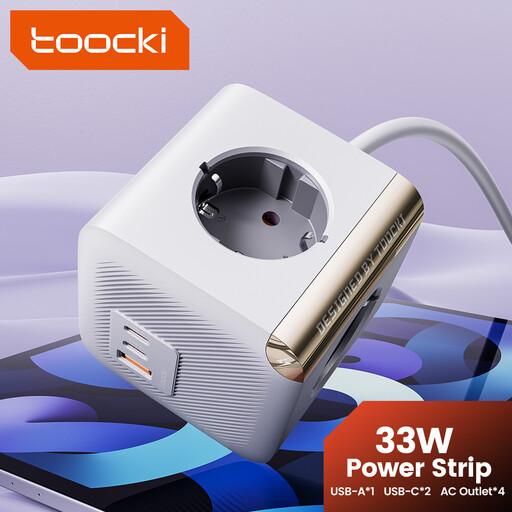
toocki Power Strip Surge Protector PD33W with four sockets
Worth considering if you need extra mains sockets in your student room as well as USB charging.
The product name lists four AC sockets and two USB-C ports. Bear in mind the stated maximum load of 2500 W, and don’t connect power strips together.
View at Joybuy
Frequently asked questions
Does every USB bike light need a USB-C cable?
No. Lezyne Customer Service describes small lights with a built-in USB plug, as well as lights that charge using a Micro-USB cable. So check the connector and instructions for your exact light model.
Where can I charge my bike light safely?
Place the charger in a clear space so heat can escape, don’t charge it under a pillow or duvet, and never use a damaged cable. The Fire Service advises charging battery-powered devices in a room with a working smoke alarm, and recommends that students charge them during the day when they’re awake and at home.
When should I replace the surge protection on the Belkin power strip?
For the SRB002vf2M-V2, Belkin advises checking the protection indicator light. According to the manufacturer, if the light is off, connected equipment may no longer be protected against voltage spikes; if so, replace the power strip. This advice applies to this Belkin model.
Can I ride a bike in the Netherlands with a charged, removable USB light?
Yes, removable lights are permitted. The Dutch government states that cyclists must have a front light and a rear light in the dark and when visibility is poor; how you charge them doesn’t change this traffic rule.
Is the CE mark on a charging station an independent quality mark?
No. CE marking is compulsory for mains-powered electrical equipment covered by the Low Voltage Directive. The European Union and the Netherlands Food and Consumer Product Safety Authority explain that the mark is the manufacturer’s declaration that the product meets the applicable EU requirements, not independent approval by the EU.


