
Recorder user with removable batteries
Wants to avoid confusing USB power with charging the batteries in the recorder. Zoom’s documentation for the H1essential and Tascam’s for the DR-05X describe USB power alongside battery use.


First, check your recorder’s manual to see whether USB charges its internal battery or only supplies power while it’s in use. For example, external USB power is documented for the Zoom H1essential. Then choose a power bank with a suitable output and cable, and balance capacity against weight for your recording session: a higher fast-charging wattage does not, on its own, prove longer recording time or compatibility.
Wants to avoid confusing USB power with charging the batteries in the recorder. Zoom’s documentation for the H1essential and Tascam’s for the DR-05X describe USB power alongside battery use.
Wants enough usable power for a longer session and knows that the stated capacity is not the same as the energy the device receives. Anker Support explains energy loss during conversion.
Takes the recorder between the holiday cottage and a recording location, and weighs up extra capacity against size and weight. The Consumentenbond discusses both capacity and portability when it comes to power banks.
First, find out what your recorder’s USB port does. Zoom and Tascam manuals make it clear that USB power does not automatically mean the recorder’s batteries will be charged. The Consumentenbond and Anker Support also discuss portability and the difference between stated and delivered energy.
| What to consider | What should you look for? | Who should pay particular attention? |
|---|---|---|
| USB power and charging | Check the manual for your exact recorder model to confirm the USB function, required input and connector. | If I want to rely on my recorder at the holiday cottage, I need to know whether USB supplies power or also charges the battery. Around 36% of consumers prioritise this power compatibility. |
| Power for your recording session | Compare your recorder’s usage information with the available energy, allowing for conversion losses. | If I’m making long recordings, I want to know in advance whether the available power will last for the planned session. Around 29% of consumers prioritise expected battery life. |
| Weight and size | Compare the stated weight and dimensions with the capacity and cable you need. | If I’m taking my recorder and power bank between my accommodation and a recording location, I want to keep my luggage light. Around 21% of consumers make portability their top priority. |
| Power at low current draw | First check whether your combination switches off; then see if the exact power bank model has a low-current mode and whether it has a time limit. | If my recorder draws very little power, I want to avoid the power supply stopping unexpectedly. Around 14% of consumers prioritise an output that stays on at low power draw. |
For the Zoom H1essential and Tascam DR-05X, USB power is described alongside battery use. This does not automatically tell you whether the batteries in your recorder will be charged.
Check the power and charging functions in the manual for your exact recorder model. Information for the DR-05X does not automatically apply to the DR-05XP.
If USB does not charge the batteries, you may still need separate batteries or a suitable power supply to use the recorder.
The stated capacity is not the same as the energy the recorder can ultimately use; energy can be lost during conversion and use.
Compare known information about your recorder on a consistent energy basis, and test the intended session length with the combination you plan to use.
Support and performance vary by model. A low-current mode also does not guarantee an uninterrupted power supply to a particular recorder.
Look into this only if your combination switches off prematurely, and check whether the exact power bank model has this feature and any time limit.
A safety warning may apply to specific model numbers and variants, rather than every product with a similar name.
Compare the full model number with current NVWA warnings. On 27 May 2026, the NVWA published a warning for specifically named power banks; it does not automatically apply to other models.
The Fuel Series 5 FS5100 is a 10,000 mAh model with two USB-C ports and one USB-A port.
The BoostCharge BPB011btRG is a 10,000 mAh model with two USB-A outputs and one USB-C output.
Worth considering if a low-power device causes a power bank to switch off prematurely.
Here are some power banks relevant to this topic. Before buying, check that a wired output and cable are suitable for your recorder’s USB power input.
 Image unavailable
The product name mentions a built-in cable; check that its connector fits your recorder’s power input.
The product description states that the USB-C port is not waterproof: do not charge the power bank while it is wet.
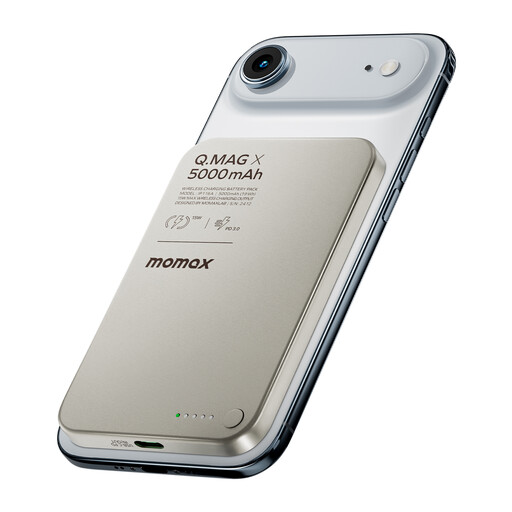 Image unavailable
The product name describes this model as a wireless charger; choose it for a recorder only if its wired output and cable are also suitable.
The product description advises against using or storing it in a damp environment, at high temperatures or in direct sunlight.
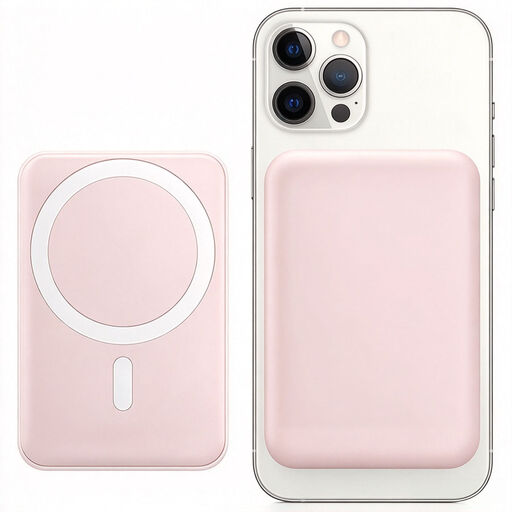 Image unavailable
Before using it with a USB recorder, check that the wired output and cable fit your model’s power input.
The product name lists 10,000 mAh, 15 W, wireless charging and a magnetic phone stand.
Not necessarily. Zoom’s documentation for the H1essential and Tascam’s for the DR-05X describe USB power alongside battery use. Check the manual for your exact model to see whether its internal battery or removable batteries can be charged via USB.
Compare the available energy with your recorder’s specifications, but don’t use the mAh figure alone to estimate guaranteed recording hours. Anker Support explains that energy can be lost during charging, so test your planned combination and session length beforehand.
First, check whether your recorder draws so little power that the output switches off. Then see if the exact power bank model has a low-current mode, and check the model information to find out how it works and whether there’s a time limit.
Use a suitable cable and keep the power bank and cable dry and undamaged. Place equipment in a clear, open space while charging so heat can escape; the Fire Service advises against putting a charger under bedding.
Compare the full model number with current NVWA safety warnings. On 27 May 2026, the NVWA published a warning for specifically named power banks; this is not a general statement about all models.