
You already have a USB charging cable
You’re mainly looking for a suitable mains power supply. First, check your toothbrush model and connector; Philips warns that not all Sonicare chargers are compatible with one another.


First, check whether your toothbrush charges via a USB cable or needs a model-specific charging base; a suitable USB plug won’t automatically replace that base. Then choose an adaptor with the right port for your cable and place it somewhere dry and uncluttered, where heat can escape.
You’re mainly looking for a suitable mains power supply. First, check your toothbrush model and connector; Philips warns that not all Sonicare chargers are compatible with one another.
Choose a spot where the adaptor and cable are out of reach of splashes, and where the adaptor can release heat freely. The Dutch Fire Service advises placing chargers in an unobstructed position.
An adaptor with multiple ports can be useful if you also want to connect a second USB device there. Belkin describes its two-port adaptor as suitable for this; just check that the ports work with your devices’ cables.
First, check which charging component your toothbrush needs. Then compare the ports and consider where you plan to use the adaptor.
| What to consider | What should you check? | Who is this important for? |
|---|---|---|
| Compatibility | Check your toothbrush model, the cable connector and the charging instructions. Find out whether you only need a mains adaptor or also a specific charging base. | If I already have a USB charging cable, I want to know which part I actually need before replacing anything. Around 36% of consumers prioritise compatibility with their existing toothbrush. |
| A dry, uncluttered spot | Keep the adaptor and cable out of reach of splashes. Don’t use a damaged cable, and leave the adaptor uncovered so heat can escape. | On a kitchen worktop, I want to choose a charging spot where water can’t reach the connection and heat can escape. Around 29% of consumers give safe placement on the worktop top priority. |
| Number of ports | Count how many devices you want to connect at once and check that the plugs fit. An adaptor’s power rating doesn’t tell you how long the toothbrush will take to charge. | If I want to share the same socket with another USB device, I check whether both cables fit the adaptor. Around 21% of consumers focus mainly on the number of ports they need. |
| Components you need | Check what comes with the adaptor and whether you already have a suitable, undamaged power supply that can be used according to your model’s instructions. | I don’t want to buy an adaptor if I only need a suitable charging base or cable, or vice versa. For around 14% of consumers, avoiding unnecessary components is their biggest purchasing concern. |
An adaptor supplies power to a cable, but it isn’t necessarily the charging base or another model-specific charging component. Philips says that not all Sonicare chargers are compatible with one another.
Check your manual and the components you already have before choosing a replacement.
Electrical USB mains adaptors sold in the Netherlands must carry a CE marking. The Netherlands Enterprise Agency explains that CE is a conformity mark, not an independent safety certification.
Check the marking, the condition of the adaptor and cable, and the relevant instructions for use. Don’t base your choice on the CE logo alone.
An adaptor’s power rating alone doesn’t tell you how quickly a particular toothbrush will charge. Charging methods and requirements can vary by model.
First, choose an adaptor that meets your model’s connection and usage requirements. Then consider whether you need extra ports.
Worth considering if you already have a Sonicare with a USB-A charging cable and only need a mains adaptor. Philips describes the CP1714/01 as a USB-A mains adaptor for charging with a USB-A cable.
The WCB002vfWH is a two-port USB-A wall adaptor for anyone who wants to connect two devices to the same socket.
An Apple mains adaptor is only a possible option if its connector matches your cable and your toothbrush manufacturer allows you to use it.
These adaptors have a range of USB connections. Check that the port matches your toothbrush cable and that using the adaptor is in line with your model’s instructions.
 No image available
The USB-A port may suit a toothbrush cable with a USB-A plug; check your model’s instructions before using the adaptor.
Power: 65 W. Ports: 1 USB-A and 2 USB-C. For indoor use only; keep away from moisture and water.
 No image available
The USB-A port may suit a toothbrush cable with a USB-A plug; check your model’s instructions before using the adaptor.
Power: 30 W. Ports: 1 USB-A and 1 USB-C. For indoor use in dry conditions only.
 No image available
The USB-A port may suit a toothbrush cable with a USB-A plug; check your model’s instructions before using the adaptor.
Power: 20 W. Ports: 1 USB-A and 1 USB-C. For indoor use only; keep away from water.
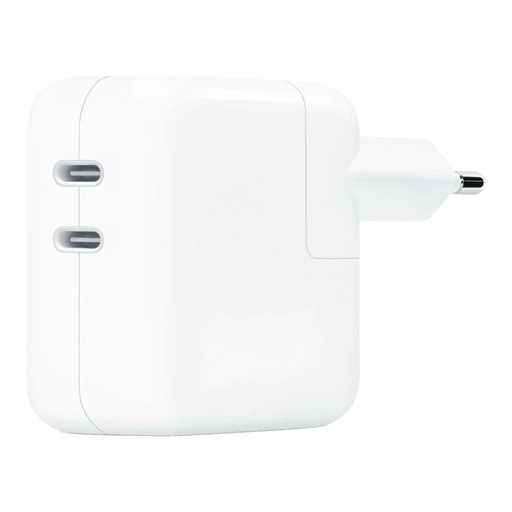 No image available
This adaptor has USB-C outputs; check that your toothbrush cable has a compatible USB-C plug and that the manufacturer allows you to use this power supply.
Power: 35 W. Ports: 2 USB-C. Don’t cover the adaptor while it’s in use, so heat can escape.
No. Check both the connection and the instructions for your toothbrush model. Philips says charging methods can vary by model and that not all Sonicare chargers are compatible with one another.
Follow the instructions, keep the adaptor and cable out of reach of splashes, and place the adaptor somewhere unobstructed so heat can escape. Don’t use a damaged cable or charger. A model-specific instruction, such as a requirement for an adaptor with a particular travel charging case, doesn’t automatically apply to other toothbrushes.
Electrical USB mains adaptors sold in the Netherlands must carry a CE marking. The Netherlands Food and Consumer Product Safety Authority describes the marking as mandatory for electrical products; the Netherlands Enterprise Agency explains that CE is a conformity mark, not an independent certification or a guarantee of safety.
Contact the seller to resolve the issue. According to the Dutch government, goods sold to consumers must be of satisfactory quality and the seller is responsible for putting things right; any manufacturer’s guarantee is separate.