If colleagues assess the colours in reference images, an IPS model focused on colour, with specified colour modes, is a better fit for that priority. If laptops or sources vary, connections, KVM or Picture-by-Picture may matter more. Check reflections and colours from the actual seating positions, and match the mode to the source file: a stated colour gamut or factory calibration alone does not prove that the entire display chain is colour-accurate.
Who is this type of screen suitable for?
Image reviewers
You compare illustrations or colour variations with colleagues and want useful colour modes and a display you can assess from different seating positions. BenQ Netherlands and ASUS Netherlands list colour specifications for their models; this manufacturer information is not an independent measurement of the entire display chain.
Colleagues gathered around one screen
You show your work to several people and want to take screen position, viewing angles and reflections into account. If staff also use the monitor for everyday screen work, workplace guidance applies under the relevant conditions, according to Arboportaal, the Dutch government.
People using different laptops
You share the monitor between computers and mainly need connections and features that suit your setup. USB-C or KVM is only relevant if it works with the computers and the way you want to use them.
What should you look for when choosing?
| What to consider |
What to look for when buying |
Who is this for? |
| Colour comparison |
Match the colour mode and stated colour space to the source file and computers. |
If I compare illustrations with colleagues, I want to be able to assess colour differences and use the same mode; around 33% of consumers prioritise colour comparison. |
| Viewing from multiple positions |
Check reflections, screen position and adjustability from the seats colleagues will use. |
When colleagues are viewing from different positions, I want to minimise distracting reflections and be able to assess the image; around 27% of consumers place most importance on visibility from multiple positions. |
| Room for images and tools |
Check that the window layout and readability suit the viewing distance and the work. |
If I open images and tools side by side, I want enough workspace without losing sight of the details; around 20% of consumers prioritise this layout. |
| Switching between computers |
Check the video connection, cable, required USB-C power delivery, and whether the keyboard and mouse need to switch between computers too. |
If several colleagues connect their own computers, I don’t want to have to set up the shared workspace again each time; around 20% of consumers prioritise switching between computers. |
Things to watch out for when buying
-
Assuming a wide colour gamut means accurate colours on every computer
Specifications for colour modes and coverage apply to individual models and do not automatically measure the entire workflow. The colour mode, source file and connected computer all play a part.
Match the colour space and mode to the reference images, and compare the same files in the intended setup.
Matching the source file, colour mode and computer may require extra setup time.
-
Assessing the screen only from directly in front
In a shared space, reflections and viewing position can affect visibility from other seats.
View the screen from every intended seating position and check its placement, the lighting and the screen settings.
-
Taking a shop category as proof of the panel type
Philips Netherlands lists the 34B1U5600CH/00 as having a VA panel, while the Joybuy product page uses the OLED monitor category for the same model name. This discrepancy could lead you to choose the wrong panel type.
Check the full model number and compare the panel type with Philips’ model specifications before making your choice.
Brands to consider
BenQ
The flat 34-inch DesignVue PD3420Q is designed to provide a wide workspace with specified colour modes.
- BenQ Netherlands lists IPS, anti-glare, 100% sRGB, 98% P3, a calibration report, KVM and 65 W USB-C power delivery.
- The stated colour specifications are not an independent measurement, and USB-C power delivery does not confirm compatibility with every laptop.
ASUS
The flat 34-inch ProArt PA348CGV is designed for a colour-focused setup.
- ASUS Netherlands lists IPS, anti-glare, 100% sRGB, 98% DCI-P3, factory calibration and 90 W USB-C power delivery.
- The stated ΔE < 2 is ASUS’s claim for this model, not a measurement taken in the intended office setup.
LG
According to LG, the 34BA75QE-B combines a curved IPS screen with features for using multiple computers.
- LG Netherlands lists 3440 × 1440, typically 99% sRGB, 90 W USB-C power delivery, KVM and Picture-by-Picture.
- Assess the curve from the intended viewing positions; these specifications do not prove colour consistency from every seat.
Philips
The Business Monitor 34B1U5600CH/00 is designed for a shared office setup with docking and display of multiple sources.
- Philips Netherlands lists a curved VA screen with a resolution of 3440 × 1440 and MultiView for two connected sources.
- The Joybuy product page uses the OLED monitor category for this model name. Check the full model number and official model specifications before choosing a panel type.
Joybuy monitors for a shared workspace
This selection includes ultrawide monitors for reference images and side-by-side work windows. Check each model’s suitability for your seating positions, panel specifications and the connections needed for your shared setup.
 Image unavailable
LG UltraWide 34U601B-B WQHD VA monitor, 34-inch
A wide screen for viewing several work windows side by side; check that the curve suits the seating positions in your shared space.
The product name lists a VA panel, 1800R curve, 120 Hz and WQHD.
View at Joybuy
 Image unavailable
Dell Pro P3426WEV 34.1-inch curved WQHD IPS USB-C Hub monitor
A model to consider if several users share a curved ultrawide monitor; assess the curve from the intended viewing positions.
The product name lists an IPS panel, webcam, 100 Hz and USB-C with 90 W Power Delivery.
View at Joybuy
 Image unavailable
LG UltraWide 34U650A-B, 34-inch
A 34-inch ultrawide option for viewing other work windows alongside reference images; check that the available connections suit the computers in your office.
View at Joybuy
 Image unavailable
CRUA 49-inch curved ultrawide gaming monitor, DQHD
The extra-wide format could suit you if you need lots of screen space side by side; check that the screen will fit in your shared workspace before buying.
The product name lists 32:9, 5120 × 1440 and a VA panel. The product information recommends a desk or VESA mount that can support at least 15 kg, and installation by two people.
View at Joybuy
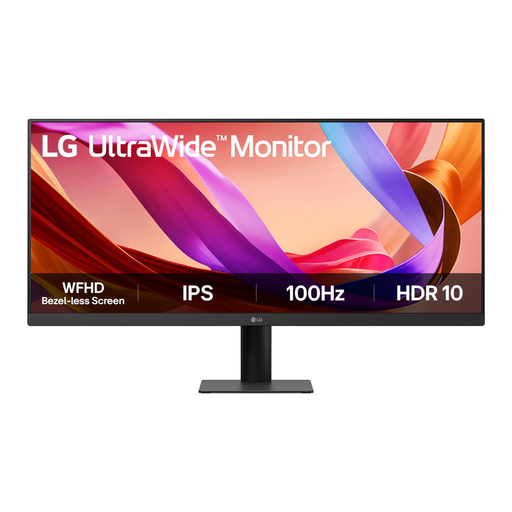 Image unavailable
LG UltraWide 29U511A-B 29-inch Full HD IPS monitor
A smaller ultrawide model to consider if desk space is limited; check that the screen size suits the number of images and work windows you want to display at once.
The product name lists an IPS panel and a 100 Hz refresh rate.
View at Joybuy
Frequently asked questions
Which setting should you use for the reference images?
Start with a colour mode that matches the source file’s colour space, and agree with colleagues to use the same setting for the same images. BenQ and ASUS list individual colour modes for the models discussed here; a mode name or stated colour gamut does not automatically validate the entire display chain.
How should you set up the monitor if colleagues also use it every day?
Check the height, position in relation to windows and lamps, and the lighting in the workspace. According to Arboportaal, Dutch guidance for display screen workstations applies when an employee works at a screen for more than two hours a day; this condition does not automatically apply when images are only shown passively.
How can you compare energy use without guessing an annual cost?
Compare the EU energy label and model-specific information in EPREL using the same usage scenario. The European Commission lists an A to G scale for electronic displays; the annual cost also depends on how long you use the monitor and your electricity tariff.
Do you need extra warranty cover for a monitor?
For a consumer purchase in the Netherlands, statutory warranty applies in addition to any warranty offered by the retailer or manufacturer. ACM ConsuWijzer explains that the retailer is responsible for providing a solution if the product does not do what you could reasonably expect under normal use. For a business purchase for an office, check the contract terms separately.


