What should you look for when choosing?
First, check whether both windows will be readable at the chosen resolution. Then measure how the monitor will fit on your desk, and finally check the connections and other practical considerations for everyday use.
| What to consider |
What should you check? |
Who is this for? |
| Readable screen space |
Compare the full resolution, including the vertical pixel count, with your dashboard and report. Try placing both windows side by side and check the text scaling. |
If I want to read data and a report at the same time, I check that both windows remain practical to use. Around 36% of consumers prioritise readable screen space. |
| Desk space |
Measure the available width and depth, including the stand. Also check that the height and tilt adjustments suit your setup. |
When my desk has limited space, I want to know whether the screen and stand will fit without making my workspace awkward to use. Around 29% of consumers prioritise making sure the monitor fits. |
| Laptop connection |
Check whether your laptop port supports video, how much charging power you need and which cables are required. |
If I want to handle the display and, if needed, power through a single connection, my laptop must support that combination. Around 21% of consumers mainly choose a monitor based on a compatible laptop connection. |
| Usage and extra accessories |
Compare the energy label for the exact model and check whether you need an additional cable, adapter or other connection. |
When I also want to factor in energy use and any extra accessories I may need, I compare them with my own situation. Around 14% of consumers make this their main priority. |
Ultrawide monitors at Joybuy
This selection of Joybuy products includes 29- and 34-inch ultrawide monitors for using two windows side by side, with both standard video connections and models featuring USB-C.
 No image available
Dell Pro P3426WEV 34.1-inch Curved WQHD IPS USB-C Hub Monitor
An option to consider if you want to use two work windows on a 34.1-inch screen and connect your laptop via USB-C.
3440 × 1440 pixels; USB-C with DisplayPort Alt Mode and up to 90 W Power Delivery; USB hub and KVM listed; 100 Hz and webcam listed in the product name.
Check that your laptop supports the video connection and power delivery you want over USB-C.
View at Joybuy
 No image available
LG UltraWide 34U650A-B 34-inch
A 34-inch option if you want to view a dashboard and report side by side and are considering USB-C laptop charging.
21:9 aspect ratio; 3440 × 1440 pixels; USB-C with up to 96 W Power Delivery; height, tilt and swivel adjustment listed.
Check that your laptop’s video output and charging requirements are compatible with this connection.
View at Joybuy
 No image available
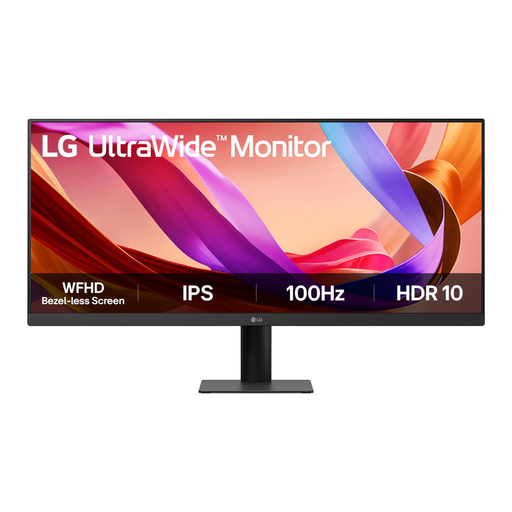
LG UltraWide 29U511A-B 29-inch
A 29-inch alternative to consider if a larger monitor setup may not fit in your room.
21:9 aspect ratio; 2560 × 1080 pixels; IPS panel; HDMI and DisplayPort connections listed.
Compare the vertical resolution with the amount of text and data you want to read at the same time.
View at Joybuy
 No image available
Iiyama ProLite 34-inch UWQHD Curved Monitor
A 34-inch option for two windows, with a USB-C dock and connections for peripherals.
3440 × 1440 pixels; USB-C dock with up to 95 W Power Delivery; LAN and KVM listed; stand with 15 cm of height adjustment.
Check which dock features and connections your laptop and peripherals support.
View at Joybuy
 No image available
LG 34WR50QK-B 34-inch
A 34-inch option if you want to put your dashboard and report on one wide screen using a standard video connection.
3440 × 1440 pixels; HDMI and DisplayPort connections listed; adjustable stand listed.
Check that your laptop’s connections match the available monitor ports.
View at Joybuy
Frequently asked questions
Do I need Picture-by-Picture to put a dashboard next to my report?
No, not if both windows are on the same Windows computer: you can use Snap in Windows to place them side by side. Picture-by-Picture is mainly useful when you want to display two separate video sources at the same time; MSI describes this feature for the Modern MD342CQP.
How should I set up a monitor for long study sessions?
Position the screen so that text is easy to read and distracting reflections are reduced. If your model is adjustable, you can set its height to suit your workspace. Arboportaal highlights readability, reflections and screen height as factors to consider when working at a screen.
Can I check whether an online monitor purchase fits at home and return it?
For a standard online consumer purchase in the Netherlands, you generally have a statutory 14-day cooling-off period after delivery, with some exceptions. ACM ConsuWijzer explains the cooling-off period; check the terms that apply to your purchase. Your statutory guarantee from the seller is separate from any manufacturer’s guarantee.
Does a monitor need an energy label, and what should I do with my old screen?
EU energy labelling rules cover electronic displays, so compare the label for the exact monitor model. According to the Dutch government, when you buy a new appliance, you can hand in an old, similar appliance under the Dutch take-back scheme, including when you buy online.


