First, measure the clear width and depth of your desk, then compare them with the monitor’s dimensions including its stand. The diagonal measurement alone won’t tell you how much room the complete setup needs. A 29-inch model may be a better fit when space is your priority, while the 34-inch models we looked at offer more room for side-by-side windows, with a resolution of 3440 × 1440 pixels. Just make sure the screen, readability and laptop connectivity suit your workspace.
Who is this choice right for?
Recipe index creator with limited desk space
You want to view recipes and your index side by side, but first need to know whether the monitor and stand will fit. LG lists the dimensions of the 29WQ600-W with its stand, so include them in your comparison.
Recipe index creator with lots of source windows
You keep recipes, sources and index fields open at the same time, so resolution and a readable window layout matter. Philips says the 346E2CUAE/00 gives you room to view content side by side.
Laptop user with a small desk
You’d ideally like to connect your display and power your laptop through a suitable connection, while keeping an eye on the space available. Dell and MSI list USB-C features and charging wattages for specific models; check they’re suitable for your laptop.
What should you look for in an ultrawide?
First, measure the space you have once your keyboard and documents are in place. Then compare the screen space and check that the connections and adjustability suit your workspace.
| What to consider |
What should you check? |
Who should pay particular attention? |
| Fit on your desk |
Measure the available width and depth, then compare them with the dimensions of the exact model, including its stand. |
If space is limited, you’ll want to know whether the screen and stand will fit without taking over your workspace. Around 36% of consumers prioritise desk width and depth. |
| Room to read recipes and your index |
Compare the resolution with the window layout you actually use, and check the physical dimensions too. |
If you want to read recipes, sources and index fields at the same time, you’ll benefit from a layout that remains easy to read on your screen. Around 29% of consumers prioritise having this space to work with everything open at once. |
| Laptop connectivity |
Check that USB-C supports video, that the charging wattage is sufficient and that the cable is suitable. |
If you want to connect your laptop to the screen with as few separate connections as possible, check in advance whether your port can carry both video and power. Around 21% of consumers say connectivity is their main concern. |
| Adjustability and viewing comfort |
Check the height adjustment or a suitable mounting option, and look at the adjustment features of the exact model. |
If you want to position the screen to suit you, consider its height and how easy it is to read while you’re creating your index. Around 14% of consumers prioritise adjustability and positioning. |
Common buying mistakes
-
Choosing based on screen size alone
A monitor with its stand also takes up depth. LG lists the 29WQ600-W as 223,8 mm deep with the stand.
Compare the full width and depth of the exact version with the space available on your desk.
If the stand doesn’t suit your setup, you may need a suitable alternative stand or mounting solution.
-
Assuming every USB-C port provides video and enough power
Features and stated charging wattages vary by model. Dell lists up to 90 W of USB-C power delivery for the P3425WE; MSI specifies DisplayPort Alt Mode and up to 98 W Power Delivery for the MD342CQP.
Before choosing a model, check whether your laptop’s port supports video, how much power it needs and the cable specifications.
Depending on the combination, you may need an extra cable, power adaptor or different connection.
-
Assuming a warranty offer covers all your legal rights
ACM ConsuWijzer states that statutory guarantees in the Netherlands do not have a fixed time limit.
Keep your proof of purchase and contact the seller if there’s a fault; what you could reasonably expect from the product is still relevant.
Brands to compare
LG
The 29WQ600-W is one model to compare if you want to check the physical fit first.
- LG lists dimensions of 688,5 × 406,6 × 223,8 mm with the stand and a resolution of 2560 × 1080 pixels.
- LG says the stand only tilts; these dimensions apply to this model.
Philips
The E Line 346E2CUAE/00 is a 34-inch example with USB-C, for a workspace where you’d like more room to view windows side by side.
- Philips lists a resolution of 3440 × 1440 pixels. The brand describes the room for side-by-side content as an advantage of this screen size.
- Check that the dimensions and stand will fit your desk; Philips’ description is not an independent productivity test.
Dell
The Pro 34 Plus P3425WE combines a 34-inch screen with features for a workspace with a laptop and network connection.
- Dell lists a resolution of 3440 × 1440 pixels, up to 90 W of USB-C power delivery and ethernet.
- Check compatibility with your laptop and make sure you have space for the monitor; these features apply to the P3425WE.
MSI
The Modern MD342CQP is a 34-inch option to consider if you use several devices.
- MSI lists a resolution of 3440 × 1440 pixels, KVM, Picture-by-Picture and up to 98 W Power Delivery for this model.
- Check that the overall dimensions and stand suit your workspace, and that the connections match your devices.
iiyama
The ProLite XCB3494WQSU-B1 is a 34-inch model with height adjustment.
- iiyama lists a resolution of 3440 × 1440 pixels and 150 mm of height adjustment for this model.
- Check that it will fit your workspace and adjust the screen to suit your setup; a general claim about eye comfort doesn’t prove it will apply to every user or workspace.
Ultrawide monitors at Joybuy
These models include 29- and 34-inch ultrawides for viewing recipes and index fields side by side. Check your desk dimensions and, if you’re using a laptop, the connection you need.
 No image available
Philips 34B2U5900C/00 Curved Dual-Mode Business Monitor
A 34-inch model to consider if you want to view recipes and index fields side by side, and have room for its larger casing on your desk.
3440 × 1440 pixels; Thunderbolt 4; up to 100 W USB Power Delivery; height-adjustable stand.
View at Joybuy
 No image available
LG UltraWide 34U650A-B 34-inch monitor
A 34-inch screen for working with windows side by side, provided you check the available desk space first.
3440 × 1440 pixels; USB-C with up to 96 W Power Delivery; stand with height, tilt and swivel adjustment.
View at Joybuy
 No image available
iiyama ProLite 34-inch IPS UltraWide monitor
PiP and PbP are useful if you want to display windows or sources at the same time; also check that the screen will physically fit.
3440 × 1440 pixels; IPS panel; PiP and PbP; stand with 15 cm of height adjustment.
View at Joybuy
 No image available
LG 34WR55QK-B 34-inch computer monitor
An option for a workspace with several windows and a laptop, if the connection and screen dimensions suit your setup.
3440 × 1440 pixels; USB-C with up to 65 W Power Delivery; stand with height, tilt and swivel adjustment.
View at Joybuy
 No image available
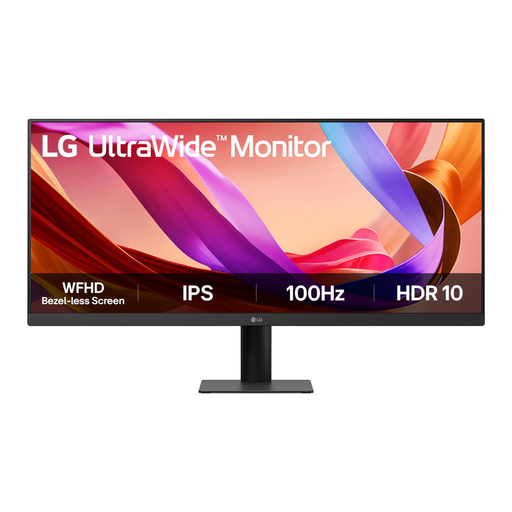
LG UltraWide 29U511A-B 29-inch monitor
A 29-inch option to compare if desk space is a major consideration. Measure the stand too, and bear in mind that its vertical resolution is lower than that of 3440 × 1440 models.
2560 × 1080 pixels; 688,5 mm wide and 220 mm deep; VESA mounting listed.
View at Joybuy
Frequently asked questions
How should I set up a screen for creating a recipe index?
Place your source and index side by side, set the text to a readable size and position the screen to avoid distracting reflections. The Dutch Arboportaal advises adjusting the workspace to suit the user and alternating screen-based tasks; this is no guarantee against discomfort.
Can I connect my laptop with a single USB-C cable?
It depends on your laptop and the exact monitor model. Dell lists up to 90 W of power delivery for the P3425WE; MSI specifies DisplayPort Alt Mode and up to 98 W Power Delivery for the MD342CQP. Check that your laptop can output video over USB-C and how much power it needs.
What if a screen I bought online doesn’t fit on my desk?
For a standard online consumer purchase, ACM ConsuWijzer says you usually have a statutory cooling-off period of up to 14 days after delivery to cancel the purchase. This cooling-off period is separate from your rights if the product is faulty; check the applicable terms and returns process. Measuring beforehand can save you the hassle of returning a large screen.
Does a two-year manufacturer’s warranty cover all my rights in the Netherlands?
No. ACM ConsuWijzer states that statutory guarantees in the Netherlands do not have a fixed time limit; what you could reasonably expect from the product under normal use is what matters. If a product develops a fault too soon, contact the seller.
Do the Arbo rules apply to everyone creating a recipe index at home?
No. The obligations mentioned by Arboportaal are aimed at employers and employees. For employees who work at a screen for more than two hours a day, Arboportaal lists requirements including the layout and adjustability of the workspace. These workplace rules don’t automatically apply to personal use.


