What should you look for when choosing?
Start with the space available on your desk. Then check how clearly you can read your own windows, and only then decide which connections you need.
| What to consider |
What should you check? |
Who is this important for? |
| Desk space |
Measure the available width and depth, then compare them with the dimensions of the exact model, including its stand. |
If space is limited, I want to know whether the monitor and my paperwork will both fit. Around 36% of consumers rank desk fit as their top priority. |
| Reading windows side by side |
Try displaying a real invoice alongside your accounting software at your preferred text scale; check the vertical resolution too. |
If I want to read paperwork and an invoice at the same time, the text needs to remain clear at my chosen scale. Around 29% of consumers rank readability across multiple windows as their top priority. |
| Connecting your laptop |
Compare your laptop’s video output with the monitor’s inputs, and check USB-C video features, charging power and the cables supplied. |
If I use my laptop at a permanent workspace, I want to know whether the connection supports both the picture and the charging I need. Around 21% of consumers prioritise laptop connectivity. |
| Adjustability |
Check the adjustment options on the exact model and consider the screen position and the space available on your desk. |
If I spend a long time working with documents, I want to be able to position and adjust the monitor to suit me. Around 14% of consumers rank workspace adjustability as their top priority. |
Joybuy products for working with windows side by side
This selection includes 29-, 34- and 34.1-inch ultrawide monitors for viewing paperwork and invoices side by side. Measure the space required for the monitor, including its stand, and check the specifications of the exact model.
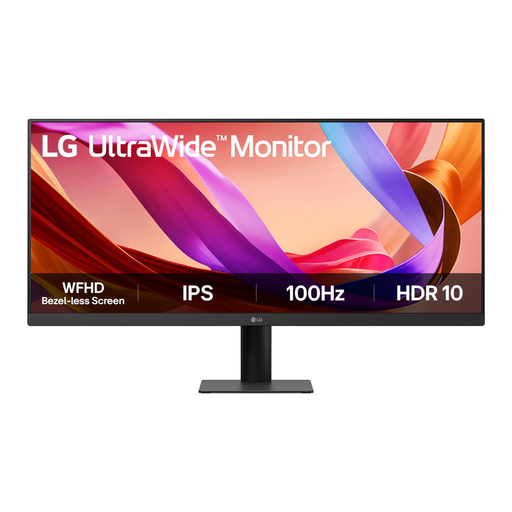 Image unavailable
LG UltraWide 29U511A-B, 29-inch
An option to consider if screen size is a key factor when choosing a monitor for a smaller desk; remember to allow space for the stand too.
LG Netherlands lists 21:9, IPS and 2560 × 1080 pixels for this model. The product name lists 100 Hz.
View at Joybuy
 Image unavailable
LG UltraWide 34U601B-B, 34-inch
A larger screen size to consider if you have enough space on your desk; check your complete setup before choosing.
The product name lists WQHD, a VA panel, 1800R curvature and 120 Hz.
View at Joybuy
 Image unavailable
Dell Pro P3426WEV, 34.1-inch
An option for a permanent laptop workspace if you have enough room and your laptop supports the USB-C features you need.
The product name lists a curved WQHD IPS screen, a USB-C hub, 100 Hz and 90 W Power Delivery.
View at Joybuy
 Image unavailable
LG UltraWide 34U650A-B, 34-inch
A 34-inch option if your desk has room for a larger screen; check this model’s connections and dimensions before you decide.
The product name lists a screen size of 34 inches.
View at Joybuy
 Image unavailable
Philips 6000 series 34B2U6603CH/00, 34-inch
A 34-inch option to consider if you have enough room for the monitor; check that its connections are compatible with your laptop too.
The product name lists 3440 × 1440 pixels.
View at Joybuy
Frequently asked questions
Can I put an invoice and my accounting software side by side?
Yes. In Windows, you can use Snap to place windows side by side and adjust the divider between them. Try your own programmes and preferred text scale to check that both windows remain readable.
Is USB-C enough to connect my laptop with a single cable?
No, the presence of USB-C alone doesn’t confirm that. Check whether your laptop can output video through that port, and compare its charging requirements with the power specified for the exact monitor model; Dell lists up to 90 W for the P3425WE.
Which Dutch regulations are relevant if I provide this screen for employees?
Arboportaal describes employers’ obligations for safe screen work. The workplace setup requirements mentioned apply, among other situations, when an employee works at a screen for more than two hours a day; they don’t determine which monitor size an individual shopper should choose.
What cooling-off period and help with faults apply to online purchases?
For many online purchases made as a consumer from a business, the Dutch government says you have a 14-day cooling-off period; check the terms that apply to your purchase. If a product is faulty, the Dutch government describes options for free repair or replacement. An additional guarantee doesn’t replace your statutory rights.
Does a monitor need an energy label in the Netherlands?
The European Commission describes energy labelling for electronic displays, including computer monitors, on a scale from A to G. Use the label and product information when comparing models.


