
Designers with limited desk space
You want to know whether the screen and stand will fit, while leaving enough room for your keyboard and a comfortable viewing position.


Start by measuring the usable width and depth of your desk: a 29-inch ultrawide may be a more compact choice if a 34-inch screen won’t fit. If you have room for 34 inches, the 34-inch models listed offer more pixels at 3440 × 1440 than the LG 29U511A-B at 2560 × 1080. Then choose based on whether you need colour settings or laptop connectivity, and check the dimensions and ports of the exact model.
You want to know whether the screen and stand will fit, while leaving enough room for your keyboard and a comfortable viewing position.
You want to view design files, tools and a browser preview at the same time, and work out how much horizontal and vertical workspace you need.
You want to compare the stated colour spaces and modes without mistaking manufacturer specifications for measurements of the individual unit you receive.
| What to consider | What should you check? | Who is this important for? |
|---|---|---|
| Fit and posture | Measure the usable width and depth, including the stand, keyboard and viewing position. Check the model’s height adjustment too. | If my desk has limited space, I want to know whether the whole setup will fit. Around 36% of consumers put physical fit first. |
| Space for design work and previews | Compare the resolution and try out the window layout you want to use. Check your page at narrower browser widths too. | I want to see my design and browser preview at the same time, while also checking how the page works on narrower screens. Side-by-side workspace is the top priority for around 29% of consumers. |
| Colour settings | Check which colour modes you need and which colour spaces the manufacturer lists for the exact model. Don’t treat factory specifications as an independent measurement of your individual unit. | If colour settings are important for my design work, I want to be able to compare them in advance. Around 21% of consumers put colour settings first. |
| Laptop connectivity | Check your laptop’s video output and USB-C support, the power delivery you need, and whether you need ethernet or KVM. | I want to connect my laptop without missing any ports I need. Laptop connectivity is the top priority for around 14% of consumers. |
The stand takes up space too, so the screen diagonal alone won’t tell you whether the whole setup will fit on your desk.
Measure the setup with the stand and keyboard, and allow for your preferred viewing position before choosing a size.
If the stand and desk aren’t a good fit, you may need a different mounting solution.
A wide design view won’t automatically show you how a landing page looks in a smaller viewport.
Check narrower viewport widths and, where needed, test on a real mobile device too. Google Chrome DevTools simulates a mobile experience, but doesn’t run your code on a mobile device.
What’s possible depends on both the monitor and the laptop. A USB-C port doesn’t guarantee that one cable will be enough for your setup.
Check your laptop’s video and charging support, as well as the specifications of the exact monitor model.
You may need a different cable, an adapter or a separate power supply.
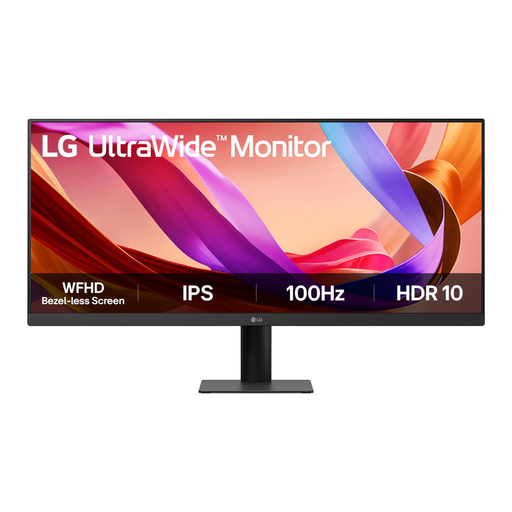
The LG 29U511A-B is a more compact ultrawide option if you want to start by assessing the space available on your desk.
The Dell P3425WE is a 34.1-inch option for those looking to combine screen space with laptop connectivity.
The PD3420Q is a 34-inch IPS option to consider if you’re weighing up the supplied colour information and dimensions with the stand.
The 34B2U5600C/00 is a 34-inch VA option for a workspace where connectivity and multiple sources are important.
This selection includes 29- and 34-inch ultrawide monitors for anyone weighing up screen space, colour information or laptop connectivity for a small desk.
 No image available
An option to compare if a more compact ultrawide size is important; measure the space available, including the stand.
LG Netherlands lists 2560 × 1080 and a typical 99% sRGB for the 29U511A-B. It has fewer pixels, particularly vertically, than the 34-inch models listed at 3440 × 1440.
 No image available
A larger option for anyone considering laptop connectivity too; first check whether it will fit on your desk.
The product name lists a curved WQHD IPS screen, USB-C hub, webcam, 100Hz and 90W Power Delivery. USB-C charging requires a compatible laptop with Power Delivery and DisplayPort Alt Mode; the maximum charging power is 90 W.
 No image available
A 34-inch ultrawide to consider if your desk has room for a screen of this size.
Before buying, check the dimensions of the exact model and the connections your laptop needs.
 No image available
A 34-inch option to compare if you want to view several design windows side by side and have room for a screen of this size.
The product name lists 3440 × 1440 and a Wide Quad HD LCD screen. Check the connections and features of the exact model to make sure they suit your equipment.
 No image available
An option to compare if you’re considering a larger monitor with connectivity for several devices.
The product name lists a USB-C dock, LAN, KVM and a stand with 15 cm of height adjustment. Check that the connections and features are compatible with your laptop and network.
Yes, if the page needs to work well on smaller screens. Google Chrome DevTools lets you adjust the viewport width, but simulation isn’t a complete substitute for testing on a real mobile device.
Follow the instructions for the exact model. Dell recommends using a soft, clean cloth lightly dampened with water for its monitors, and warns against spraying water or cleaning products directly onto the screen.
You have a statutory guarantee: the product must meet what you can reasonably expect. The Dutch government states that there is no fixed statutory guarantee period in the Netherlands; if there’s a fault, contact the seller.
For many purchases made remotely from a business, you have a 14-day cooling-off period. The Dutch government explains this period; also check the seller’s information about the specific purchase and its returns policy.
Arboportaal describes rules for employees’ screen-based workstations, including requirements for screen adjustment and reducing reflections. These rules for employers aren’t automatically product specifications for every private buyer. The European Commission states that energy labelling and ecodesign rules also cover computer monitors.