What should you look for when choosing one?
First measure the available space, then compare the resolution at your preferred text size, and finally check that the connections are compatible with your laptop.
| What to consider |
What should you check? |
Who should prioritise this? |
| Fitting on a small desk |
Measure the available width and depth, then compare them with the external dimensions of the exact model, including its stand. |
If my desk has limited space, I want to know whether the screen and stand will fit without making my work surface unusable. Around 36% of consumers prioritise finding a monitor that fits on a small desk. |
| Using your calendar and email side by side |
Check the native resolution and try viewing both windows at your usual text size. |
If I want to see plenty of content in both windows, I consider the resolution as well as how large the text appears on my screen. Around 29% of consumers prioritise two content-rich windows. |
| A comfortable, adjustable setup |
Check the height adjustment on the exact model, then set the screen position and text size to suit you. |
If I work at my screen for long periods, I want to adjust its position and text display to suit my workspace. Around 21% of consumers prioritise adjustability and readability. |
| Connecting your laptop |
Check the video output, charging power and cable requirements for both your laptop and monitor. |
If I want to connect my laptop with a single cable, the setup needs to support both video and charging. Around 14% of consumers prioritise this type of connection. |
Joybuy products
These Joybuy products are suited to using your calendar and email side by side, with both more compact 29-inch and roomier 34-inch ultrawide options.
 No image available
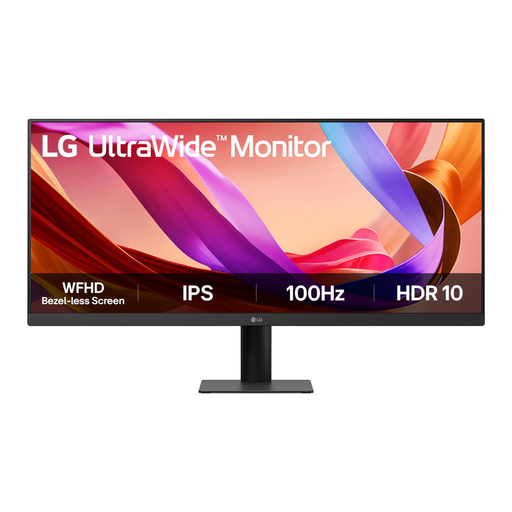
LG UltraWide 29U511A-B 29-inch IPS monitor, 100Hz
This 29-inch model is a more compact ultrawide option for using your calendar and email side by side.
Resolution: 2560 × 1080. The product lists IPS, HDMI, DisplayPort and a side-by-side window feature.
View at Joybuy
 No image available
Dell Pro P3426WEV 34.1-inch curved WQHD IPS USB-C monitor
This larger ultrawide is an option if your desk can accommodate the monitor and stand, and your laptop supports the USB-C features you need.
Resolution: 3440 × 1440. USB-C with DisplayPort Alt Mode and Power Delivery up to 90 W; a compatible laptop is required for video and charging.
View at Joybuy
 No image available
LG UltraWide 34U650A-B 34-inch
A 34-inch option for anyone who wants more room for windows and has enough space for a larger setup.
Resolution: 3440 × 1440. USB-C with Power Delivery up to 96 W and an adjustable stand.
View at Joybuy
 No image available
LG UltraWide 34U511A-B 34-inch
This 34-inch ultrawide could suit you if you want a wider screen, but check the space available for your setup first.
Resolution: 2560 × 1080. The product lists HDMI, DisplayPort and Picture-by-Picture.
View at Joybuy
 No image available
Philips 6000 series 34B2U6603CH/00 34-inch
A larger ultrawide option for working with multiple windows, with an adjustable stand so you can set the screen height.
Resolution: 3440 × 1440. Lists Thunderbolt 4 and height adjustment.
View at Joybuy
Frequently asked questions
How can I check whether two windows will be easy to use?
Compare the native resolution of the exact model and try viewing your calendar and email side by side at your usual text size. The 29-inch LG model reviewed has a resolution of 2560 × 1080; the 34-inch iiyama model has a resolution of 3440 × 1440. More pixels alone don’t guarantee that the text will be easier for you to read.
Can I connect a USB-C monitor to my laptop with one cable?
Only if your laptop, monitor and cable support the video and charging features you need. For the 346E2CUAE/00, Philips describes video, data and charging over USB-C with compatible devices; check your laptop’s requirements before choosing a cable.
What should I check when setting up and using the monitor?
Check the external dimensions, including the stand, the adjustment options, and whether light or reflections affect your view. For employees who work at a screen for more than two hours a day, Arboportaal describes additional workplace requirements; these aren’t general legal requirements for everyone buying a monitor for personal use.
In the Netherlands, am I always limited to a two-year warranty, and can I return online purchases?
No. According to ACM ConsuWijzer, your legal guarantee depends on what you could reasonably expect from the product; a stated manufacturer’s warranty period doesn’t automatically limit it. For a standard online consumer purchase, you generally have a 14-day cooling-off period after delivery, subject to legal exceptions.


