
Photo selector
You want to view lots of photos, folders and gallery windows at once, so usable screen space is your first consideration.


Start with your main task: viewing lots of photos and windows side by side, assessing colours or connecting colleagues’ laptops. A wide colour gamut is no substitute for a suitable colour workflow; USB-C is only convenient if the laptop, video connection and charging power are compatible. Also check that the screen can be adjusted easily at the shared desk.
You want to view lots of photos, folders and gallery windows at once, so usable screen space is your first consideration.
You assess photos before they go into the gallery, so you compare colour gamuts and options for a consistent colour workflow.
You share the workspace or laptop with colleagues, so suitable connections, easy switching and adjustability are your main priorities.
Best for: selecting photos and arranging gallery windows side by side.
Consider: measure the available desk space and check that your preferred layout works comfortably with your software and scaling settings.
Best for: critically assessing gallery images as well as organising photos.
Consider: the stated colour gamut is a manufacturer specification and does not prove that it will suit your entire colour workflow.
Best for: a shared workspace where colleagues regularly switch between laptops.
Consider: check video connection, charging power and peripheral switching for each laptop; a hub says nothing about colour reproduction.
The percentages give a general indication of which buying priority might come first for this choice.
| Factor to consider | What to look for | Who is this important for? |
|---|---|---|
| Workspace for selecting photos | Compare resolution and screen width; also measure whether the screen and stand will fit on your desk. | If I want to view photos and gallery windows at the same time, I prioritise usable screen space. Around 33% of consumers put workspace for selecting photos first. |
| Colour assessment | For the exact model, compare the stated sRGB and P3 coverage, colour modes and calibration options. | If I assess colours, I want to match the stated coverage to the colour space and profiles used in my workflow. Around 27% of consumers prioritise colour assessment. |
| Connecting and switching between laptops | Check video support, required charging power and connections for peripherals. | If colleagues use their laptops at the same desk, I want to switch between them without connection surprises. Around 20% of consumers put laptop connectivity and switching first. |
| Adjustability and reflections | Check the height adjustment and position in relation to windows; look out for reflections from office lighting. | If several people use the screen, I want to adjust the workspace for each user and minimise distracting reflections. Around 20% of consumers make adjustability and reflections their top priority. |
Stated sRGB or P3 coverage describes a product specification, not how every file, software programme and viewing device will display colour.
Choose a colour mode that suits the purpose of your gallery and assess colour claims for the exact model.
Finding the right colour settings and checking them can take extra time.
USB-C power varies by model: BenQ states 65 W for the PD3420Q and ASUS 90 W for the PA348CGV. The laptop and cable must support the required video and charging functions.
Before buying, check video support, charging power and connections for peripherals.
Ondernemersplein states that the statutory consumer guarantee does not apply to sales between businesses.
Confirm who the buyer is and, for a business purchase, check the agreed warranty and returns terms.
LG offers ultrawide models with ample workspace and office-focused connectivity.
The ProArt PA348CGV is designed for colour work in creative tasks.
The PD3420Q combines an ultrawide IPS screen with colour modes and features for design work.
The UltraSharp U3425WE focuses on an adjustable wide screen with an integrated hub.
The B Line 346B1C/00 is an office-focused ultrawide alternative with USB-C.
These models offer a wide workspace for selecting photos and viewing gallery windows, with different panel, connectivity and hub features for a shared desk.
 No image available
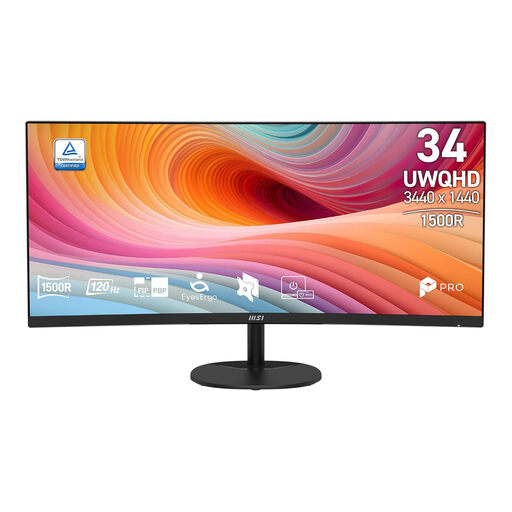
The wide aspect ratio may suit viewing photos and gallery windows side by side.
34-inch; 3440 × 1440 pixels; VA panel; 1800R curvature; 120 Hz.
 No image available
The ultrawide layout is designed for using several windows, such as photos and a gallery, side by side.
34-inch; 3440 × 1440 pixels; 21:9; VA panel; 120 Hz; 4 ms response time.
 No image available
The stated screen space and hub features may be useful when viewing gallery windows side by side and sharing laptops.
3440 × 1440 pixels; 99% sRGB; 100 Hz; USB-C Power Delivery up to 90 W; built-in KVM, USB hub and RJ45; adjustable stand.
USB-C charging requires a compatible laptop with Power Delivery and DisplayPort Alt Mode.
 No image available
The wide screen layout can help you place gallery windows alongside other work windows.
21:9 ultrawide IPS screen; 3440 × 1440 pixels; 99% sRGB; 100 Hz; integrated KVM, USB-C hub, RJ45 and webcam; USB-C power delivery up to 90 W.
Available charging power depends on the connected device.
 No image available
The stated high-resolution mode and hub features may suit a shared desk with lots of gallery content and several users.
WUHD mode of 5120 × 2160 at 120 Hz; USB-C power delivery up to 140 W; built-in KVM, USB hub and Ethernet; stand with height, swivel and tilt adjustment.
USB-C video and Power Delivery require a compatible computer.
No. First, find out which colour space your gallery workflow uses. Then compare the colour modes and stated coverage of the exact monitor; a product specification of 98% P3 does not prove that all photos will look the same on every device.
Readjust the screen whenever users switch, and check for reflections and its position in relation to windows. For workstations subject to screen-work regulations, Arboportaal highlights features such as height adjustment, adequate lighting and preventing glare.
No, it depends on the laptop and monitor. Compare video support and charging requirements: BenQ lists DisplayPort Alt Mode and 65 W Power Delivery for the PD3420Q; ASUS lists DisplayPort Alt Mode and 90 W for the PA348CGV.
That depends on who is legally making the purchase. The Dutch government explains that consumer purchases in the Netherlands are covered by a statutory guarantee with no fixed statutory warranty period; the retailer is the point of contact if a product is faulty. Ondernemersplein states that this statutory consumer guarantee does not apply to sales between businesses, so check the contract and warranty terms in that case.
Only if there is a lawful basis for doing so. The Dutch Data Protection Authority says that consent is the legal basis in most cases for publishing employee photos, and notes that consent can be withdrawn. Whether this applies depends on who can be identified in the photos and what happens to the gallery.